1. Hyrje
Thank you for choosing the Hama 186369 Weather Forecast Center. This device provides comprehensive weather data, including satellite-based forecasts, indoor and outdoor temperature/humidity, and more. This manual will guide you through the setup, operation, and maintenance of your weather station to ensure optimal performance.
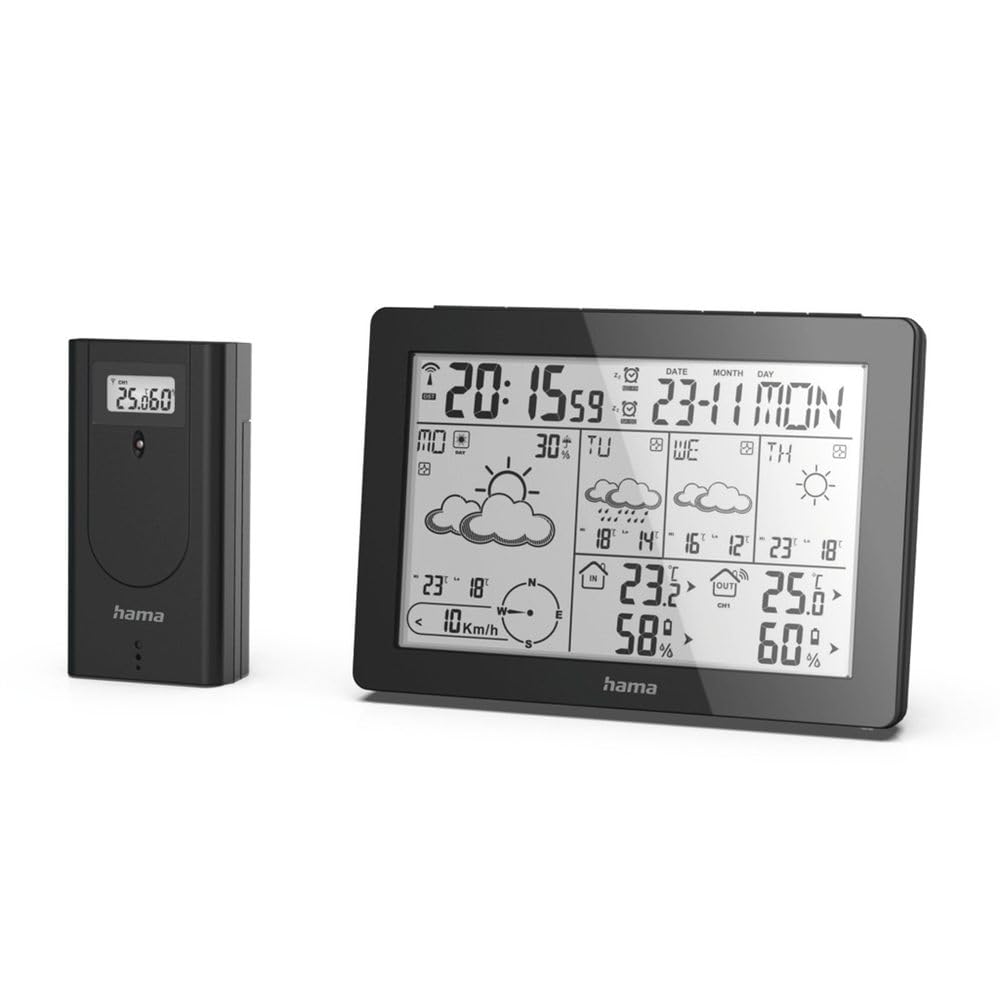
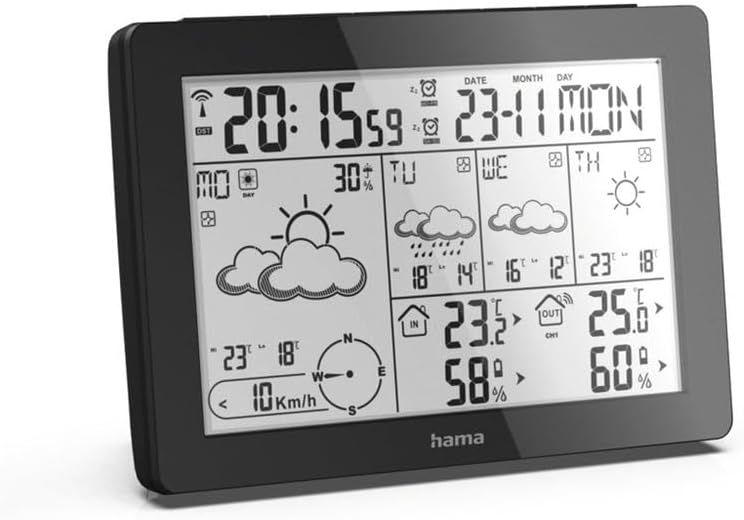
The Hama 186369 Weather Forecast Center main unit, showcasing its digital display with various weather parameters.
2. Përmbajtja e paketës
Ju lutemi kontrolloni që të gjitha artikujt e listuar më poshtë janë të pranishëm dhe në gjendje të mirë:
- Hama 186369 Weather Forecast Center (Base Station)
- Sensor i jashtëm pa tel
- 4 x AA Batteries (for both units)
- Ky manual udhëzimi

The complete set, including the base station and the wireless outdoor sensor.
3. Udhëzimet e sigurisë
- Do not open the device. Improper repair can lead to considerable hazards for the user.
- Do not expose the product to direct sunlight, extreme temperatures, or high humidity.
- Mbajeni këtë produkt, si të gjitha produktet elektrike, jashtë mundësive të fëmijëve.
- Mbroni produktin nga papastërtia, lagështia dhe mbinxehja.
- Përdoreni produktin vetëm për qëllimin e tij të synuar.
- Mos e përdorni produktin në zona ku produktet elektronike nuk lejohen.
- When inserting batteries, note the correct polarity (+ and - markings) and insert the batteries accordingly. Otherwise, the batteries could leak or explode.
- Replace all batteries of a set at the same time. Do not mix old and new batteries or batteries of different types.
4. Konfigurimi
4.1 Futja e baterive
The Hama 186369 Weather Forecast Center and its outdoor sensor require AA batteries for operation.
- Open the battery compartment cover on the back of both the base station and the outdoor sensor.
- Insert the AA batteries, ensuring correct polarity (+ and -). The base station requires 2x AA batteries, and the outdoor sensor requires 2x AA batteries.
- Mbyllni mirë kapakët e ndarjes së baterisë.
Inserting batteries into the base station. Ensure correct polarity.

The wireless outdoor sensor, which also requires batteries.
4.2 Initial Operation and Signal Reception
After inserting the batteries, the base station will automatically search for the DCF-77 signal and connect to the outdoor sensor.
- Place the base station and the outdoor sensor close to each other during initial setup.
- The DCF-77 radio signal for time and date synchronization will be automatically received. This process may take several minutes.
- The outdoor sensor will transmit temperature and humidity data to the base station. Ensure they are within range (up to 30 meters in open areas).

Mbiview of the weather station's features and components, including the outdoor sensor and base station display.
5. Operating the Weather Forecast Center
5.1 Shfaqja përfundoiview
The main display shows various information at a glance:
- Koha dhe data: Synchronized via DCF-77 signal.
- Indoor Temperature and Humidity: Measured by the base station.
- Outdoor Temperature and Humidity: Received from the wireless outdoor sensor.
- Parashikimi i Motit: Satellite-based 4-day forecast for 60 regions/30 regions in Europe, updated daily.
- Rain Probability: Indication of precipitation likelihood.
- Shpejtësia dhe drejtimi i erës: Displayed graphically.
- Alarm Ngrice: Activates when temperatures drop to a critical level.
5.2 Funksionet e butonave
The buttons on the top of the base station allow you to adjust settings and view different information.

Top view of the base station showing the control buttons.
- MODI: Switches between display modes (e.g., time, alarm setting).
- KANELI: Selects different outdoor sensor channels if multiple sensors are used.
- DAY/NIGHT/SNOOZE+LIGHT: Activates backlight, snooze function for alarm, or switches between day/night display.
- TEST: Initiates a test of the sensor connection.
- LARTË / POSHTË: Adjusts values during settings or navigates through forecast data.
5.3 Vendosja e Orës dhe Datës (Rregullimi Manual)
While the time and date are usually set automatically via the DCF-77 signal, you can manually adjust them if needed.
- Shtypni dhe mbani shtypur MODE butonin derisa ekrani i kohës të fillojë të pulsojë.
- Përdorni UP dhe POSHTE butonat për të rregulluar orën, pastaj shtypni MODE për të konfirmuar dhe për të kaluar te minutat.
- Përsëriteni për minuta, vit, muaj dhe ditë.
- Shtypni MODE again to exit the setting mode.
5.4 Funksioni i alarmit
The weather station includes an alarm function.
- Shtypni MODE button repeatedly until the alarm time is displayed.
- Shtypni dhe mbani shtypur MODE për të hyrë në modalitetin e vendosjes së alarmit.
- Përdorni UP dhe POSHTE për të vendosur kohën e dëshiruar të alarmit.
- Shtypni MODE për të konfirmuar çdo cilësim.
- Për të aktivizuar/çaktivizuar alarmin, shtypni butonin UP button when the alarm time is displayed. An alarm icon will appear/disappear.
6. Mirëmbajtja
6.1 Pastrimi
- Pastrojeni këtë produkt vetëm me një damp, leckë pa garzë dhe mos përdorni agjentë pastrimi agresivë.
- Ensure that no water gets into the device.
6.2 Ndërrimi i baterisë
When the battery indicator appears on the display, replace all batteries in the respective unit (base station or outdoor sensor).
- Follow the steps in section 4.1 "Inserting Batteries".
- Hidhni bateritë e përdorura sipas rregullave lokale.
7. Troubleshooting
| Problem | Shkaku i mundshëm | Zgjidhje |
|---|---|---|
| No display / Weak display | Bateritë janë bosh ose janë futur gabimisht. | Zëvendësoni bateritë, duke u siguruar që polariteti të jetë i saktë. |
| Nuk ka lexim të temperaturës/lagështisë së jashtme | Outdoor sensor not connected or out of range. |
|
| Ora/data e gabuar | DCF-77 signal not received or interference. |
|
| Parashikimi i pasaktë i motit | Incorrect region setting or temporary signal issue. |
|
8. Specifikimet
| Veçori | Detaj |
|---|---|
| Numri i modelit | 186369 |
| Dimensions (Base Station) | 3 x 15.3 x 10.5 cm |
| Pesha | 510 g |
| Materiali | Akrilik |
| Burimi i energjisë | Battery-powered (4 AA batteries required, included) |
| Lidhshmëria | Wireless (for outdoor sensor) |
| Karakteristika të veçanta | Alarm, Wireless Outdoor Sensor, Frost Alarm, DCF-77 Radio Clock |
| Parashikimi i motit | Satellite-based 4-day forecast for 60 regions/30 regions in Europe, daily updated data for 611 locations. |
| Përdorimi i rekomanduar | Temperature measurement, hobby, private, business. |
9. Garancia dhe Mbështetja
Hama GmbH & Co KG nuk merr asnjë përgjegjësi dhe nuk jep asnjë garanci për dëmet që vijnë nga instalimi/montimi i pahijshëm, përdorimi jo i duhur i produktit, ose nga mosrespektimi i udhëzimeve të përdorimit dhe/ose shënimeve të sigurisë.
For technical support or warranty claims, please contact your retailer or visit the official Hama webfaqe për ndihmë të mëtejshme.

Hama: Experience and competence since 1923.