Hyrje
The FreedConn T-COMVB Bluetooth Helmet Headset is designed to provide wireless communication for motorcyclists. This system allows for hands-free phone calls, music listening, FM radio, GPS voice prompts, and intercom communication between riders. It features Bluetooth 5.0 technology, noise cancellation, and a waterproof design for various riding conditions.
Çfarë ka në Kuti
Verifikoni që të gjithë përbërësit janë të pranishëm në paketim:
- FreedConn T-COMVB Bluetooth Headset Unit (x2 for 2-pack)
- Altoparlantët stereo
- Boom Microphone (for open-face/modular helmets)
- Soft-Wire Microphone (for full-face helmets)
- Helmet Mount Bracket (clip-on and adhesive options)
- Kabllo karikimi USB
- Manuali i Përdoruesit
- Mbulesa Velcro për Altoparlantë dhe Mikrofon
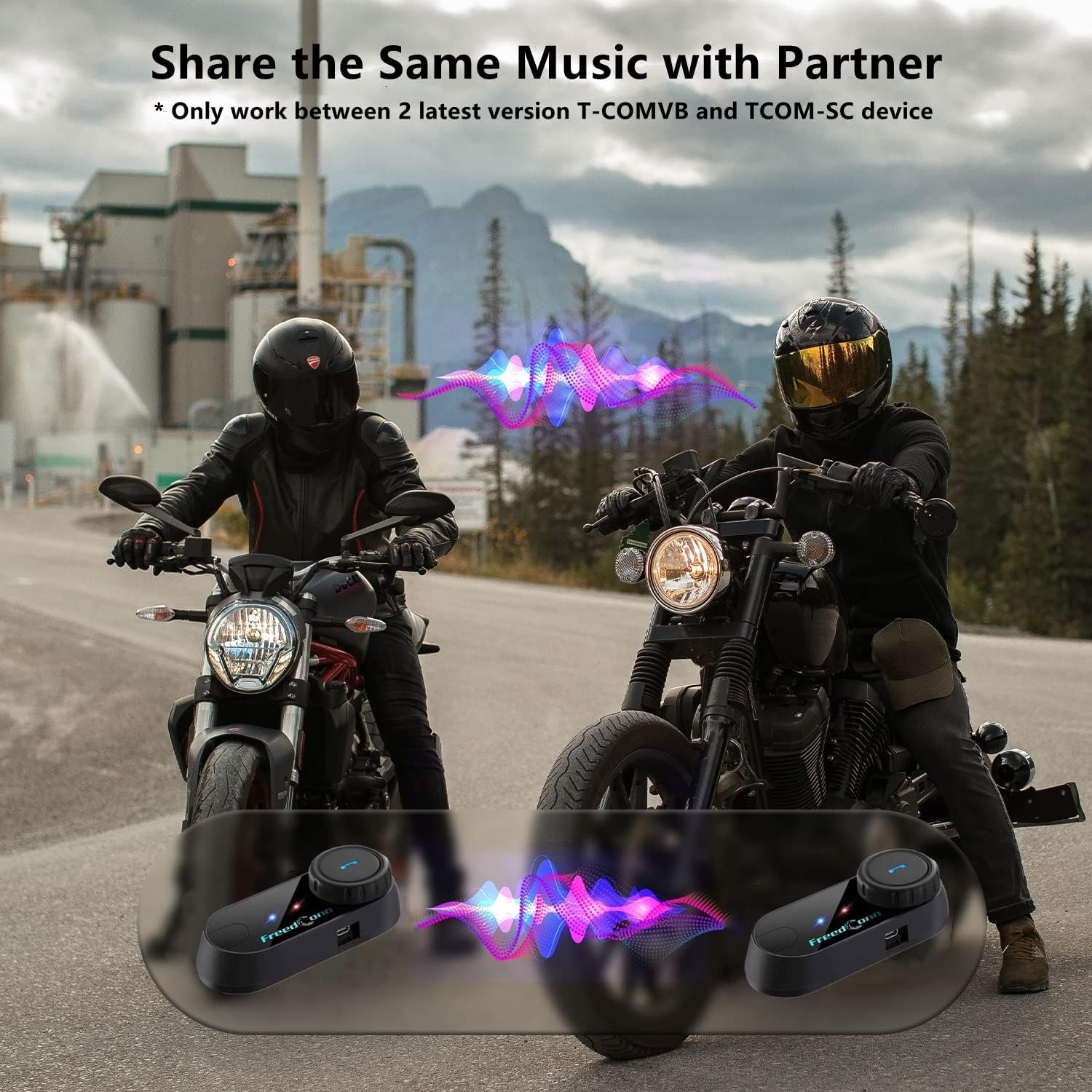
Image: Package contents for the FreedConn T-COMVB Bluetooth Helmet Headset 2-pack, showing all included accessories.
Konfigurimi
1. Ngarkimi i pajisjes
Before first use, fully charge the T-COMVB unit. Connect the USB charging cable to the headset's charging port and a USB power source. The indicator light will show charging status.
- Koha e karikimit: Përafërsisht 3-4 orë.
- Jetëgjatësia e baterisë: Up to 7-8 hours of intercom, 10 hours of phone calls/music, 300 hours standby.

Image: Visual representation of the 400mAh battery capacity and estimated usage times for intercom, phone calls, and standby.
2. Microphone Selection
Choose the appropriate microphone for your helmet type:
- Mikrofoni Boom: Recommended for open-face, half, and modular flip-up helmets.
- Soft-Wire Microphone: Recommended for full-face and off-road helmets.
Connect the chosen microphone and speakers to the corresponding ports on the headset unit.
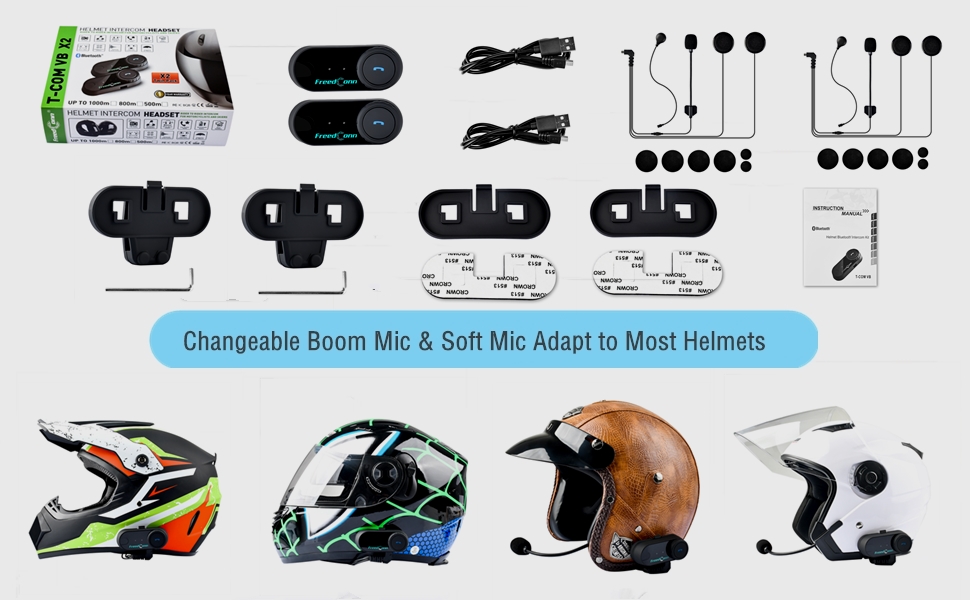
Image: Illustration demonstrating the compatibility of boom and soft-wire microphones with various helmet styles.
3. Instalimi i helmetës
Mount the T-COMVB unit to the side of your helmet using either the clip-on bracket or the adhesive bracket. Ensure the unit is securely attached and the speakers are positioned correctly inside the helmet for optimal audio.

Image: A FreedConn T-COMVB unit securely installed on the exterior of a motorcycle helmet.
Udhëzimet e funksionimit
1. Ndez/Fik
- Ndezja: Press and hold the Power button until the indicator light flashes.
- Fike: Shtypni dhe mbani shtypur butonin e ndezjes derisa drita treguese të fiket.
2. Bluetooth Pairing (with Phone/GPS)
To connect your T-COMVB to a Bluetooth-enabled device (phone, GPS):
- Ensure the T-COMVB is off.
- Shtypni dhe mbani shtypur butonin e ndezjes për afërsisht 5-7 sekonda derisa drita treguese të ndizet me të kuqe dhe blu në mënyrë alternative, duke treguar modalitetin e çiftëzimit.
- On your phone or GPS, enable Bluetooth and search for available devices.
- Select "FreedConn T-COMVB" from the list. If prompted, enter "0000" as the PIN.
- Pasi të çiftëzohet, drita treguese do të ndizet ngadalë në ngjyrë blu.

Image: The T-COMVB headset demonstrating its Bluetooth 5.0 and universal connectivity with different devices and helmet types.
3. Intercom Communication (Rider to Rider)
The T-COMVB supports intercom communication with other T-COMVB or TCOM-SC units.
- Ensure both units are powered on and not connected to other Bluetooth devices.
- On one unit, press and hold the Intercom button until the indicator light flashes red and blue alternately.
- On the second unit, press the Intercom button once.
- The units will automatically search and pair. Once connected, the indicator lights will flash blue slowly.
- To initiate intercom, press the Intercom button once. To end, press it again.
4. Music Playback and Sharing
Once paired with your phone, you can play music. Music sharing is supported between two latest version T-COMVB and TCOM-SC devices.
- Luaj/Ndalu: Shtypni një herë butonin me shumë funksione.
- Pjesa tjetër: Rotate the Multi-function button clockwise.
- Pjesa e mëparshme: Rotate the Multi-function button counter-clockwise.
- Ndarja e muzikës: While music is playing, press and hold the Intercom button on both units to initiate music sharing.

Image: Two riders sharing music through their FreedConn T-COMVB headsets, highlighting the music sharing feature.
5. Radio FM
To activate the built-in FM radio:
- Aktivizo FM-in: Press the FM button once.
- Skanoni kanalet: Rotate the Multi-function button to scan for stations.
- Fik FM-in: Press the FM button again.
6. Telefonatat
When paired with your phone, the T-COMVB allows for hands-free calls.
- Përgjigjuni thirrjes: Shtypni një herë butonin me shumë funksione.
- Fundi i telefonatës: Shtypni butonin shumëfunksional një herë gjatë një telefonate.
- Refuzo thirrjen: Shtypni dhe mbani butonin Multi-funksional për 2 sekonda.
- Ribllokoni numrin e fundit: Shtypni dy herë butonin me shumë funksione.
- Voice Assistant (Siri/Google Voice): Press the Voice Assistant button to activate your phone's voice assistant.

Image: Icons representing voice assistant activation (Siri, Google Voice) for hands-free calling functionality.
Mirëmbajtja
- Pastrimi: Përdorni një të butë, damp cloth to clean the unit. Do not use harsh chemicals or solvents.
- Rezistenca ndaj ujit: The unit is waterproof, but avoid submerging it in water. Ensure all ports are securely closed when exposed to rain.
- Kujdesi për baterinë: If the device is not used for an extended period, charge it at least once a month to preserve battery life.

Image: The FreedConn T-COMVB headset on a helmet, illustrating its waterproof feature in rainy conditions.
Zgjidhja e problemeve
- Pa fuqi: Ensure the unit is fully charged. Connect to a power source and check the charging indicator.
- Nuk mund të çiftëzohet Bluetooth: Ensure the unit is in pairing mode (red and blue flashing light). Make sure other Bluetooth devices are disconnected. Try restarting both the headset and your phone/GPS.
- Nuk ka zë nga altoparlantët: Check that the speakers are securely plugged into the headset unit. Ensure volume is not set to minimum.
- Interkomi nuk lidhet: Ensure both units are T-COMVB or TCOM-SC models and are in intercom pairing mode. Keep units within range (up to 800 meters).
- Cilësi/Zhurmë e dobët e audios: Ensure the microphone is positioned correctly, close to your mouth. The T-COMVB features advanced noise cancellation technology.

Image: A visual representation of the advanced noise cancellation technology, demonstrating its effect on sound quality.
Specifikimet
| Model | T-COMVB |
| Versioni Bluetooth | 5.0 + EDR |
| Gama e Intercom | Deri në 800 metra (2-3 kalorës) |
| Kapaciteti i baterisë | 400 mAh |
| Koha e karikimit | 3-4 orë |
| Koha e Intercom | 7-8 orë |
| Phone Call/Music Time | 10 orë |
| Koha e gatishmërisë | 300 orë |
| Rezistenca ndaj ujit | I papërshkueshëm nga uji |
| Metoda e kontrollit | Voice, Manual Buttons |
| Karakteristika të veçanta | Microphone Included, Noise Cancellation, FM Radio |
| Materiali | Polimer |
| Pesha e artikullit | Approximately 1.15 pounds (for 2 units) |
Garancia dhe Mbështetja
For warranty information, technical support, or service inquiries, please refer to the contact details provided with your purchase or visit the official FreedConn webvend. Ruajeni provën e blerjes për kërkesat e garancisë.


