1. Hyrje
This manual provides detailed instructions for the installation, operation, and maintenance of your LAMAX T4 Car Camera. Please read this manual thoroughly before using the device to ensure proper function and safety. The LAMAX T4 is a Full HD dashcam designed to record your journeys, featuring a magnetic mount, super capacitor power, and a 140-degree wide-angle lens.
2. Përmbajtja e paketës
Verifikoni që të gjitha artikujt e listuar më poshtë janë të pranishëm në paketën tuaj:
- LAMAX T4 Dashcam
- Mbajtës magnetik
- Car Adapter with additional USB port
- 3M Replacement Adhesive
- Mini USB PC Cable
- Optional Magnetic 3M Holder with GPS (accessory)

Figure 2.1: Contents of the LAMAX T4 Car Camera package. Includes the dashcam, magnetic mount, car charger, USB cable, and adhesive pads.
3. Produkti i Mbaruarview
The LAMAX T4 Car Camera is equipped with several features to enhance your driving experience and provide reliable recording. Key features include Full HD video resolution, a 140-degree wide-angle lens, Wide Dynamic Range (WDR) for improved image quality in varying light conditions, a G-sensor for incident detection, and a super capacitor for enhanced durability.
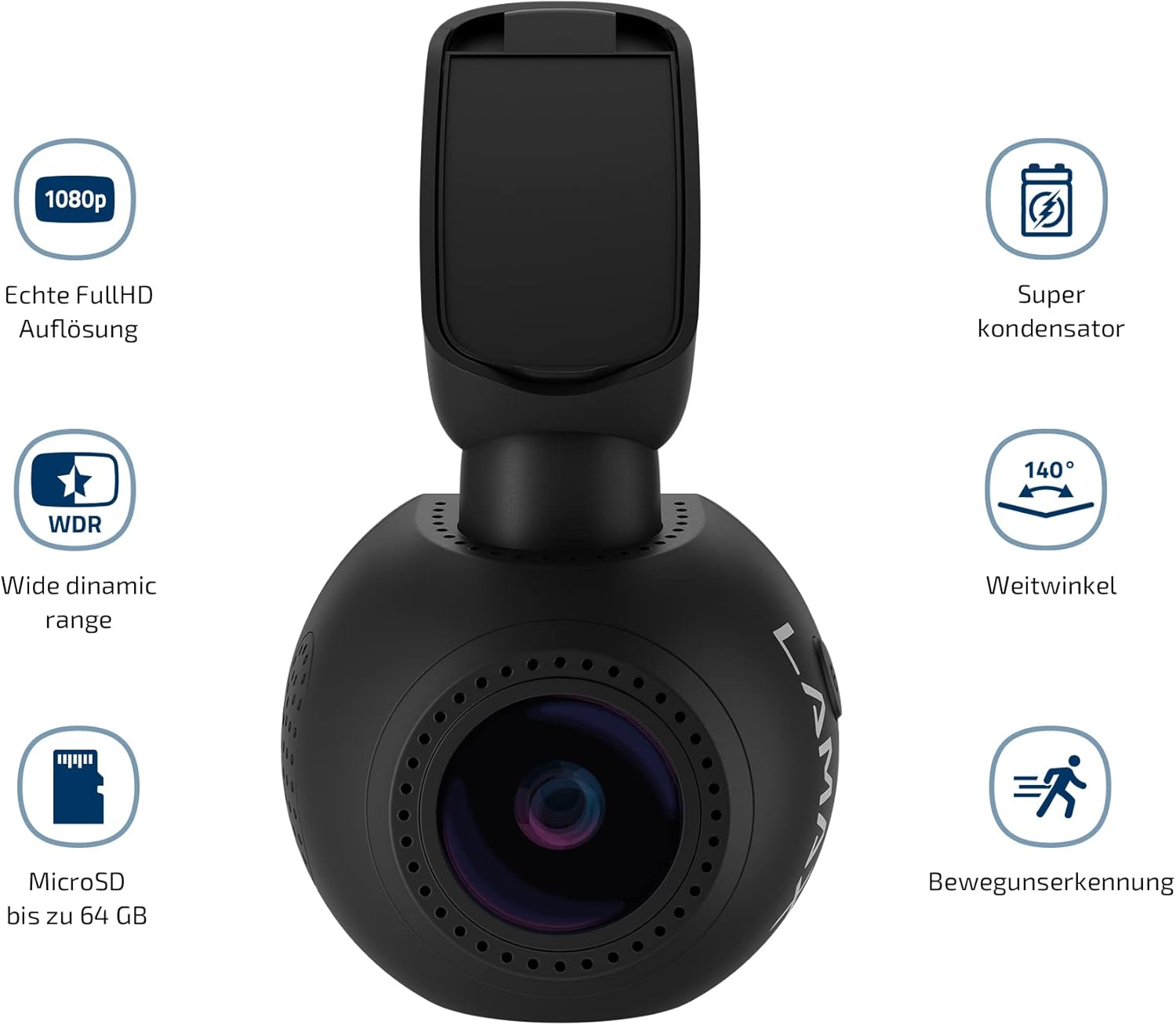
Figura 3.1: Mbiview of LAMAX T4 Car Camera features, highlighting 1080p Full HD, Super Capacitor, 140-degree wide angle, WDR, MicroSD support up to 64GB, and Motion Detection.
3.1 Identifikimi i Komponentit
Familiarize yourself with the various parts of your LAMAX T4 dashcam:
- Lentet e kamerës: Regjistron video.
- 1.5 Inch Display: Për viewing live footage, playback, and menu navigation.
- Magnetic Mount Connector: For attaching the camera to the magnetic holder.
- Vendi i kartës MicroSD: Insert your memory card here.
- Mikrofoni: Regjistron audio.
- Treguesi LED: Shows device status (e.g., recording, charging).
- Butonat e kontrollit: For menu navigation and function selection.
- Porta mini USB: Për furnizimin me energji dhe transferimin e të dhënave.

Figure 3.2: Detailed diagram identifying the components of the LAMAX T4 Car Camera, including the magnetic mount, power input, MicroSD slot, microphone, LED indicator, and control buttons.
4. Konfigurimi
4.1 Montimi i kamerës
- Clean the area on your windshield where you intend to mount the camera. Ensure it does not obstruct your view.
- Attach the magnetic holder to the windshield using the provided 3M adhesive pad. Press firmly for at least 30 seconds to ensure a secure bond.
- Slide the LAMAX T4 dashcam onto the magnetic holder. The magnetic connection will secure the camera. An additional lock mechanism on the mount provides extra stability.
- Rregulloni këndin e kamerës për të siguruar një pamje të qartë view të rrugës përpara.
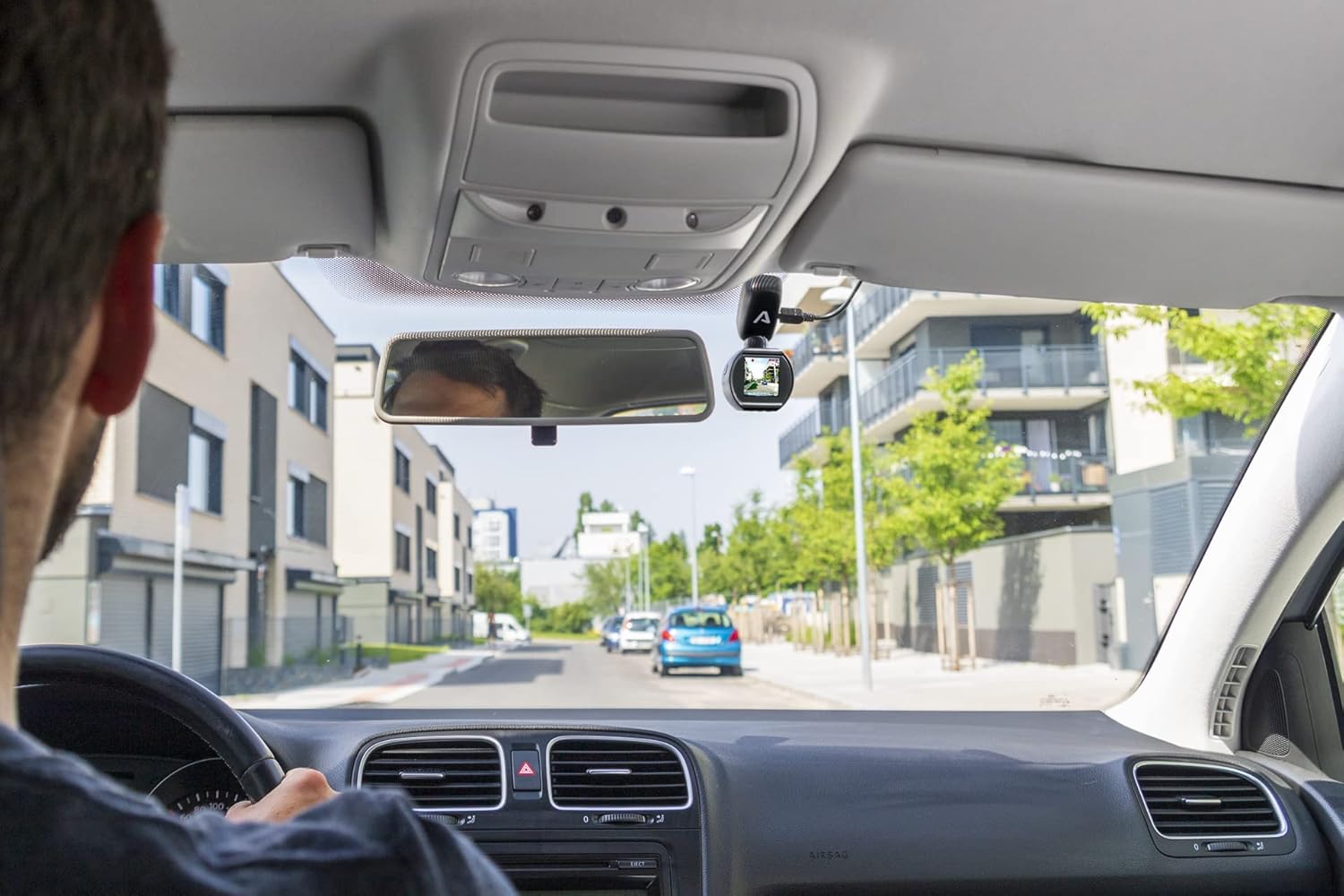
Figure 4.1: LAMAX T4 Car Camera mounted on the windshield, showing the driver's perspective of the road.

Figura 4.2: Pamje nga afër view of the LAMAX T4 Car Camera securely mounted on the car windshield.
4.2 Lidhja e energjisë
- Connect the Mini USB cable to the camera's Mini USB port.
- Plug the other end of the cable into the provided car adapter.
- Insert the car adapter into your vehicle's 12V cigarette lighter socket.
- The camera will automatically power on and begin recording when the vehicle's ignition is turned on. The car adapter also includes an additional USB port for charging other devices.
4.3 Vendosja e një karte MicroSD
The LAMAX T4 supports MicroSD cards up to 64GB. A high-speed card (Class 10 or higher) is recommended for optimal performance.
- With the camera powered off, locate the MicroSD card slot on the side of the device.
- Insert the MicroSD card with the gold contacts facing the back of the camera until it clicks into place.
- To remove, gently push the card in until it clicks, then release, and it will eject.
4.4 Optional GPS Module
If you have the optional GPS module, attach it to the magnetic mount before attaching the camera. The GPS module records vehicle position and speed, which can be displayed in the video footage.
5. Udhëzimet e funksionimit
5.1 Ndez/Fik
- Automatik: The camera powers on and off automatically with the vehicle's ignition.
- manual: Press and hold the power button to manually turn the camera on or off.
5.2 Regjistrimi video
The LAMAX T4 records in Full HD (1080p) at 30 frames per second. It utilizes loop recording, meaning when the memory card is full, the oldest unprotected files janë mbishkruar nga regjistrime të reja.
- Filloni regjistrimin: Recording typically starts automatically when the camera powers on. A flashing LED indicator confirms recording is active.
- Ndalo regjistrimin: Press the 'OK' button to stop recording. Press again to resume.
- Duke mbrojtur Files: During recording, press the 'M' button to manually protect the current recording from being overwritten. Files protected by the G-sensor are also locked.
5.3 Funksioni i Sensorit G
The integrated G-sensor detects sudden impacts or rapid acceleration/deceleration. When triggered, it automatically locks the current video segment, preventing it from being overwritten during loop recording. The sensitivity of the G-sensor can be adjusted in the camera settings.
5.4 Diapazon i Gjerë Dinamik (WDR)
WDR technology improves video quality in challenging lighting conditions, such as strong backlighting or rapid changes from dark to bright environments. This ensures clearer details in both bright and dark areas of the image.
5.5 Shfaqja dhe Navigimi i Menysë
The 1.5-inch display allows you to view jeto footage, play back recorded videos, and access camera settings. Use the control buttons (Up, Down, OK, M) to navigate through the menu options.

Figure 5.1: The LAMAX T4 Car Camera display showing a live view of the road during operation.
5.6 Cilësimet e datës dhe orës
It is important to set the correct date and time for accurate video timestamps. Access these settings through the camera's menu. Due to the super capacitor, the camera relies on continuous power to maintain date and time settings over extended periods without power. If the camera is left unpowered for several days, the date and time may need to be reset.
6. Mirëmbajtja
6.1 Pastrimi i Kamerës
- Përdorni një leckë të butë dhe të thatë për të pastruar trupin e kamerës.
- Për lentet, përdorni një leckë dhe tretësirë të specializuar për pastrimin e lenteve për të shmangur gërvishtjet.
- Mos përdorni pastrues gërryes ose tretës.
6.2 Menaxhimi i Kartës MicroSD
- Regularly format your MicroSD card (e.g., once a month) using the camera's menu option to maintain optimal performance and prevent data corruption.
- Replace the MicroSD card if you experience frequent recording errors or data loss.
7. Troubleshooting
If you encounter issues with your LAMAX T4, refer to the following common problems and solutions:
- Kamera nuk ndizet:
Ensure the car adapter is securely plugged into the 12V socket and the Mini USB cable is firmly connected to the camera. Check if the vehicle's 12V socket is receiving power. - Camera does not record:
Verify that a MicroSD card is inserted correctly and is not full. Format the MicroSD card if necessary. Ensure the camera is receiving continuous power. - Date and time settings are not saved:
The LAMAX T4 uses a super capacitor, which requires continuous power to maintain date and time settings over long periods. If the camera is disconnected from power for more than a few days, the date and time may reset. Reconnect to power and reset the date/time in the settings. - Video quality is poor or license plates are unreadable:
Ensure the camera lens is clean and free from obstructions. Check that the camera is recording in Full HD (1080p) resolution in the settings. While the camera records in Full HD, license plate readability can be affected by distance, speed, and lighting conditions. - Magnetic mount is not stable:
Ensure the windshield surface is clean and dry before applying the 3M adhesive. Press the adhesive firmly for the recommended time. If the adhesive wears out, use a replacement 3M adhesive pad. - Camera freezes or malfunctions:
Try resetting the camera by pressing the reset button (if available) or disconnecting and reconnecting the power. If the issue persists, try using a different MicroSD card.
8. Specifikimet
Technical specifications for the LAMAX T4 Car Camera:
| Numri i modelit | LMXT4 |
| Rezolucioni i kapjes së videos | 1080p (HD e plotë) |
| Korniza për sekondë | 30 fps |
| Viewing kënd | 140° (horizontal max.) |
| Madhësia e ekranit | 1.5 inç |
| Burimi i energjisë | Super Capacitor, 12V Car Adapter |
| Magazinimi | MicroSD card up to 64GB (Class 10 recommended) |
| Karakteristika të veçanta | WDR, G-Sensor, Loop Recording, Magnetic Mount, Optional GPS |
| Lidhshmëria | Ndihmës, USB |
| Lloji i montimit | Montimi magnetik |
| Dimensionet e produktit | 6 x 16 x 11 cm |
| Pesha e artikullit | 340 g |
9. Informacioni i garancisë
LAMAX products are covered by a manufacturer's warranty. The specific terms and duration of the warranty may vary by region and retailer. Please retain your proof of purchase for any warranty claims. For detailed warranty information, refer to the documentation provided with your purchase or visit the official LAMAX webfaqe.
10. Mbështetja e klientit
If you require further assistance or have questions not covered in this manual, please contact LAMAX customer support. You can typically find contact information on the official LAMAX website or through your product retailer. When contacting support, please have your product model (LMXT4) and proof of purchase available.


