Hyrje
Thank you for choosing the New Soul S-Play Bluetooth Wireless Earbuds. These earbuds are designed to provide an immersive audio experience with cutting-edge Bluetooth v5.2 technology, 40ms low latency, and versatile tri-mode functionality, ideal for gaming and entertainment. This manual will guide you through the setup, operation, and maintenance of your S-Play earbuds to ensure optimal performance.
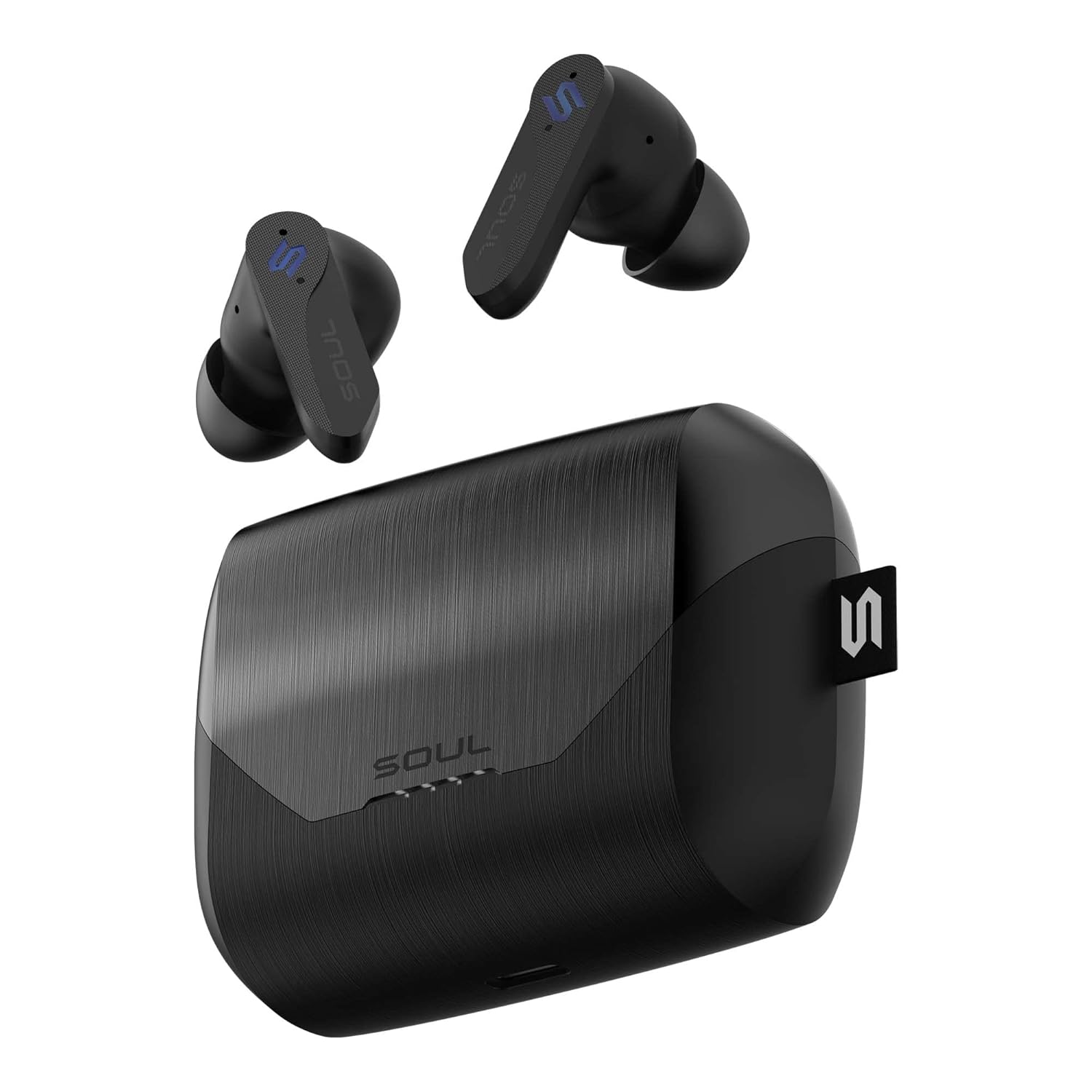
Image: The Soul S-Play earbuds, featuring a sleek black design, are shown alongside their matching charging case. The earbuds are positioned above the open case, highlighting their compact form factor and the case's textured finish.
Çfarë ka në Kuti
- Soul S-Play Wireless Earbuds (Left and Right)
- Kutia e karikimit
- Kabllo karikimi USB-C
- Manuali i Përdoruesit
Produkti Mbiview
Karakteristikat kryesore
- 40ms Latency e Ulët: Ensures minimal audio lag for seamless gaming and video synchronization.
- Bluetooth v5.2: Ofron lidhje pa tel të qëndrueshme dhe efikase.
- Tri-Mode Functionality: Switch between Entertainment (Low Latency), Audio Transparency, and Normal modes.
- Koha e zgjatur e lojës: Up to 7 hours on a single charge, with a total of 28 hours using the charging case.
- Wireless and USB-C Charging: Convenient charging options for the case.
- Anulimi i Zhurmës Mjedisore: Enhances voice clarity during calls.
- IPX4 Rezistenca ndaj ujit: Mbron nga spërkatjet dhe djersitja.
- Mikrofoni i integruar: For clear hands-free communication.
- Kontrollet me prekje: Intuitive control over media playback and calls.
Konfigurimi
Karikimi i kufjeve dhe kasës
Before first use, fully charge the S-Play earbuds and charging case.
- Vendosni kufjet në kutinë e karikimit, duke u siguruar që janë vendosur siç duhet.
- Karikimi me tel: Connect the provided USB-C cable to the charging port on the case and plug the other end into a USB power adapter (not included).
- Karikimi me valë: Vendoseni kutinë e karikimit në një platformë karikimi pa tel të përputhshme.
- The LED indicators on the case will show the charging status. Once fully charged, the indicators will change or turn off.
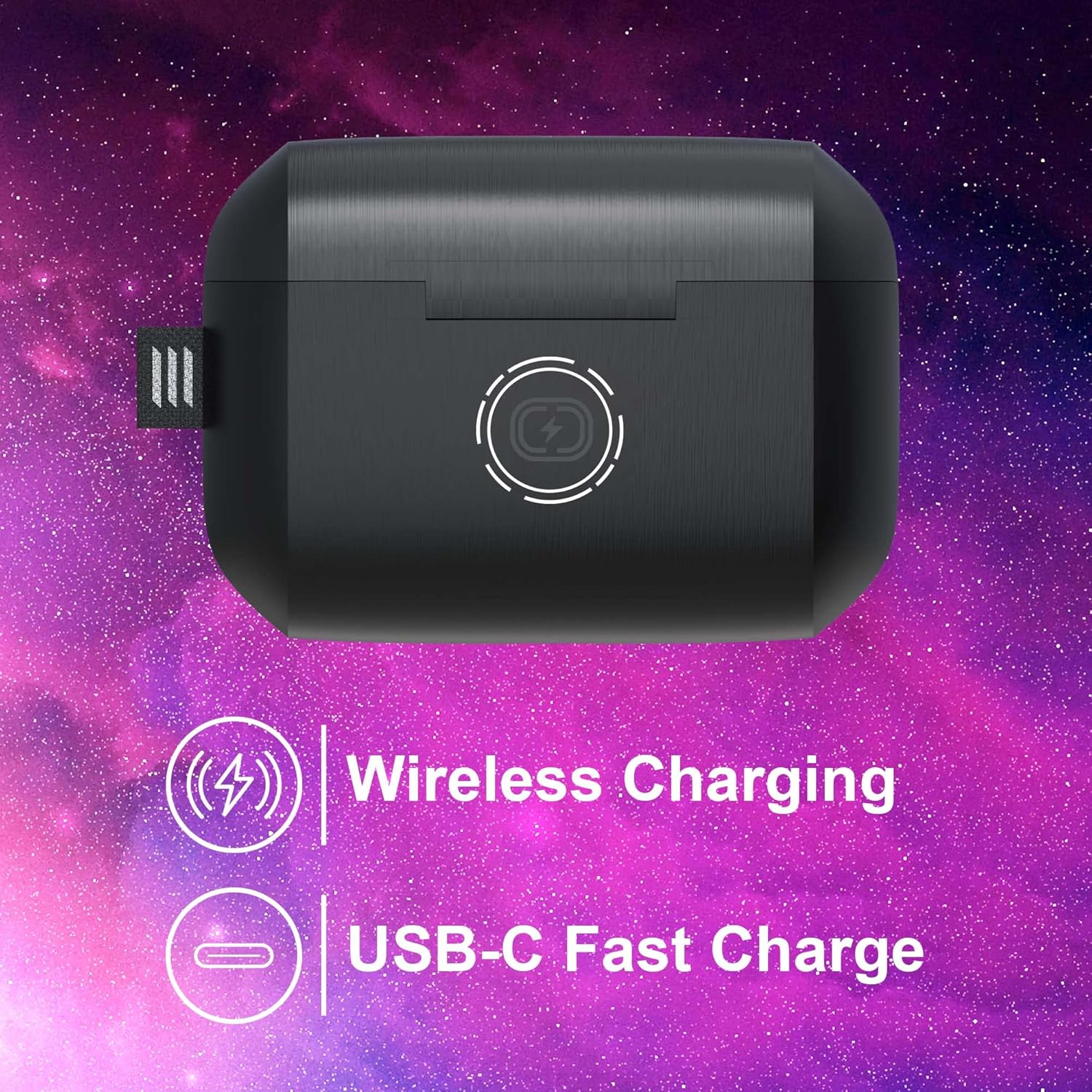
Image: The Soul S-Play charging case is depicted with icons indicating both wireless charging capability and a USB-C fast charge port. This illustrates the dual charging options available for the device.
Çiftimi me pajisjen tuaj
The S-Play earbuds are designed for easy pairing with both iOS and Android devices.
- Open the charging case. The earbuds will automatically enter pairing mode, indicated by flashing LED lights on the earbuds.
- Në pajisjen tuaj (smartfon, tablet, etj.), shkoni te cilësimet e Bluetooth.
- Select "SOUL S-Play" from the list of available devices.
- Once connected, the earbud LEDs will stop flashing, and you will hear an audible confirmation.
- The earbuds will automatically reconnect to the last paired device when taken out of the case.
Udhëzimet e funksionimit
Ndezja/Fikur
- Ndezja: Hapni kutinë e karikimit dhe kufjet do të ndizen automatikisht.
- Fike: Vendosni kufjet përsëri në kutinë e karikimit dhe mbylleni kapakun. Ato do të fiken automatikisht dhe do të fillojnë karikimin.
Prekni "Kontrollet".
The S-Play earbuds feature intuitive touch controls on each earbud. Specific functions may vary slightly depending on your device and application.
- Luaj/Ndalu: Një prekje e vetme në secilën kufje.
- Pjesa tjetër: Trokit dy herë në kufjen e djathtë.
- Pjesa e mëparshme: Trokit dy herë në kufjen e majtë.
- Përgjigja/Përfundimi i telefonatës: Një prekje e vetme në secilën kufje.
- Refuzo thirrjen: Shtypni dhe mbani shtypur njërën nga kufjet.
- Aktivizo "Asistentin e zërit": Trokitni tre herë në njërën nga kufjet.
- Switch Tri-Mode: Press and hold the touch area for 2 seconds on either earbud to cycle through modes.
Tri-Mode Functionality
The S-Play earbuds offer three distinct audio modes to optimize your listening experience:

Image: A visual diagram explains the S-Play's Tri-Mode feature, showing icons for Transparency Mode, Entertainment Mode (Low Latency), and Normal Mode, with lines connecting them to the earbuds.
- Entertainment Mode (Low Latency): Reduces audio delay to 40ms, providing synchronized sound for gaming and video content. This is the recommended mode for media consumption.
- Modaliteti i transparencës: Allows ambient sounds to pass through, keeping you aware of your surroundings without removing the earbuds.
- Modaliteti normal: Standard audio playback, optimizing battery life for general listening.
To switch between modes, press and hold the touch area on either earbud for approximately 2 seconds until you hear an audible prompt indicating the mode change.

Image: A man wearing the Soul S-Play earbuds is shown intently looking at his phone, with an overlay highlighting the 'BEST-IN-CLASS 40ms LOW LATENCY' feature, emphasizing the earbuds' suitability for responsive audio experiences.
Bërja e thirrjeve
The S-Play earbuds feature a built-in microphone with Environmental Noise Cancellation for clear calls.
- Përgjigjja e një thirrjeje: Një prekje e vetme në secilën kufje.
- Përfundimi i një telefonate: Trokitje e vetme në njërën nga kufjet gjatë një telefonate.
- Refuzimi i një thirrjeje: Press and hold on either earbud when a call comes in.
Mirëmbajtja
Pastrimi
Për të ruajtur performancën dhe higjienën optimale, pastroni rregullisht kufjet dhe kutinë e karikimit.
- Përdorni një leckë të butë, të thatë dhe pa push për të fshirë kufjet dhe kutinë e karikimit.
- Për papastërti kokëfortë, pakampLani leckën me ujë. Shmangni përdorimin e kimikateve të ashpra ose materialeve gërryese.
- Gently clean the ear tips and speaker mesh to prevent wax buildup, which can affect sound quality.
Magazinimi
When not in use, store the earbuds in their charging case to protect them and ensure they are charged for your next use.
- Ruani në një vend të freskët dhe të thatë larg nga rrezet e diellit direkte dhe temperaturat ekstreme.
- Shmangni ruajtjen në ambiente me pluhur ose të ndotura.

Image: The Soul S-Play charging case is shown with an attached carabiner, emphasizing its convenient and portable design for on-the-go use.
Rezistenca ndaj ujit (IPX4)
The S-Play earbuds are rated IPX4 water resistant, meaning they are protected against splashing water from any direction. This makes them suitable for workouts and light rain.
- Mos i zhytni kufjet në ujë.
- Do not expose the charging case to water, as it is not water resistant.
- Ensure earbuds are dry before placing them back into the charging case.

Image: The open Soul S-Play charging case reveals the earbuds inside, with subtle water droplets on the surface, visually representing its IPX4 water-resistant rating.
Zgjidhja e problemeve
Çështjet dhe zgjidhjet e përbashkëta
| Problem | Zgjidhje |
|---|---|
| Kufjet e veshit nuk çiftohen | Ensure earbuds are charged. Turn off and on Bluetooth on your device. Forget "SOUL S-Play" in your device's Bluetooth settings and re-pair. |
| Asnjë tingull nga një vesh | Check battery level of both earbuds. Place both earbuds back in the case, close, then reopen to reset connection. |
| Kutia e karikimit nuk po karikohet | Ensure USB-C cable is securely connected. Try a different USB port or power adapter. For wireless charging, ensure proper placement on the charging pad. |
| Volum i ulët ose cilësi e dobët e zërit | Clean earbud speaker meshes. Adjust volume on your device. Ensure earbuds are properly seated in your ears. |
| Kontrollet me prekje nuk reagojnë | Sigurohuni që gishtat tuaj të jenë të pastër dhe të thatë. Provoni të rivendosni kufjet duke i vendosur në kuti dhe duke e mbyllur kapakun për disa sekonda. |
Specifikimet
| Veçori | Detaj |
|---|---|
| Emri i modelit | S-PLAY |
| Teknologjia e lidhjes | Pa tel (Bluetooth v5.2) |
| Vonesa e ulët | 40 ms |
| Jetëgjatësia e baterisë (Kufje) | Deri në 7 orë |
| Koha Totale e Lojës (me Kuti) | Deri në 28 orë |
| Ngarkimi | Wireless Charging, USB-C Fast Charge |
| Rezistenca ndaj ujit | IPX4 (vetëm kufjet) |
| Mikrofoni | Built-In with Environmental Noise Cancellation |
| Metoda e kontrollit | Prekni |
| Pajisjet e përputhshme | iOS dhe Android |
| Materiali | Silikon, Gomë |
| Pesha e artikullit | 10 gram |
| Dimensionet e produktit | 2.18 x 2.41 x 3.28 cm |
| Ngjyra | Omega Black |
Garancia dhe Mbështetja
Soul Electronics products are manufactured to the highest quality standards. For information regarding warranty coverage, technical support, or service inquiries, please refer to the warranty card included with your product or visit the official Soul Electronics webfaqe interneti. Ju lutemi ruani provën e blerjes për çdo kërkesë garancie.


