Hyrje
The Emporia TOUCHsmart.2 is an innovative 4G mobile phone that combines the convenience of a touchscreen with the familiarity of physical buttons, making it exceptionally user-friendly. Designed with seniors in mind, it features a dedicated key for instant access to popular messaging applications, ensuring you stay connected with family and friends. This manual provides comprehensive instructions for setting up, operating, maintaining, and troubleshooting your device.

Figura 1: The Emporia TOUCHsmart.2 in its closed state, showcasing its sleek design and external display.
Konfigurimi
Përmbajtja e paketës
Ju lutemi kontrolloni që të gjitha artikujt të jenë të pranishëm në paketën tuaj:
- Emporia TOUCHsmart.2 Mobile Phone
- Djepi i karikimit
- USB-C Cable with Power Plug
- kufje
- Manuali i Përdoruesit
- Messaging Training Book
- Additional Battery Cover (to cover emergency button if desired)
Futja e kartës SIM dhe baterisë
- Hiqni me kujdes mbulesën e pasme të telefonit.
- Insert your Nano SIM card into the designated SIM slot.
- If desired, insert a Micro SD card into the memory card slot for expanded storage.
- Vendosni baterinë, duke u siguruar që kontaktet të jenë të vendosura siç duhet.
- Zëvendësoni mirë kapakun e pasmë.
Ngarkimi i pajisjes
Before first use, fully charge your Emporia TOUCHsmart.2. You can use either the included USB-C cable or the charging cradle.
- Përdorimi i djepit të karikimit: Place the phone into the charging cradle. Ensure it is seated correctly and the charging indicator appears on the screen.
- Duke përdorur kabllon USB-C: Connect the USB-C cable to the phone's charging port and the other end to the power adapter. The USB-C connector is reversible, allowing for easy connection.
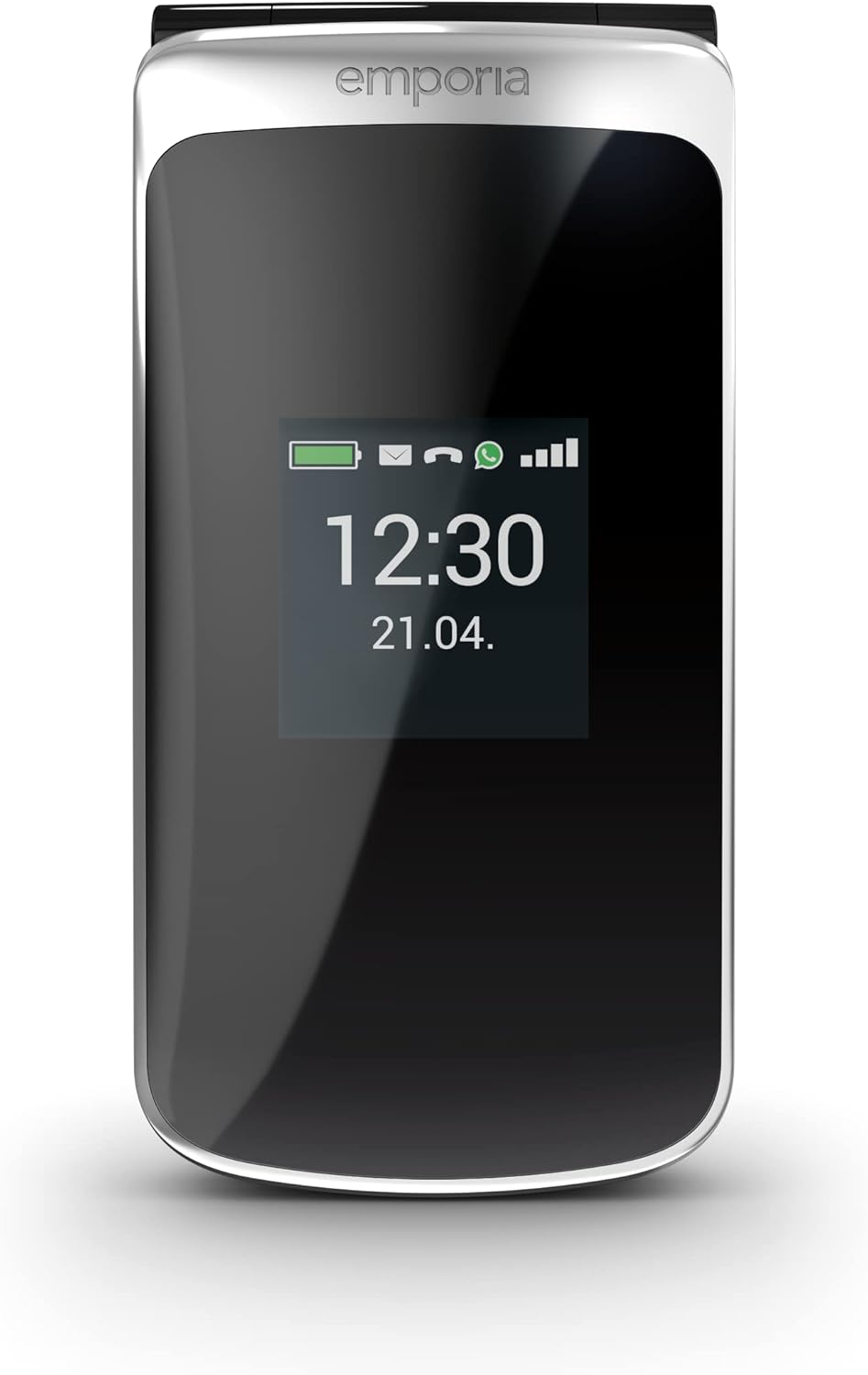
Figura 2: The Emporia TOUCHsmart.2 placed in its charging cradle for convenient charging.
Operating Your Emporia TOUCHsmart.2
Ndezja/Fikur
- Për të ndezur: Press and hold the Power button until the Emporia logo appears.
- Për të fikur: Shtypni dhe mbani shtypur butonin e ndezjes, pastaj zgjidhni 'Fik' nga opsionet.
Lundrimi në ndërfaqe
The TOUCHsmart.2 offers dual navigation: via its touchscreen and physical keypad.
- Ekran me prekje: Tap icons to open apps, swipe to navigate menus.
- tastiera: Use the navigation keys and number pad for traditional phone operations.
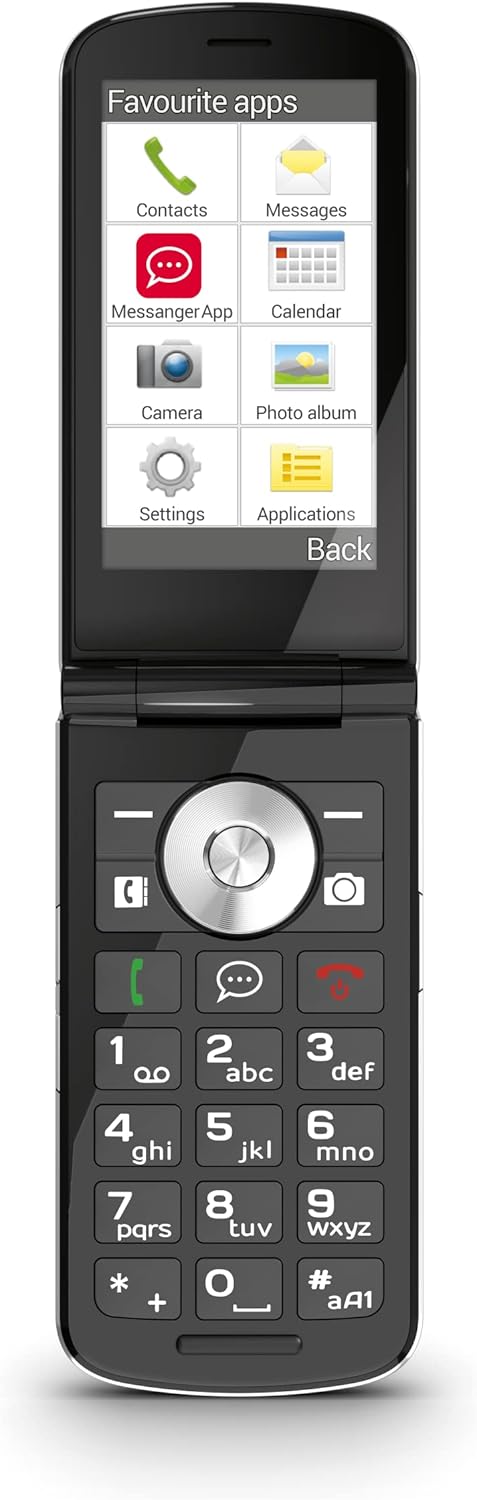
Figura 3: The phone opened, displaying the main menu with various application icons.
Bërja e thirrjeve
- Hapni aplikacionin 'Telefon'.
- Dial the number using the keypad or select a contact from your address book.
- Press the green call button to initiate the call.
- To end a call, press the red hang-up button.
Messaging Apps (WhatsApp, Telegram, Signal)
The phone features a dedicated quick-selection key for your preferred messaging application. This allows for immediate access to communication with your contacts.

Figura 4: The phone opened, displaying the WhatsApp messaging interface.
Funksionet e kamerës
Your TOUCHsmart.2 is equipped with an 8 MP main camera and a 2 MP selfie camera, allowing you to capture photos and videos.
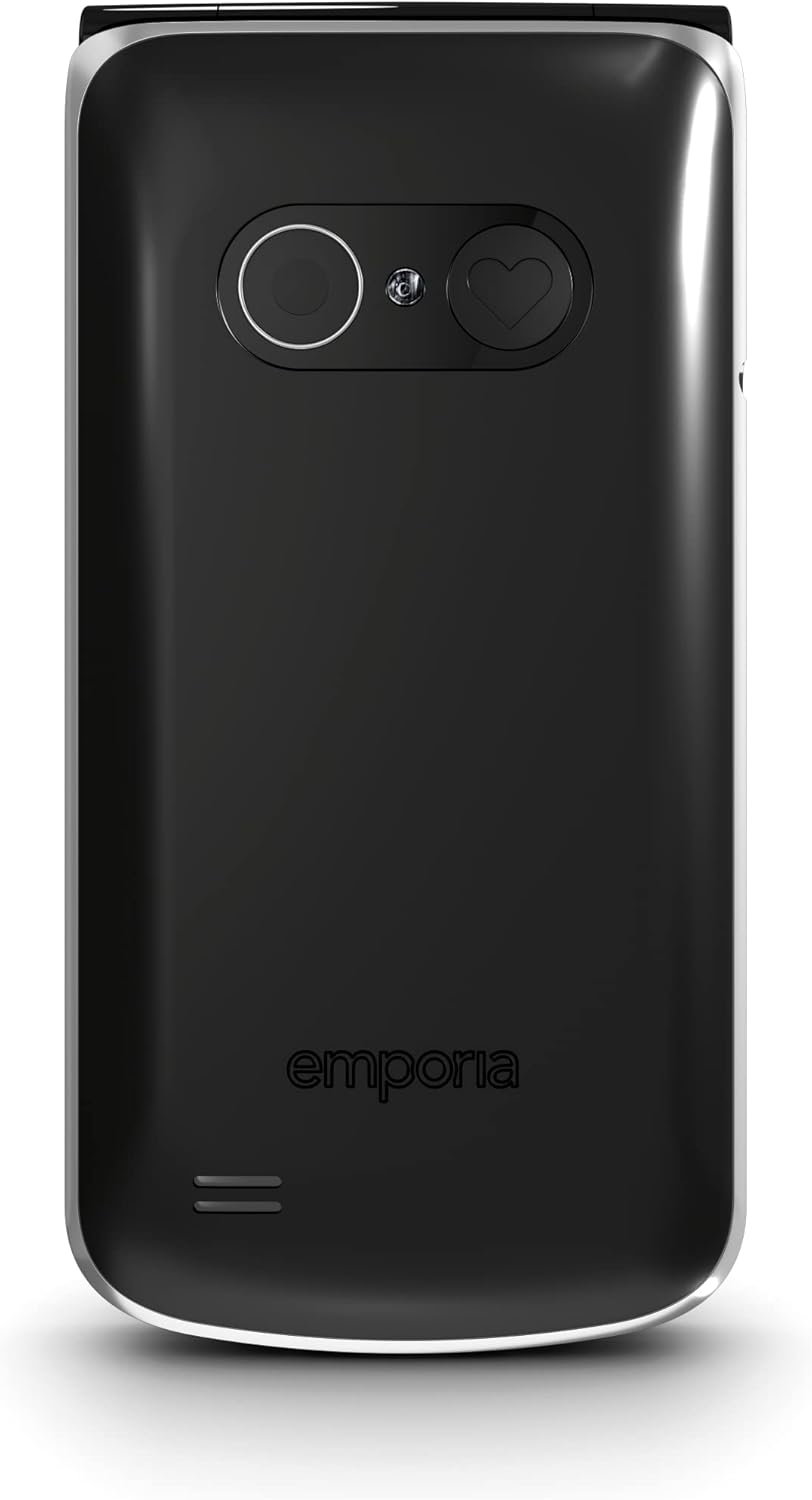
Figura 5: E pasme view of the phone, highlighting the main camera and the emergency call button.
Lidhja Wi-Fi
To connect your phone to a Wi-Fi network:
- Activate the Wi-Fi function in the phone's settings.
- Tap 'Wi-Fi' and select one of the available networks from the displayed list.
- Enter the password for the chosen network and tap 'Connect'.
- 'Connected' will appear under the Wi-Fi network name in the list of available networks.
Butoni i thirrjes së urgjencës
The patented Emporia emergency call button provides enhanced safety. When pressed, it initiates a sequence of actions:
- Up to five pre-defined contacts are called until someone answers.
- A pre-set emergency SMS is sent to the specified numbers.
- The system confirms the emergency call, preventing it from reaching an answering machine by mistake.
- The emergency button can be deactivated if not desired.
Karakteristika të tjera
The TOUCHsmart.2 includes several useful features:
- Asistent zanor
- Elektrik dore LED
- Alarm Clock with Snooze Function
- Radio FM
- Kalendari
- Hearing Aid Compatibility (M4/T4)
- Automatic call acceptance when the phone is opened.
Mirëmbajtja
Pastrimi
To clean your phone, use a soft, dry, lint-free cloth. Avoid using harsh chemicals or abrasive materials.
Kujdesi për baterinë
Për të zgjatur jetën e baterisë:
- Shmangni ekspozimin e telefonit ndaj temperaturave ekstreme.
- Charge the battery regularly, but avoid overcharging.
- If the phone will not be used for an extended period, store it with a partial charge.
Përditësimet e softuerit
Your phone runs on Android 8.1 Go. Periodically check for software updates to ensure optimal performance and security. Updates can typically be found in the phone's settings menu under 'System' or 'About phone'.
Zgjidhja e problemeve
Çështjet dhe zgjidhjet e përbashkëta
- Phone Not Responding/Crashing: If your phone becomes unresponsive or crashes, try restarting it by pressing and holding the Power button. If the issue persists, perform a force restart by holding the Power button for an extended period (e.g., 10-15 seconds) until the device powers off.
- Nuk mund të lidhet me Wi-Fi: Ensure Wi-Fi is enabled and you have the correct network password. Try restarting your Wi-Fi router.
- Messaging App Issues (e.g., WhatsApp): Ensure your phone has an active internet connection (Wi-Fi or mobile data). Check if the app requires an update from its respective app store or webfaqe.
- Pa të dhëna celulare: Verify that mobile data is enabled in your phone's settings. Contact your network provider to ensure your plan includes mobile data and that your APN settings are correct.
- Cilësi e dobët e thirrjes: Move to an area with better network reception. Ensure the earpiece and microphone are not obstructed.
Rivendosja e fabrikës
Nëse hasni probleme të vazhdueshme, një rivendosje në cilësimet e fabrikës mund t'i zgjidhë ato. Paralajmërim: A factory reset will erase all data on your phone. Back up important data before proceeding. Consult the phone's settings for the 'Factory data reset' option, usually found under 'System' or 'Backup & reset'.
Specifikimet Teknike
| Veçori | Specifikimi |
|---|---|
| Markë | Emporia |
| Emri i modelit | TOUCHsmart.2 |
| Numri i modelit | V188.2_001_IT |
| Ngjyra | E zezë |
| Sistemi Operativ | Android 8.1 Go |
| Madhësia e ekranit | 3.25 inç |
| Rezolucioni | 480x854 piksel |
| Kamera kryesore | 8 megapikselë |
| Kamera e përparme | 2 megapikselë |
| RAM | 1 GB |
| Kapaciteti i ruajtjes | 1 GB |
| Lidhshmëria | USB-C, Bluetooth, Wi-Fi |
| Teknologjia celulare | LTE (4G) |
| Përbërja e baterisë | Litium-jon |
| Karakteristika të veçanta | Camera, Keypad, Radio, USB, Touchscreen, Emergency Button, Voice Assistant |
Garancia dhe Mbështetja
Informacioni i Garancisë
Your Emporia TOUCHsmart.2 is covered by a standard manufacturer's warranty. Please refer to the warranty card included in your package for specific terms and conditions, including the warranty period and coverage details. Keep your proof of purchase for warranty claims.
Kontaktimi i mbështetjes
For technical assistance, troubleshooting beyond this manual, or warranty inquiries, please contact Emporia customer support. Contact details can typically be found on the Emporia webfaqja e internetit ose në dokumentacionin e dhënë me pajisjen tuaj.


