1. Hyrje
This manual provides comprehensive instructions for the DAREU EK807G Wireless TKL Mechanical Keyboard. Designed for office use, this keyboard features an aluminum alloy panel, function keys, and stable 2.4G wireless connectivity, compatible with PC, Mac, and Windows systems. Please read this manual thoroughly to ensure proper use and longevity of your device.
Çfarë ka në Kuti
- DAREU EK807G Wireless TKL Mechanical Keyboard
- Marrës USB (2.4G)
- Çelësi i tërheqësit
- Manuali i Përdoruesit

Image 1.1: The DAREU EK807G Wireless TKL Mechanical Keyboard in a typical office setup.
3. Udhëzimet e funksionimit
3.1 Basic Typing and Ergonomics
The DAREU EK807G features a classic TKL (Tenkeyless) 87-key layout, providing a comfortable typing experience. The keyboard is designed with an ergonomic 5° optimum slope when the folding holder is used, preventing wrist strain during long typing sessions. Anti-slide pads ensure stability.
This model is equipped with DAREU Red Switches, known for their linear and quiet operation, making them suitable for office and study environments where minimal noise is preferred.
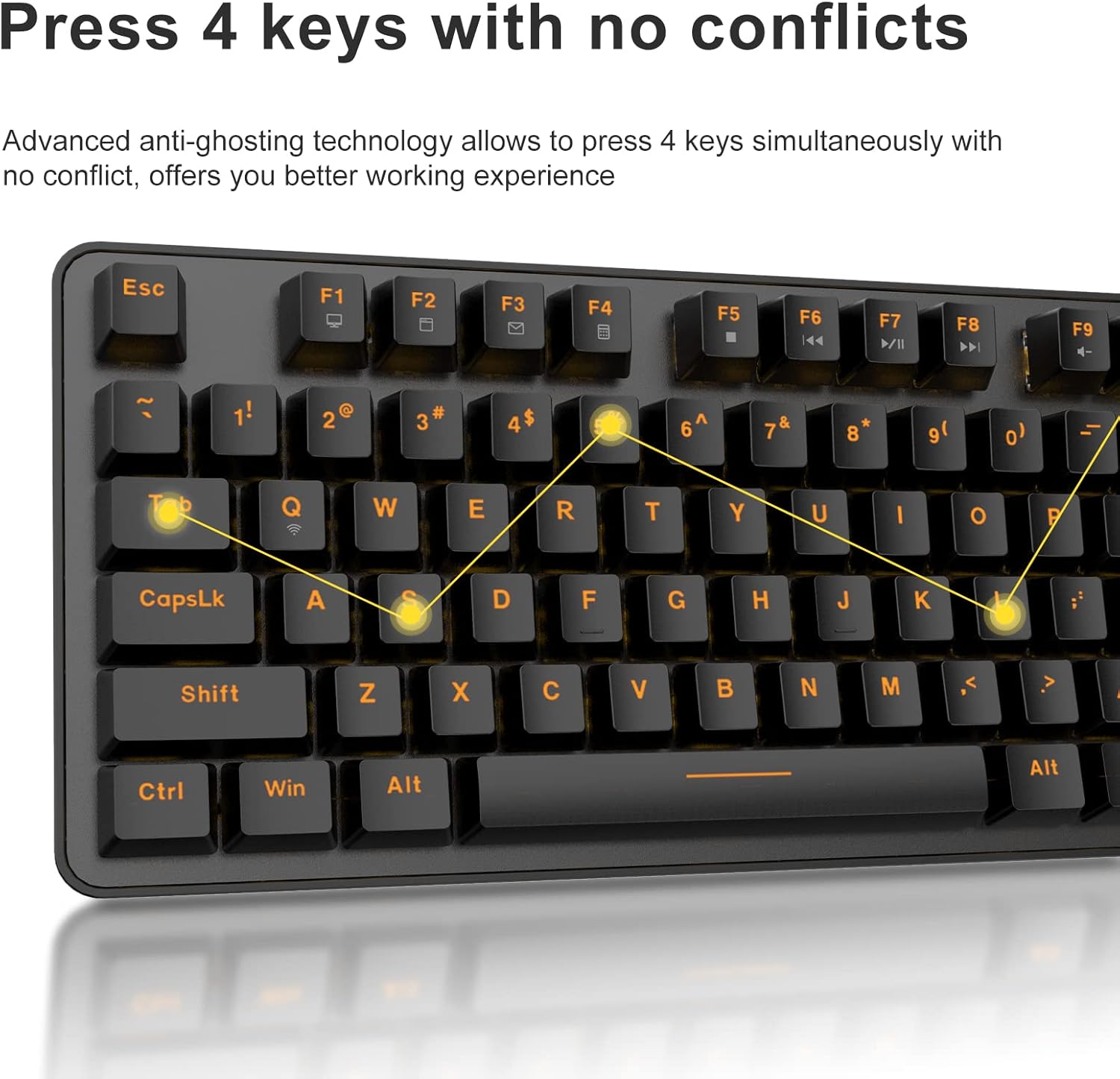
Image 3.1: The DAREU EK807G features quiet Red Switches for comfortable typing.
3.2 Function (Fn) Key Shortcuts
The keyboard includes 12 hotkeys accessible via the Fn key, allowing for quick access to various functions.
- Fn+F1: Kompjuteri im
- Fn+F2: Faqja kryesore
- Fn+F3: Email
- Fn+F4: Llogaritësi
- Fn+F5: Ndalo (Media)
- Fn+F6: Last Song (Media)
- Fn+F7: Play/Pause (Media)
- Fn+F8: Next Song (Media)
- Fn+F9: Ulja e volumit
- Fn+F10: Vëllimi lart
- Fn+F11: Hesht
- Fn+F12: Switch Left Win & Left Alt keys

Image 3.2: Shortcut keys activated by pressing the Fn key in combination with F1-F12.
3.3 Teknologjia Anti-Ghosting
The DAREU EK807G features advanced anti-ghosting technology, allowing up to 6 keys to be pressed simultaneously without conflict. This ensures all your commands are registered accurately, improving efficiency.

Image 3.3: Anti-ghosting technology ensures multiple key presses are registered accurately.
3.4 Automatic Power Saving
To conserve battery life, the keyboard enters an automatic sleeping mode after 6 seconds of inactivity. To wake the keyboard, simply press any key. With this feature, the keyboard can last approximately 90 days of continuous use, and up to half a year between battery changes.

Image 3.4: The keyboard features automatic power saving for extended battery life.
4. Mirëmbajtja
4.1 Pastrimi i tastierës
Pastrimi i rregullt ndihmon në ruajtjen e performancës dhe pamjes së tastierës.
- Pastrimi i përgjithshëm: Përdorni një leckë të butë dhe të thatë për të fshirë sipërfaqen e tastierës. Për papastërti kokëfortë, një copë pak e thatëamp Mund të përdoret një leckë me sapun të butë, duke u siguruar që të mos hyjë lëng në tastierë.
- Pastrimi i tastierës: The DAREU EK807G features removable double-shot keycaps, which are resistant to fading and easy to clean. Use the included keycap puller to carefully remove keycaps. Clean them with a soft brush or a damp leckë. Sigurohuni që kapakët e çelësave të jenë plotësisht të thatë para se t'i vendosni përsëri.
- Aluminum Alloy Panel: The aluminum alloy panel is designed to be sweat-resistant and anti-rust. Wipe it with a soft cloth to keep it clean.
7. Garancia dhe Mbështetja
7.1 Shërbimi i garancisë
DAREU provides a 180-day warranty service for the EK807G Wireless TKL Mechanical Keyboard from the date of purchase. This warranty covers manufacturing defects and issues arising from normal use.
7.2 Mbështetja e klientit
If you encounter any problems during the use of your DAREU keyboard, please contact DAREU customer support. Our team is available to assist you with troubleshooting, product inquiries, and warranty claims.
Please refer to the contact information provided on the product packaging or the official DAREU webfaqe interneti për kanalet më të azhurnuara të mbështetjes.

