Hyrje
This manual provides detailed instructions for the operation and maintenance of your Kuephom Portable Bluetooth CD Walkman. Designed for versatility, this device supports CD, Bluetooth, USB, and AUX playback, featuring anti-skip protection and a built-in speaker. Please read this manual thoroughly before use to ensure proper functionality and longevity of your device.
Përmbajtja e paketës
Verifikoni që të gjitha artikujt e listuar më poshtë janë të përfshirë në paketën tuaj:
- CD player X 1
- Kufjet e veshit X 1
- Kabllo audio X 1
- Kabllo karikimi X 1
- Pouch X 1
Produkti Mbiview

Figure 1: Kuephom Portable Bluetooth CD Walkman and its accessories, including earbuds, audio cable, charging cable, and pouch.

Figure 2: Detailed diagram illustrating the various buttons and ports on the Kuephom Portable CD Walkman, including volume controls, playback buttons, mode selection, Bluetooth transmit, USB slot, AUX in jack, earphone jack, and speaker.
Konfigurimi
Ngarkimi i pajisjes
The CD player has a built-in rechargeable lithium battery. Before first use, fully charge the device.
- Connect the provided USB charging cable to the charging port (DC 5V) on the device.
- Connect the other end of the USB cable to a compatible USB power source (e.g., wall charger, power bank, car charger, or computer USB port).
- Drita treguese e karikimit do të ndizet gjatë karikimit dhe do të fiket kur të karikohet plotësisht. Një karikim i plotë zgjat afërsisht 4 orë.

Figure 3: The portable CD player connected to a power source via its USB charging cable, demonstrating various charging options.
Ndezja/Fikur
Rrëshqitni ON/FIKUR switch located on the side of the device to turn it on or off.
Vendosja e një CD-je
- Rrëshqitni HAPUR switch to open the CD compartment cover.
- Carefully place a CD (CD, CD-R, CD-RW, MP3, WMA, WAV formats supported) onto the spindle with the label side facing up.
- Gently press the center of the CD until it clicks into place.
- Close the CD compartment cover firmly until it latches.
Video 1: Demonstration of inserting a CD into the Kuephom Portable CD Player and closing the compartment. This video also shows the supported disc formats.
Connecting Headphones or External Speakers (AUX)
For private listening or connecting to non-Bluetooth devices:
- Insert the 3.5mm jack of your headphones into the Jack kufje.
- To connect to external speakers or a car audio system, use the provided 3.5mm audio cable. Insert one end into the AUX Në Jack on the CD player and the other end into the AUX input of your external device.

Figure 4: The portable CD player connected to a car's audio system via an AUX cable, demonstrating its use in a vehicle with anti-shock protection for uninterrupted playback.
Udhëzimet e funksionimit
Riprodhimi bazë
- Shtypni Luaj/Puzë button (►▮▮) to start or pause playback.
- Shtypni Tjetra button (►►) to skip to the next track.
- Shtypni E mëparshme button (◄◄) to go to the beginning of the current track or the previous track.
- Shtypni Ndalo butonin (■) për të ndaluar riprodhimin.
- Rregulloni volumin duke përdorur Vol+ dhe Vëll- butonat.
Funksionaliteti Bluetooth
The device supports two-way Bluetooth connection:
Bluetooth Transmitting (Connecting to Bluetooth Headphones/Speakers)
- Ensure the CD player is powered on and a CD is inserted.
- Shtypni Transmetimi me Bluetooth button (labeled "TRANSMIT" or "BT" on some models) to enter Bluetooth transmitting mode. The Bluetooth icon on the display will flash.
- Vendosni kufjet ose altoparlantin Bluetooth në modalitetin e çiftimit.
- The CD player will automatically search for and connect to nearby Bluetooth devices. Once connected, the Bluetooth icon will stop flashing.

Figure 5: The portable CD player actively transmitting audio via Bluetooth to both headphones and a separate Bluetooth speaker, illustrating its wireless output capability.
Bluetooth Receiving (Connecting to Smartphone/Laptop)
- Shtypni Mënyra BT button (labeled "BT" or "MODE" on some models) to switch the CD player into Bluetooth receiving mode.
- Në telefonin, tabletin ose laptopin tuaj, aktivizoni Bluetooth dhe kërkoni për pajisje të disponueshme.
- Select "Kuephom CD Player" (or similar name) from the list of devices to pair.
- Once connected, you can play audio from your smart device through the CD player's built-in speaker.
Video 2: This video demonstrates the Bluetooth playback feature, showing the CD player connecting to a smartphone to stream audio, highlighting its versatility as a Bluetooth speaker.
Other Playback Modes
- Luajtja USB: Fusni një USB flash drive në Slot USB. The player will automatically switch to USB mode and begin playing compatible audio files.
- Përsëritni funksionin: Shtypni Përsëriteni buton për të kaluar nëpër modalitetet e përsëritjes (p.sh., përsërit një, përsërit të gjitha).
- A-B Repeating: Shtypni AB button to set a starting point (A) and an ending point (B) for a section of audio to repeat. Press again to clear.
- Rregullimi i shpejtësisë: Përdorni Rregullimi i shpejtësisë buttons (labeled "SPEED" or "SPEED +/-") to increase or decrease the playback speed. This feature is particularly useful for language learning.
- Programming Playback: Refer to the detailed product diagram (Figure 2) for the "PROG." button if available on your model for custom track sequencing.
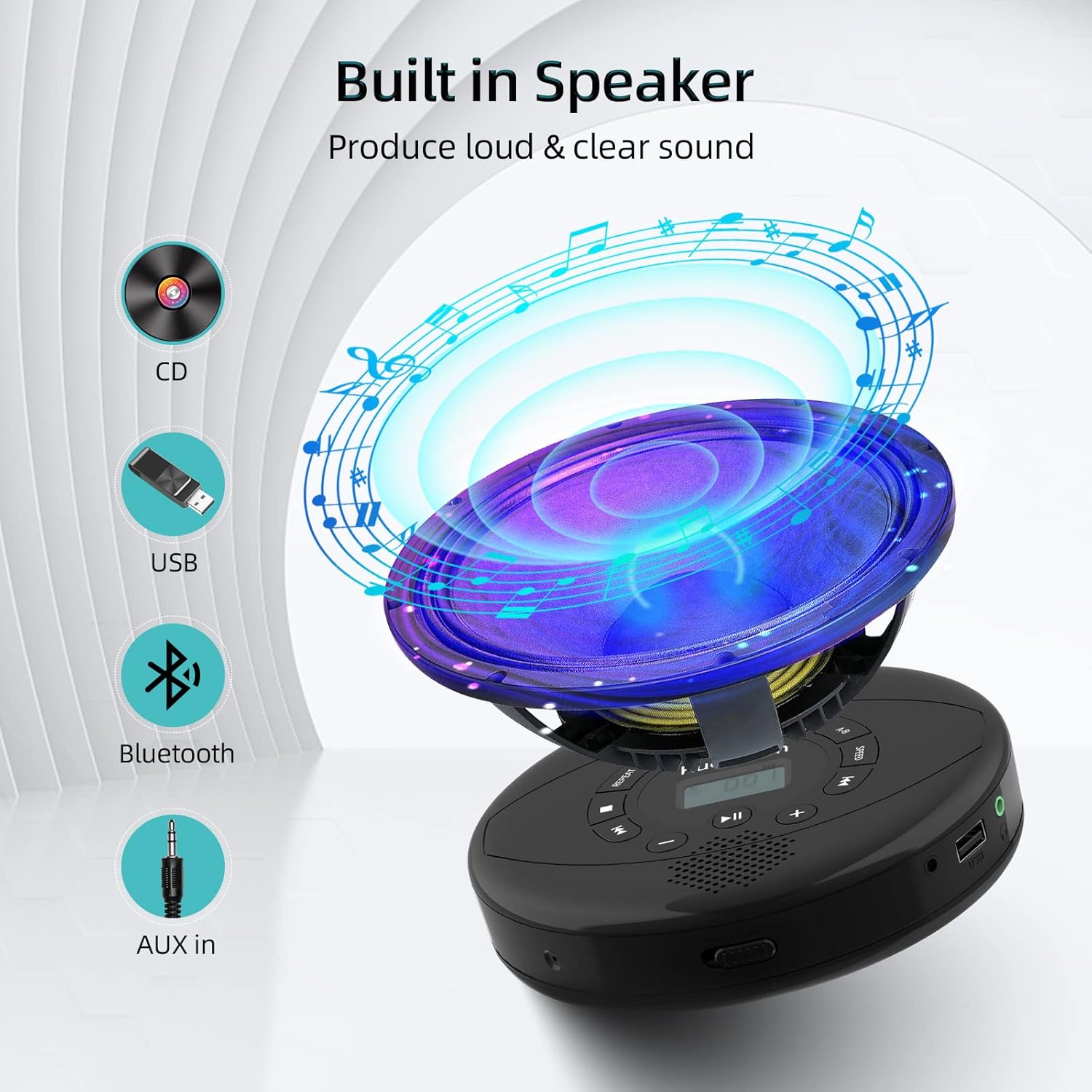
Figure 6: Illustration of the built-in speaker and the various audio input options supported by the device, including CD, USB, Bluetooth, and AUX in.
Mirëmbajtja
- Mbajeni pajisjen të pastër duke e fshirë me një leckë të butë dhe të thatë. Shmangni përdorimin e pastruesve ose tretësve gërryes.
- Mos e ekspozoni pajisjen ndaj temperaturave ekstreme, rrezeve të diellit direkte ose lagështisë së lartë.
- Handle CDs by their edges to prevent scratches and smudges. Clean CDs with a soft, lint-free cloth, wiping from the center outwards.
- Kur nuk është në përdorim për periudha të gjata, ruajeni pajisjen në një vend të freskët dhe të thatë.
Zgjidhja e problemeve
| Problem | Shkaku i mundshëm | Zgjidhje |
|---|---|---|
| Pajisja nuk ndizet. | Bateria është e ulët ose e shkarkuar. Çelësi i energjisë është i fikur. | Charge the device fully. Ensure the ON/OFF switch is in the "ON" position. |
| CD-ja kapërcen ose nuk luhet. | CD is dirty, scratched, or damaged. Device is unstable. | Clean the CD. Try another CD. Ensure the device is on a stable surface or utilize its anti-skip protection during movement. |
| Nuk ka zë nga kufjet/altoparlantët. | Volume is too low. Headphones/speakers not properly connected. Incorrect mode selected. | Increase volume. Re-insert headphone/AUX cable firmly. Ensure correct mode (CD, Bluetooth, USB, AUX) is selected. |
| Çiftimi i Bluetooth dështon. | Device not in pairing mode. Bluetooth device too far. Interference. | Ensure the CD player is in Bluetooth transmitting/receiving mode. Move devices closer. Turn off other Bluetooth devices to reduce interference. |
Specifikimet
| Veçori | Detaj |
|---|---|
| Dimensionet e produktit | 5.7 x 5.7 x 1.2 inç |
| Pesha e artikullit | 1.21 paund |
| Numri i modelit | PM10-Black |
| Bateria | 1 bateri litium polimer (e përfshirë) |
| Markë | Kuephom |
| Teknologjia e lidhjes | Bluetooth, ndihmës, USB |
| Formatet e mbështetura | CD, CD-R, CD-RW, MP3, WMA, WAV |
| Veçori e veçantë | Portable, Anti-Skip, Built-in Speakers |
Garancia dhe Mbështetja
For warranty information or technical support, please refer to the contact details provided with your purchase or visit the official Kuephom webvend. Ruajeni faturën e blerjes si provë blerjeje për çdo kërkesë garancie.


