1. Hyrje
This manual provides detailed instructions for the installation, operation, and maintenance of your Tbest 9-inch Android Car GPS Navigation Multimedia Player. Please read this manual thoroughly before using the product to ensure proper function and safety.
2. Informacion mbi sigurinë
- Përdoreni gjithmonë pajisjen me përgjegjësi dhe në përputhje me ligjet lokale të trafikut.
- Do not attempt to install or service the device if you are not qualified. Improper installation can lead to damage or injury.
- Shmangni ekspozimin e pajisjes ndaj temperaturave ekstreme, rrezeve të diellit direkte për periudha të zgjatura ose lagështirës së tepërt.
- Sigurohuni që të gjitha instalimet elektrike të jenë të lidhura saktë për të parandaluar qarqet e shkurtra ose rreziqet elektrike.
3. Përmbajtja e paketës
Verifikoni që të gjitha artikujt e listuar më poshtë janë të përfshirë në paketën tuaj:
- 1 x Navigator Unit (9-inch Android Multimedia Player)
- 10 x Various Connection Cables
- 4 x Camera Units
- 1 x antenë GPS
- 1 x Manuali i Përdoruesit
- 2 x Mbajtëse Montimi
- 1 x Vrima me vrima
- 2 x Buffer Rings
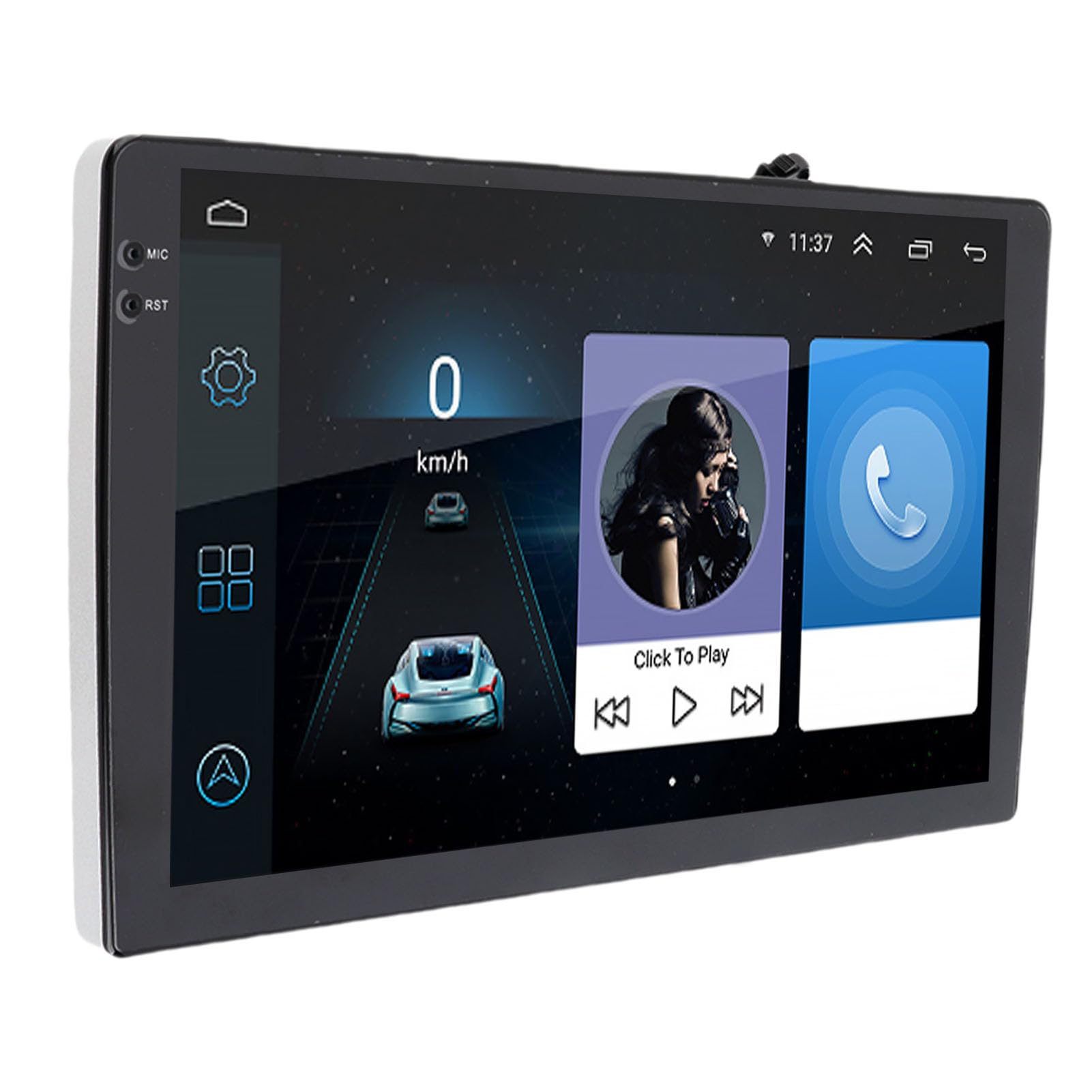
Image: The Tbest 9-inch Android Car GPS Navigation Multimedia Player unit shown with all accompanying cables, cameras, GPS antenna, mounting brackets, and other accessories.
4. Konfigurimi dhe instalimi
4.1 Udhëzimet e përgjithshme të instalimit
The Tbest multimedia player is designed for universal fit in various car models. Due to variations in vehicle dashboards, professional installation is recommended. Ensure the mounting location allows for clear visibility and safe operation.
4.2 Lidhjet e instalimeve elektrike
Carefully connect all necessary cables. Refer to your vehicle's wiring diagram and the provided cable labels for correct connections. Key connections include:
- Kabllot e energjisë: Lidheni me furnizimin me energji të automjetit (ACC, B+, Tokëzim).
- Kabllot e altoparlantëve: Connect to your car's speaker system.
- RCA Terminals: For reverse input, video input, and audio output.
- Portet USB: For external devices or media.
- GPS antenë: Lidhni antenën GPS dhe vendoseni në një vend të pastër view të qiellit për pritje optimale të sinjalit.
- Lidhjet e kamerës: Connect the four camera units to the designated camera inputs for panoramic view funksionalitetin.

Imazh: Një i detajuar view of the Tbest multimedia player's rear connections and the array of cables provided for power, audio, video, and peripheral devices.
5. Udhëzimet e funksionimit
5.1 Ndez/Fik
The unit will typically power on automatically when the vehicle's ignition is turned on. To manually power off, press and hold the power button (if available) or turn off the vehicle's ignition.
5.2 Funksionimi i ekranit me prekje
The device features a 9-inch capacitive touch screen. Navigate through menus, select applications, and control functions by tapping, swiping, and pinching gestures similar to a smartphone or tablet.
5.3 Navigimi GPS
The unit has built-in GPS reception. You can download navigation applications and maps directly from the Application Store for offline use. Ensure the GPS antenna is properly installed for accurate positioning.
5.4 Funksionet Bluetooth
The device includes Bluetooth 4.0 for hands-free calling and music streaming (A2DP).
- Çiftimi: Go to the Bluetooth settings on the device, enable Bluetooth, and search for available devices. Select your phone from the list and confirm the pairing code.
- Telefonata pa duar: Once paired, you can make and receive calls directly through the multimedia player. The phone book can be automatically loaded.
- Muzikë Bluetooth: Stream audio from your paired phone to the car's speakers.
5.5 Riprodhimi i Multimedias
The player supports various audio formats including MP3, FLAC, APE, WMA, WAV, AAC, AMR. Video playback is also supported. You can play media from USB drives or via Bluetooth streaming.
5.6 Panoramic Camera and Recorder
The integrated 360-degree panoramic camera system provides a comprehensive view around your vehicle, aiding in safe parking. The system also supports recording, allowing you to retain video evidence if needed. Playback functionality is available directly on the unit.
5.7 Kontrolli i timonit
The unit supports steering wheel control functions, allowing you to manage audio and other features without taking your hands off the wheel. Configuration may be required in the settings menu.
5.8 Mobile Internet (Mirror Link)
The device supports screen mirroring for both iOS (one-way projection) and Android phones (two-way connection). This allows you to display your phone's screen on the multimedia player.
Radio 5.9
Access FM, AM, and RDS radio bands. Use the touch screen interface to scan for stations and save presets.

Image: The Tbest multimedia player's 9-inch screen showing a typical user interface with navigation on the left and media playback controls on the right.
6. Mirëmbajtja
6.1 Pastrimi i ekranit
Përdorni një leckë të butë pa push për të fshirë butësisht ekranin. Për njollat kokëforta, fërkojeni pak.ampLani leckën me ujë ose me një tretësirë pastruese ekrani të projektuar për pajisje elektronike. Shmangni kimikatet e ashpra ose materialet gërryese.
6.2 Përditësimet e softuerit
Periodically check for software updates to ensure optimal performance and access to new features. Updates can usually be performed via a Wi-Fi connection or USB. Follow the on-screen prompts for any available updates.
7. Troubleshooting
If you encounter issues with your Tbest multimedia player, refer to the following common problems and solutions:
| Problem | Shkaku i mundshëm | Zgjidhje |
|---|---|---|
| Nuk ka fuqi | Lidhje të gabuara instalimesh elektrike, siguresë e djegur, problem me energjinë e automjetit. | Kontrolloni lidhjet e kabllove të energjisë, inspektoni siguresat e automjetit dhe sigurohuni që ndezja të jetë e ndezur. |
| Asnjë sinjal GPS | GPS antenna not connected, antenna obstructed, poor satellite reception. | Sigurohuni që antena GPS të jetë e lidhur mirë dhe e vendosur në një vend të qartë view të qiellit. Zhvendosuni në një zonë të hapur. |
| Bluetooth nuk lidhet | Bluetooth off on device/phone, incorrect pairing, interference. | Ensure Bluetooth is enabled on both devices. Delete previous pairings and re-pair. Restart both devices. |
| Ekrani me prekje nuk përgjigjet | Probleme me softuerin, dëmtim i ekranit. | Rinisni njësinë. Nëse problemi vazhdon, kontaktoni mbështetjen. |
| Kamera View Nuk shfaqet | Camera cables loose, camera malfunction. | Check all camera connections. Ensure the vehicle is in reverse (if applicable for rear camera). |
Nëse problemi vazhdon pasi të provoni këto zgjidhje, ju lutemi kontaktoni mbështetjen e klientit.
8. Specifikimet
| Veçori | Specifikimi |
|---|---|
| Madhësia e ekranit | 9 inç |
| Sistemi Operativ | Android |
| Rezolucioni i ekranit | 1024 x 600 |
| Navigimi GPS | Support (Offline maps via app store) |
| Versioni Bluetooth | 4.0 (A2DP, Hands-free, Phone Book) |
| Bandat e radios | FM, AM, RDS |
| Fuqia Amplifier Çip | TDA7388 |
| Camera Host Chip | For HiSilicon 3520DV300 |
| Këndi i kamerës | 181 gradë |
| Pixel i kamerës | 1MP (Resolution: 1280 x 720P) |
| Puna Voltage | DC9V-24V |
| Rryma e punës | 500 mA (DC12V) |
| Temperatura e funksionimit | 35°C - 75°C (Host), -25°C - 90°C (Camera) |
| Lidhshmëria | USB, Wi-Fi |
| Formatet e mbështetura audio | MP3, FLAC, APE, WMA, WAV, AAC, AMR, etc. |
| Dalje video | CVBS, VGA |
| Waterproof Grade (Camera) | IP67 |
| Dimensionet e produktit | 9 x 9 x 9 inç |
| Pesha e artikullit | 3.38 paund |
9. Garancia dhe Mbështetja
Your Tbest multimedia player comes with a standard manufacturer's warranty. Please refer to the warranty card included in your package for specific terms and conditions. For technical support, troubleshooting assistance, or warranty claims, please contact your retailer or the Tbest customer service department.
Informacioni i kontaktit: (Please refer to your purchase documentation or the official Tbest website for current contact details.)


