1. Hyrje
Thank you for choosing the PeriPage A6 Mini Portable Thermal Printer. This compact and versatile device allows you to print photos, labels, notes, lists, and more directly from your smartphone or PC. With its high-resolution thermal printing technology, you can enjoy clear and crisp prints without the need for ink cartridges. This manual provides essential information on setting up, operating, maintaining, and troubleshooting your new printer.
3. Përmbajtja e paketës
Verifikoni që të gjitha artikujt janë të pranishëm në paketimin tuaj:
- PeriPage A6 Mini Printer
- Roll letre termike
- Kabllo USB
- Manuali i Përdoruesit

Image: Contents of the PeriPage A6 Mini Printer package, showing the printer, a roll of thermal paper, a USB charging cable, and the user manual.
4. Produkti i Mbaruarview
4.1 Karakteristikat kryesore
- Ultra HD Printing: 304 DPI resolution for clear and detailed prints.
- Printim termik pa bojë: No ink cartridges required, reducing operating costs.
- Shumëfunksionale: Supports printing of photos, labels, notes, lists, QR codes, web faqe, dhe më shumë.
- Lidhshmëria me Bluetooth: Seamless wireless connection to iOS and Android smartphones.
- Dizajni portativ: Compact and lightweight with a built-in 1000mAh rechargeable battery.
- Mbështetje shumëfunksionale për letër: Compatible with various thermal paper types including standard, sticky, transparent, and colorful options.
4.2 Komponentët e Printerit
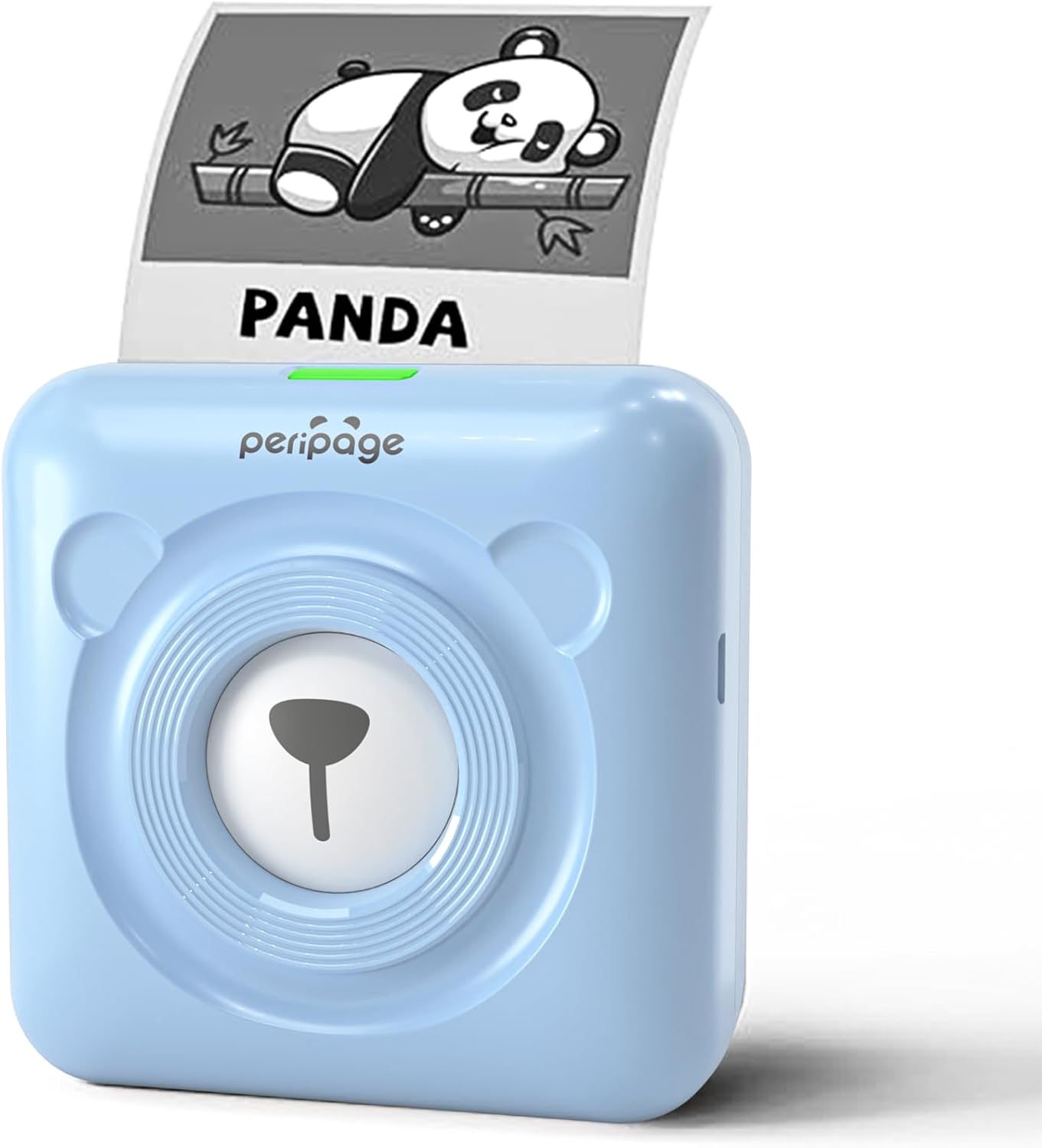
Image: The PeriPage A6 Mini Printer in blue, demonstrating a printed output. The printer features a bear-like design on its front.

Image: A visual comparison highlighting the superior print resolution of the PeriPage A6 Mini Printer (304 DPI) compared to a standard definition printer, showing finer details in the printed image.
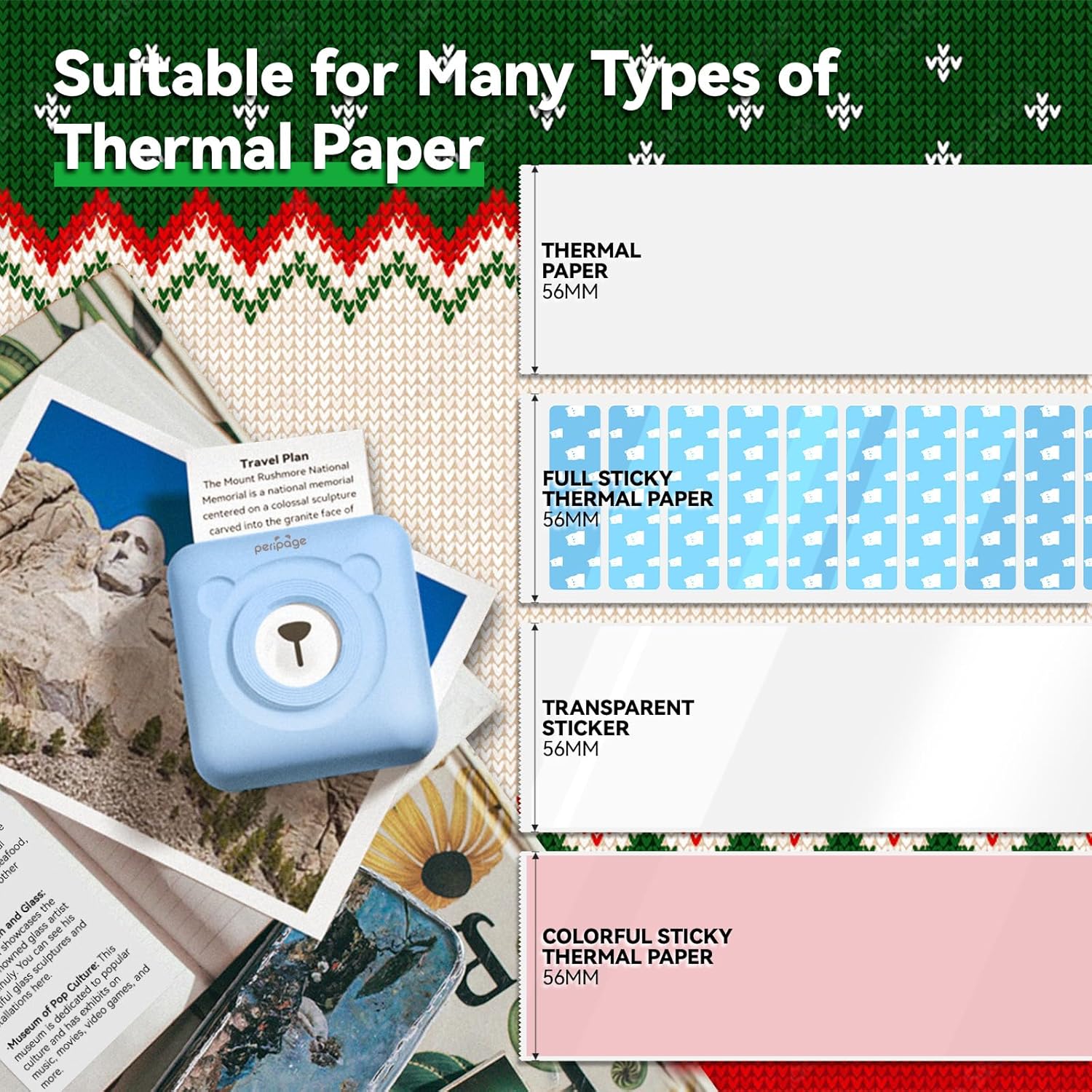
Image: An illustration showing the different types of thermal paper that can be used with the PeriPage A6 Mini Printer, such as standard thermal paper, full sticky thermal paper, transparent stickers, and colorful sticky thermal paper, all 56mm wide.
5. Udhëzuesi i konfigurimit
5.1 Ngarkimi i Printerit
Before first use, fully charge the printer using the provided USB cable. Connect the USB cable to the printer's charging port and the other end to a USB power adapter (not included) or a computer's USB port. The indicator light will show charging status.
5.2 Vendosja e letrës termike
- Open the printer cover by gently sliding the release button or pressing the designated area.
- Insert the thermal paper roll into the paper compartment, ensuring the printing side faces the print head.
- Pull a small amount of paper out beyond the print head.
- Mbylleni fort kapakun e printerit derisa të fiksohet në vendin e tij.
5.3 Downloading the PeriPage App
The PeriPage A6 Mini Printer requires the official PeriPage APP for full functionality. You can download it via:
- Searching for "PeriPage" in your device's APP store (Apple App Store for iOS, Google Play Store for Android).
- Scanning the QR code provided in the instruction manual or on the product packaging.
- Visiting the official download page: https://www.ileadtek.com/download/app/peripage.html

Image: A guide illustrating two methods to download the PeriPage App: searching on Google Play or Apple App Store, or scanning a QR code.
5.4 Connecting to Your Device (Bluetooth)
- Ensure your PeriPage A6 printer is turned on.
- Aktivizo Bluetooth në smartphone tuaj.
- Open the PeriPage App. The app will guide you to connect to the printer.
- Select your printer from the list of available Bluetooth devices within the app. The printer's name usually starts with "PeriPage".
- Once connected, the app will indicate a successful connection.

Image: A visual representation of connecting the PeriPage A6 Mini Printer to a smartphone via the PeriPage App, showing the app interface and Bluetooth icon.
6. Udhëzimet e funksionimit
The PeriPage App offers a wide range of functions to maximize your printer's utility.
6.1 Basic Printing Steps (via App)
- Ndizni printerin: Shtypni butonin e energjisë në printer.
- Open the PeriPage App: Sigurohuni që printeri juaj është i lidhur nëpërmjet Bluetooth.
- Select Printing Type: On the app's homepage, choose the type of content you wish to print (e.g., Photo Print, Label Print, Notes, Web Page Printing, OCR Text Recognition).
- Import/Create Content: Select the image, text, or template you want to print. The app provides various fonts and themes.
- Rregullo cilësimet (opsionale): Modify print density, size, or other parameters as needed.
- Printo: Tap the print button in the app. The printer will begin printing.

Image: A five-step visual guide demonstrating the printing process using the PeriPage App: 1. Press button to boot, 2. Enter PeriPage app, 3. Import file, 4. Connect via Bluetooth, 5. Get printed document.
6.2 Skenarët e Përdorimit
The PeriPage A6 is suitable for a variety of applications:
- Kuzhina: Print labels for jars and containers.
- Studimi: Print study notes, lists, or quick references.
- Fotot: Print black and white photos for journaling or scrapbooking.
- Ngjitëset DIY: Create custom stickers for various purposes.
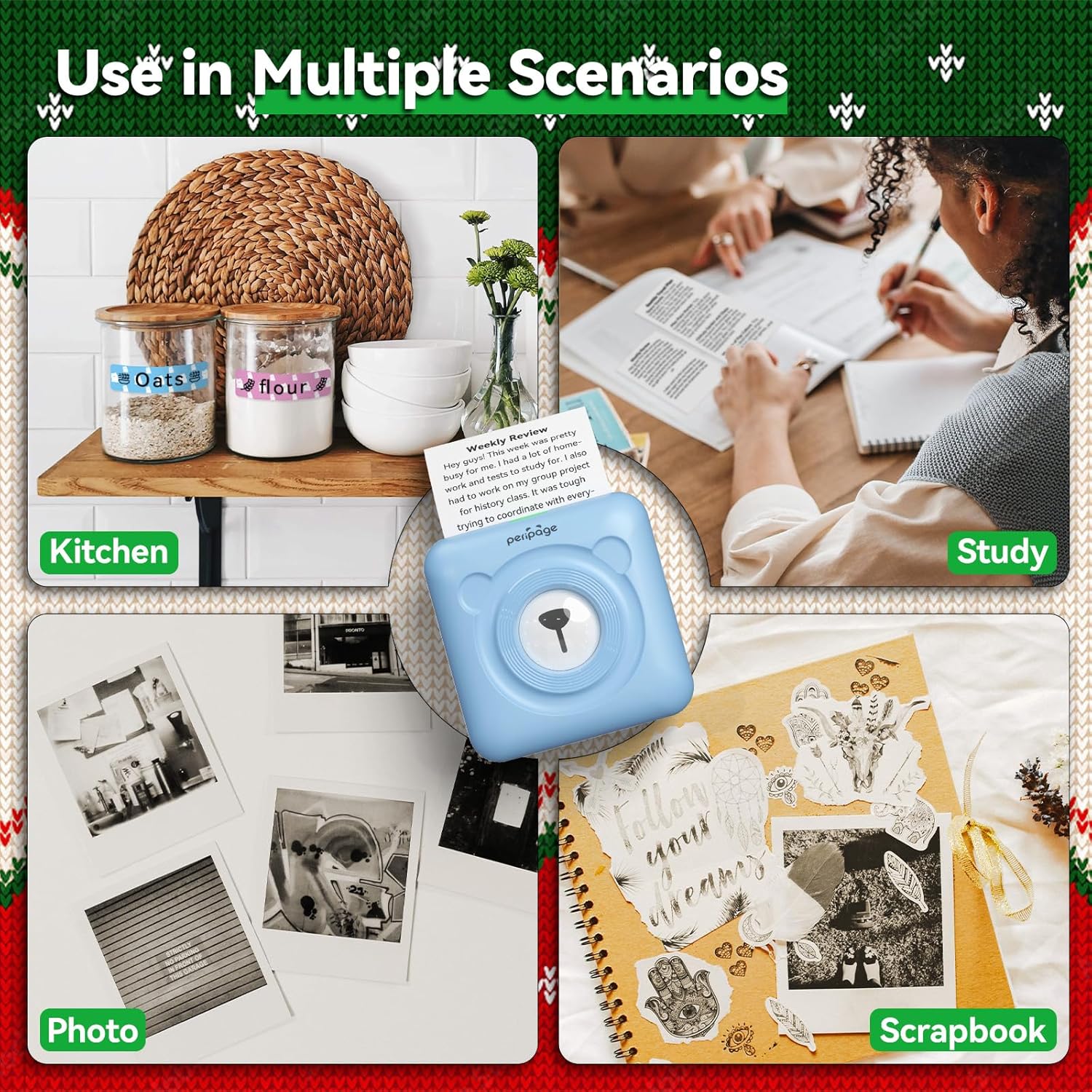
Imazhi: P.shamples of the PeriPage A6 Mini Printer's use in multiple scenarios, including creating kitchen labels, printing study notes, printing photos, and enhancing scrapbooks.
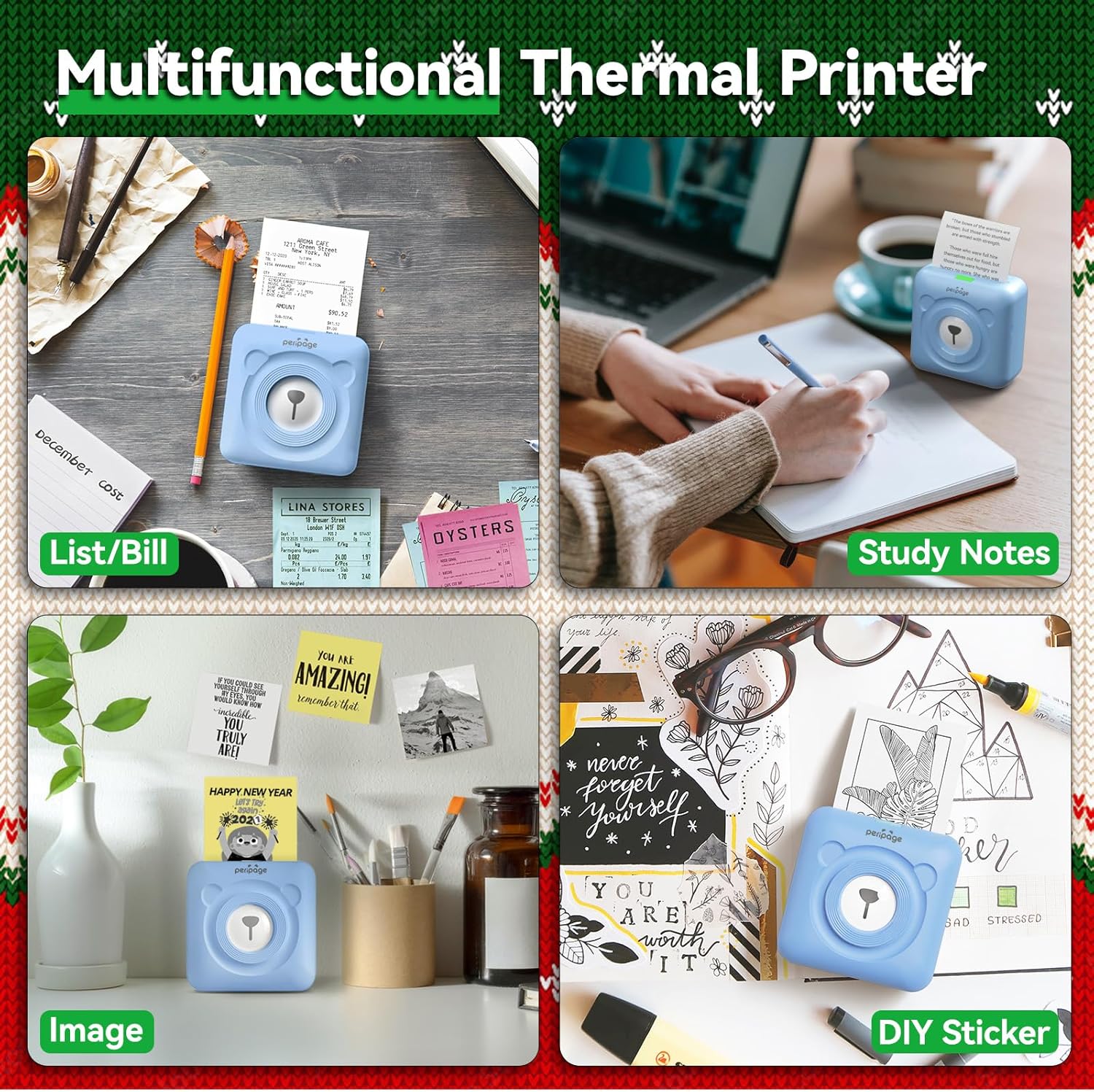
Image: A display of the PeriPage A6 Mini Printer's multifunctional thermal printing capabilities, showing its use for lists/bills, study notes, images, and DIY stickers.
7. Mirëmbajtja
7.1 Pastrimi i printerit
To ensure optimal print quality and prolong the life of your printer, regular cleaning is recommended.
- Turn off the printer and disconnect the power cable before cleaning.
- Përdorni një leckë të butë, të thatë dhe pa push për të fshirë pjesën e jashtme të printerit.
- For the print head, gently wipe it with a cotton swab lightly dampi lyer me alkool izopropilik. Lëreni të thahet plotësisht para përdorimit.
- Mos përdorni pastrues gërryes ose tretës.
7.2 Kujdesi për baterinë
- Ngarkojeni printerin rregullisht, edhe nëse nuk është në përdorim, për të ruajtur gjendjen e baterisë.
- Shmangni shkarkimin e plotë të baterisë shpesh.
- Ruajeni printerin në një vend të freskët dhe të thatë kur nuk është në përdorim për periudha të gjata.
8. Troubleshooting
If you encounter issues with your PeriPage A6 Mini Printer, refer to the following common problems and solutions:
| Problem | Shkaku i mundshëm | Zgjidhje |
|---|
| Printeri nuk ndizet | Bateri e ulët; Butoni i ndezjes nuk është shtypur siç duhet | Ngarkoni printerin; Shtypni dhe mbani shtypur butonin e ndezjes për disa sekonda. |
| Nuk mund të lidhet me Bluetooth | Bluetooth off; Printer not discoverable; App issue | Ensure Bluetooth is enabled on your phone; Restart printer and phone; Reinstall PeriPage App. |
| Poor print quality / Faint prints | Paper installed incorrectly; Low battery; Dirty print head; Expired thermal paper | Reinstall paper with printing side facing up; Charge printer; Clean print head; Use new thermal paper. |
| Bllokim letre | Paper not inserted straight; Too much paper pulled out | Open cover and carefully remove jammed paper; Reinsert paper correctly. |
| App is buggy or freezes | Problem softuerik; Version i vjetëruar i aplikacionit | Close and reopen the app; Check for app updates; Reinstall the app. |
9. Specifikimet
| Veçori | Detaj |
|---|
| Markë | PeriPage |
| Emri i modelit | PeriPage A6 |
| Teknologjia e printimit | Termike |
| Rezolucioni | 304 DPI |
| Lidhshmëria | Bluetooth, USB |
| Pajisjet e përputhshme | Smartphones (iOS & Android), PC, Laptops |
| Madhësia maksimale e medias | 57mm (width) x 30mm (roll diameter) |
| Bateria | 1000mAh Lithium Ion (i përfshirë) |
| Pesha e artikullit | 5.6 ons (160 gramë) |
| Dimensionet e produktit | 2.95"D x 2.95"L x 1.57"H |
| Komponentët e përfshirë | Letër |
10. Garancia dhe Mbështetja
10.1 Informacioni i garancisë
Please note that this product is listed with Nuk ka garanci. For specific details regarding returns or defects, please refer to the retailer's policy where the product was purchased.
10.2 Mbështetja e klientit
For further assistance, technical support, or inquiries not covered in this manual, please contact PeriPage customer service through their official website or the contact information provided by your retailer. Ensure you have your product model number (A6) and purchase details ready when contacting support.


