1. Hyrje
This manual provides essential information for the safe and effective use of your Laserliner 082.262A Inspection Camera. Please read these instructions carefully before operating the device and keep them for future reference. The Laserliner 082.262A is a robust inspection camera designed for visual inspection of inaccessible areas, featuring a 5mm diameter and 1m length probe.
2. Informacion mbi sigurinë
Gjithmonë zbatoni masat paraprake të sigurisë për të parandaluar lëndimet dhe dëmtimin e pajisjes:
- Do not immerse the main unit in water. The camera probe is water-resistant, but the display unit is not.
- Mos e përdorni pajisjen në atmosfera shpërthyese ose pranë gazrave ose lëngjeve të ndezshme.
- Mbajeni pajisjen jashtë mundësive të fëmijëve.
- Do not attempt to modify or disassemble the device. Refer all servicing to qualified personnel.
- Sigurohuni që bateritë të jenë futur me polaritetin e saktë. Hiqni bateritë nëse pajisja nuk do të përdoret për një periudhë të gjatë kohore.
- Avoid direct eye exposure to the camera's LED lights.
3. Përmbajtja e paketës
Verifikoni që të gjitha sendet janë të pranishme kur të çpaketoni:
- Laserliner 082.262A Inspection Camera (main unit with display)
- Flexible camera probe (5mm diameter, 1m length)
- Batteries (Alkaline)
- Manuali i Përdoruesit
4. Produkti i Mbaruarview
Familiarize yourself with the components of your inspection camera.
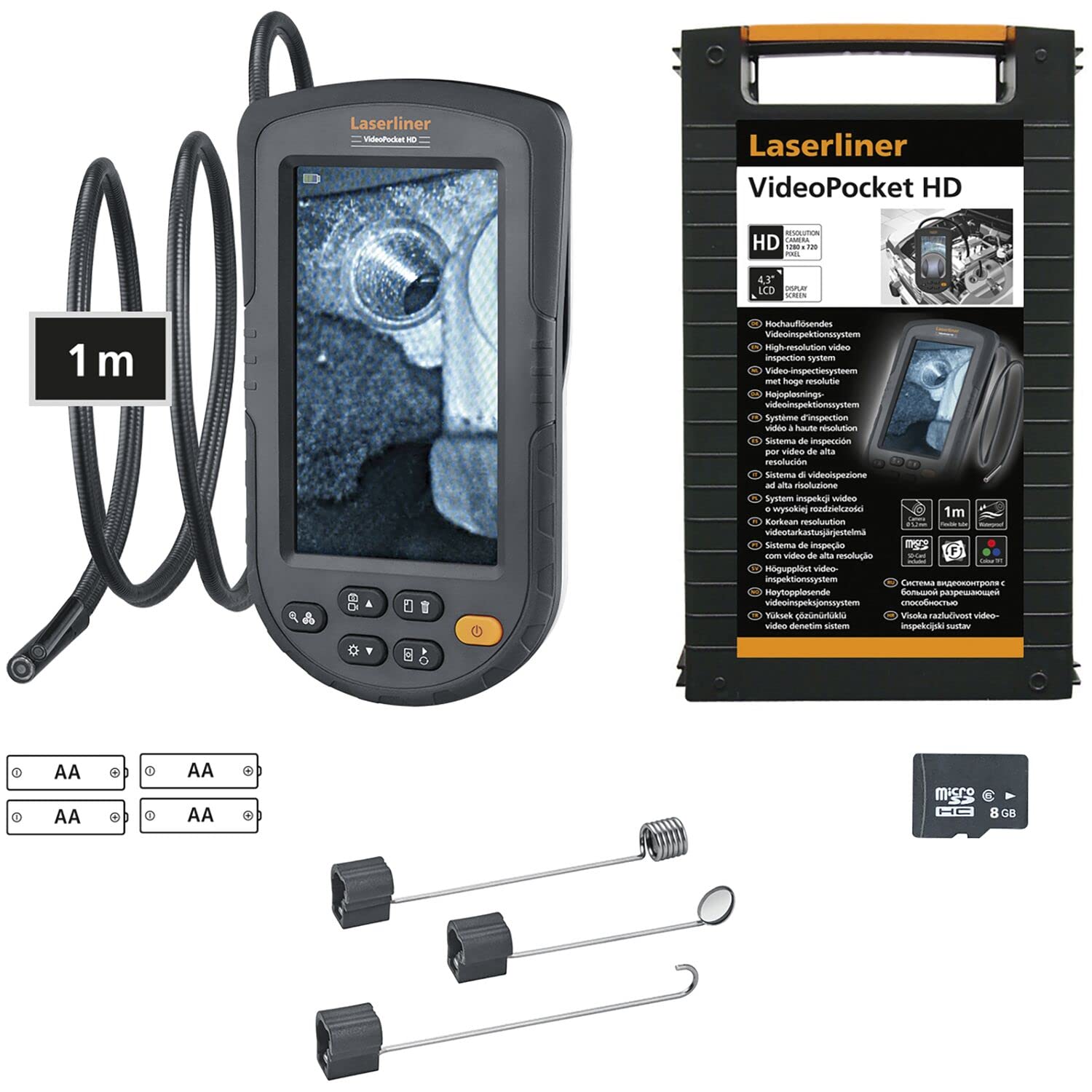
Figure 1: Laserliner 082.262A Inspection Camera. The image shows the handheld display unit connected to the flexible camera probe, ready for use.
The device consists of a main display unit with control buttons and a flexible probe with an integrated camera and LED lighting at its tip. The probe is designed to navigate tight spaces and transmit live video to the display.
5. Konfigurimi
Follow these steps to prepare your inspection camera for first use:
- Instalimi i baterisë: Open the battery compartment on the rear of the main unit. Insert the provided alkaline batteries, ensuring correct polarity (+/-). Close the compartment securely.
- Lidhja e sondës: Connect the flexible camera probe to the designated port on the main unit. Ensure a firm connection.

Figura 2: E pasme view of the inspection camera. This image illustrates the back of the device, including the product label and the area where the flexible probe connects.
6. Udhëzimet e funksionimit
This section details how to operate your Laserliner 082.262A Inspection Camera.
6.1 Ndezja/Fikja
- To power on: Press and hold the power button (usually orange) until the display illuminates.
- Për ta fikur: Shtypni dhe mbani shtypur përsëri butonin e ndezjes derisa ekrani të fiket.
6.2 Kontrollet bazë
The main unit features several buttons for controlling the camera and display functions:
- Ndriçimi LED: Adjust the intensity of the camera's LED lights for optimal visibility in dark environments.
- Rrotullimi i imazhit: Rotate the image on the display for correct orientation, especially when the probe is twisted.

Figure 3: Image Rotation. This diagram illustrates how the image can be rotated on the display, showing 0, 90, 180, and 270-degree orientations.
6.3 Optimal Focus Distance
The camera has a fixed focus. For clear images, position the camera tip within the optimal focus range, typically a few centimeters from the object.
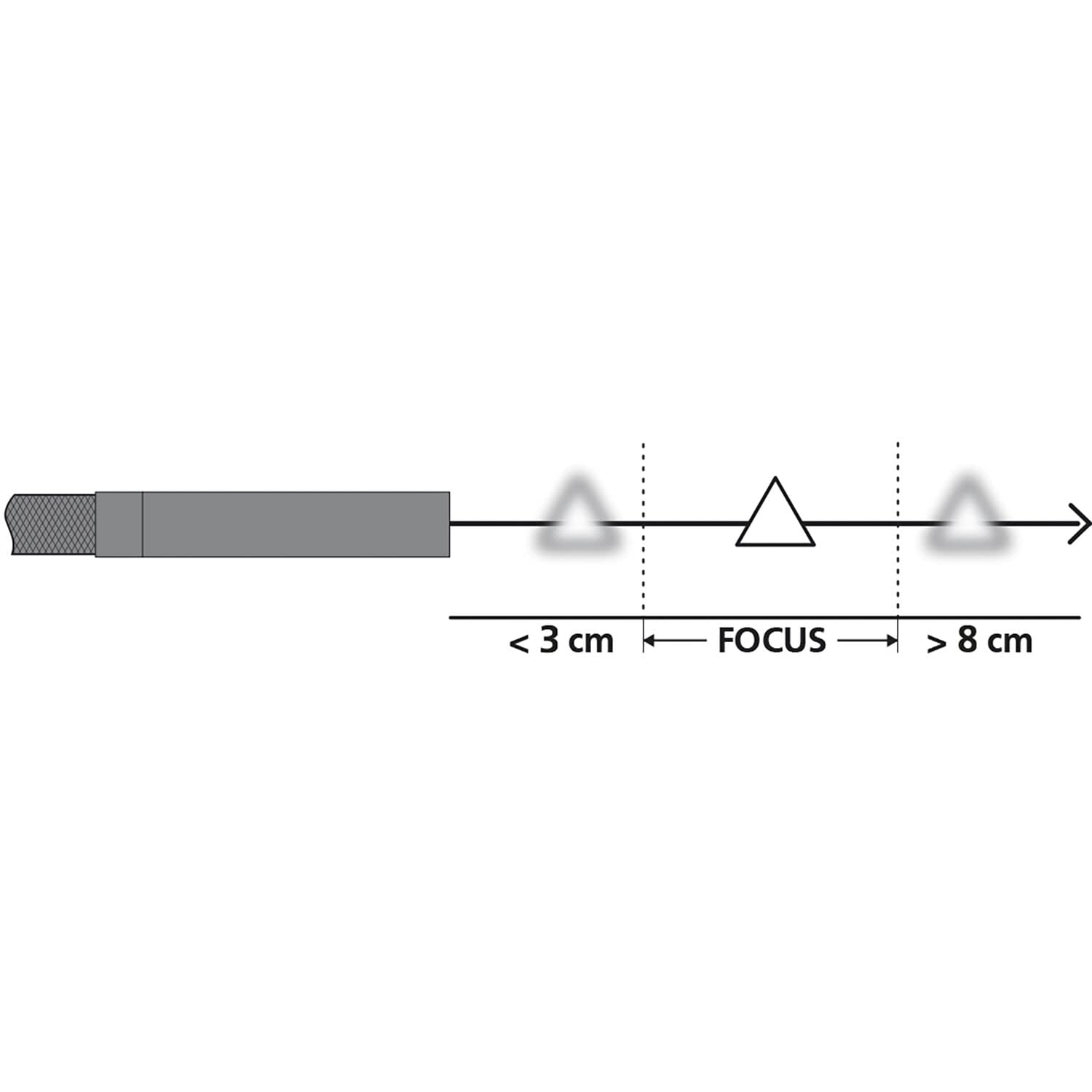
Figure 4: Focus Range. This diagram shows the recommended distance for clear imaging, indicating that objects too close (less than 3 cm) or too far (greater than 8 cm) may appear blurry, with an optimal focus zone in between.
6.4 Zbatime praktike
The inspection camera is versatile for various tasks:
- Inspektimi i pajisjes: Examine internal components of dishwashers or other household appliances.
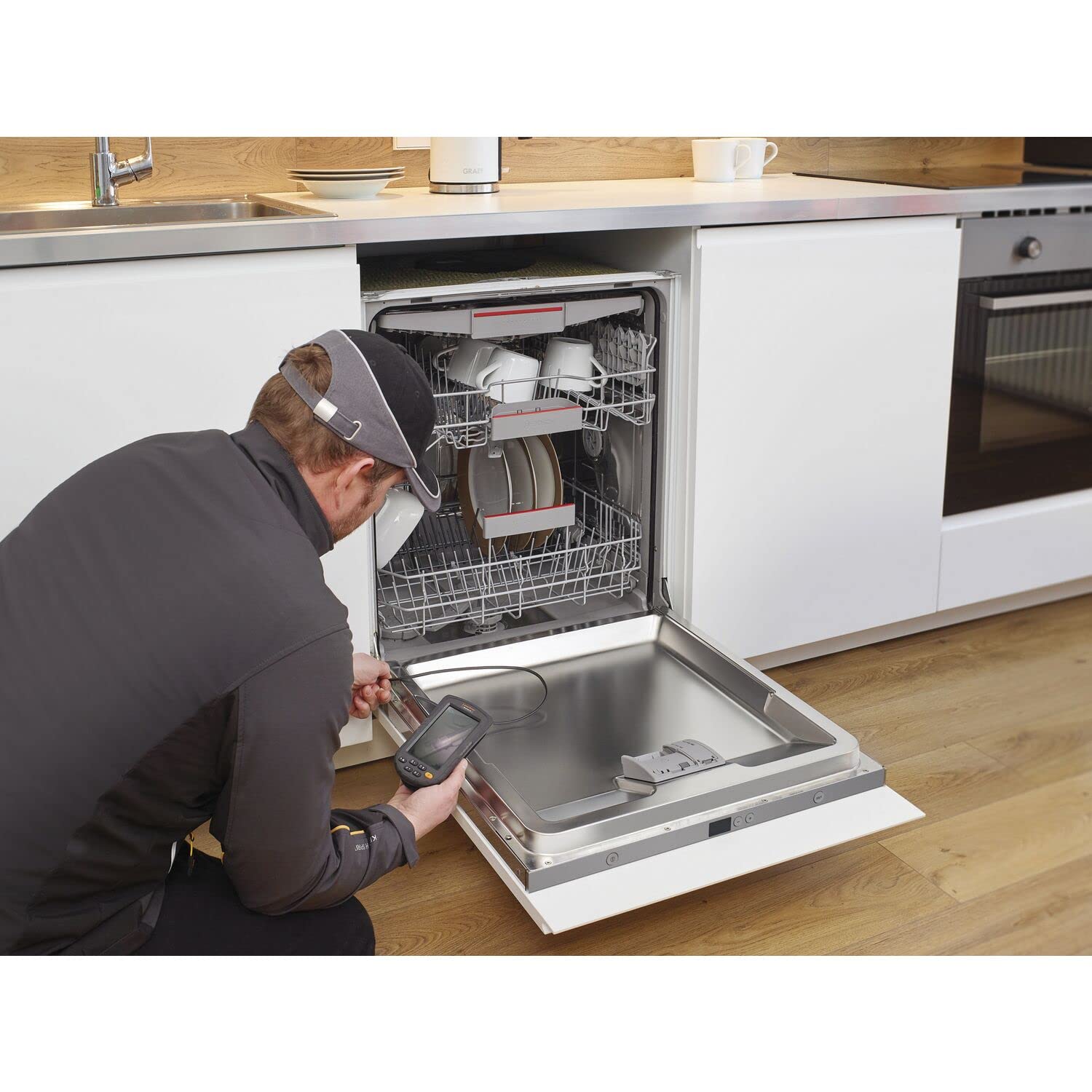
Figure 5: Dishwasher Inspection. A technician uses the inspection camera to view the internal workings of a dishwasher, checking for blockages or damage.
- Diagnostifikimi i automobilave: Inspect engine compartments, cylinders, or other vehicle parts.

Figure 6: Engine Inspection. The camera probe is inserted into an engine bay, allowing for visual inspection of internal components without extensive disassembly.
- Plumbing and Drainage: Check pipes, drains, and sewage systems for clogs or damage.

Figure 7: Drain Inspection. The camera is used to inspect a floor drain, providing a clear view of the pipe's interior.
- Cavity and Wall Inspections: Explore behind walls, ceilings, or other enclosed spaces.

Figure 8: Ceiling Cavity Inspection. The camera probe is inserted into a ceiling opening to inspect the hidden space above.
- Sink and Shower Drains: Qasja dhe view blockages or issues in bathroom plumbing.

Figure 9: Sink Drain Inspection. The camera is positioned to inspect the U-bend of a sink drain, revealing any obstructions.

Figure 10: Shower Drain Inspection. The camera probe is inserted into a shower drain to check for blockages or pipe conditions.
- Gutter and Downspout Inspection: Identify debris or damage in exterior drainage systems.
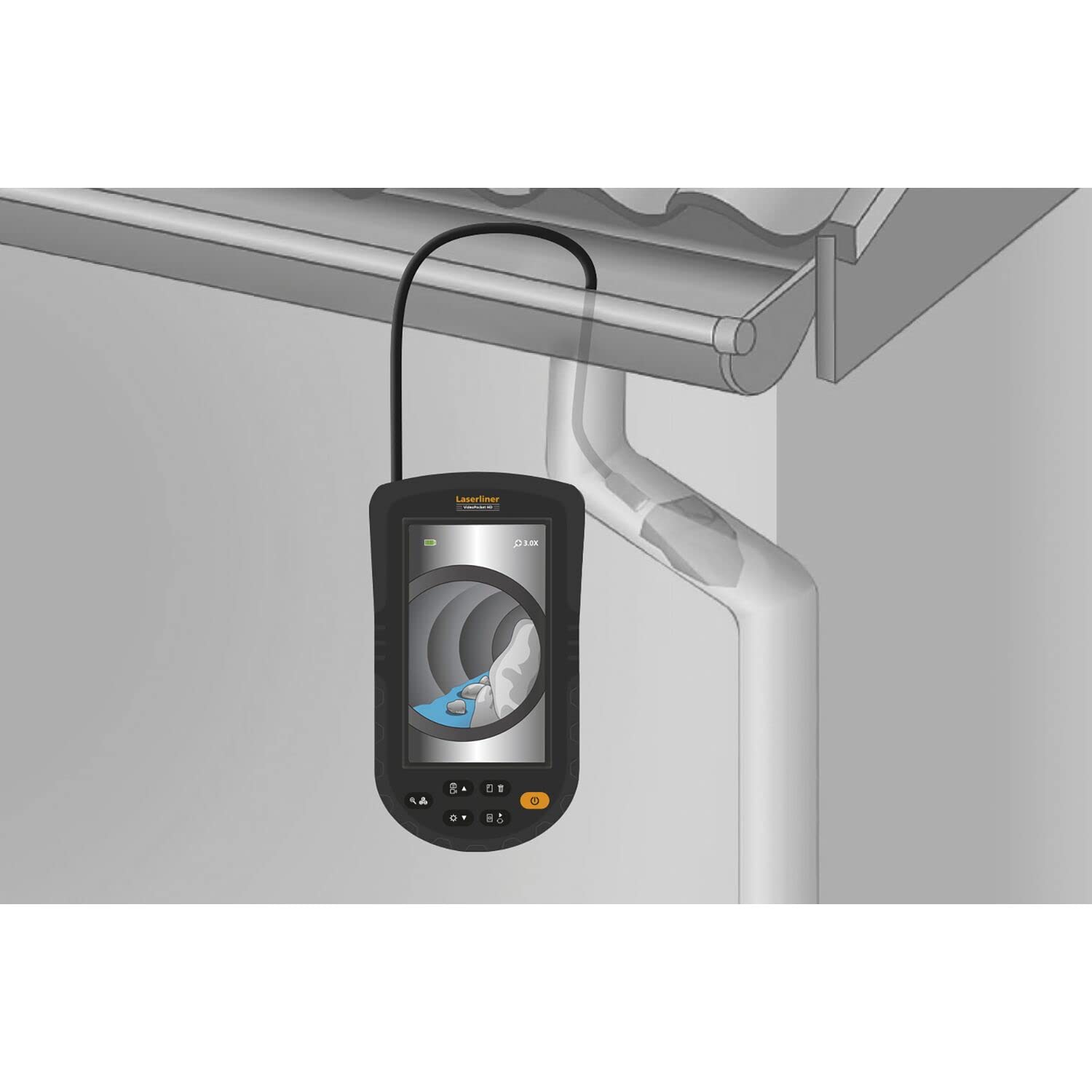
Figure 11: Gutter Inspection. The camera is used to inspect a gutter and downspout, showing the presence of leaves and debris.
7. Mirëmbajtja
Mirëmbajtja e duhur siguron jetëgjatësinë dhe performancën e pajisjes suaj.
- Pastrimi: Wipe the main unit with a soft, dry cloth. The camera probe can be cleaned with a damp cloth and mild detergent. Ensure no liquid enters the main unit.
- Kujdesi për baterinë: Replace batteries when the low battery indicator appears. Remove batteries if the device is not used for extended periods to prevent leakage.
- Magazinimi: Store the device in a cool, dry place, away from direct sunlight and extreme temperatures. Coil the probe loosely to avoid kinking.
8. Troubleshooting
Nëse hasni probleme, referojuni problemeve dhe zgjidhjeve të zakonshme të mëposhtme:
| Problem | Shkaku i mundshëm | Zgjidhje |
|---|---|---|
| Pajisja nuk ndizet | Bateri të ulëta ose të fikura; Instalimi i gabuar i baterisë | Zëvendësoni bateritë; Kontrolloni polaritetin e baterisë |
| Nuk ka imazh në ekran | Probe not connected properly; Damaged probe | Ensure probe is securely connected; Contact support if probe is damaged |
| Imazhi është i paqartë | Object too close or too far from camera; Dirty camera lens | Adjust distance to object (refer to focus diagram); Clean camera lens gently |
| Dritat LED nuk funksionojnë | LED brightness set to minimum; Faulty LEDs | Increase LED brightness using controls; Contact support |
If the problem persists after trying these solutions, please contact Laserliner customer support.
9. Specifikimet
Detailed technical specifications for the Laserliner 082.262A Inspection Camera:
| Veçori | Specifikimi |
|---|---|
| Prodhuesi | laserliner |
| Dimensionet e produktit (J x P x H) | 12 x 19 x 14 cm |
| Numri i modelit të artikullit | 082.262A |
| Materiali | Plastike |
| Forma | Sheshi |
| Numri i artikujve në paketë | 1 |
| Sistemi i Matjes | Treguesi |
| Bateritë e përfshira | po |
| Bateritë e nevojshme | po |
| Përbërja e baterisë | Alkaline |
| Pesha e artikullit | 370 gram |
| Vendi i origjinës | Kinë |
| ASIN | B0BYKBV8ZC |
10. Garancia dhe Mbështetja
For warranty information, please refer to the documentation provided with your purchase or visit the official Laserliner website. For technical support or service inquiries, contact Laserliner customer service directly.
Spare parts availability: Information unavailable.
11. Informacioni për asgjësimin
Electronic devices and batteries must not be disposed of with household waste. Please dispose of them according to local regulations at designated collection points for electronic waste and batteries. Proper disposal helps protect the environment and human health.


