Hyrje
This user manual provides detailed instructions for the operation and maintenance of your Hayve 4K Digital Microscope. Please read this manual thoroughly before using the device to ensure proper functionality and safety.
The Hayve HY070 PRO digital microscope features a 4K image resolution and 2K video capability, offering 2-1500X continuous magnification. It is equipped with a 7-inch IPS screen, multiple lighting options including a bottom LED light, and connectivity via HDMI and USB for larger displays. It is designed for various applications including coin inspection, soldering, and general microscopic observation.
Informacioni i Sigurisë
- Ensure the microscope is placed on a stable, level surface to prevent accidental falls.
- Mos e ekspozoni pajisjen ndaj temperaturave ekstreme, lagështisë ose rrezet e diellit direkte.
- Use only the specified 5V/1A or 5V/2A USB adapter for power.
- Shmangni ekspozimin e drejtpërdrejtë të syve ndaj dritave LED.
- Mbajeni pajisjen larg ujit ose lëngjeve të tjera.
- Do not attempt to disassemble or repair the microscope yourself. Contact qualified personnel for service.
- Mbajeni larg fëmijëve të vegjël për të parandaluar gëlltitjen aksidentale të pjesëve të vogla.
Përmbajtja e paketës
Ju lutemi verifikoni që të gjitha artikujt e listuar më poshtë janë të përfshirë në paketën tuaj:
- Hayve 4K Digital Microscope Unit (with 7-inch IPS Screen)
- Adjustable Stand/Bracket
- Pjatë bazë
- Gooseneck Side Lights (2x)
- Bottom LED Light Module
- Telekomandë
- Kabllo USB-C
- Kabllo HDMI
- Kartë MicroSD 32 GB
- Sundimtar kalibrimi
- Prepared Slides (10x)
- Manuali i Përdoruesit

Figure 1: Complete package contents of the Hayve 4K Digital Microscope.
Konfigurimi
Follow these steps to assemble your Hayve 4K Digital Microscope:
- Step 1: Place the bracket on the base.
Insert the vertical support bracket into the designated slot on the base plate. Ensure it is seated firmly.

Figure 2: Main components of the microscope.
- Step 2: Fix the bracket with the knob.
Tighten the knob at the base of the bracket to secure it to the base plate, preventing any wobble.
- Step 3: Place the screen unit on the bracket.
Carefully slide the main microscope unit (with the integrated screen) into the adjustable clamp at the top of the vertical bracket.
- Step 4: Tighten the two knobs.
Secure the microscope unit in place by tightening the two knobs on the bracket's clamp. This will hold the unit firmly at the desired height.
Video 1: Step-by-step assembly guide for the Hayve 4K Digital Microscope.
Udhëzimet e funksionimit
Ndezja/Fikja dhe Karikimi
The microscope has a built-in 3600mAh rechargeable battery, providing up to 5 hours of working time. To charge, connect the microscope to a 5V/1A or 5V/2A USB adapter using the provided USB-C cable.

Figure 3: The microscope features a long-lasting battery for extended use.
Magnification and Focus
The microscope offers a continuous magnification range from 2X to 1500X. Adjust the height of the microscope unit on the stand and rotate the focus wheel on the lens barrel to achieve a clear image of your specimen.
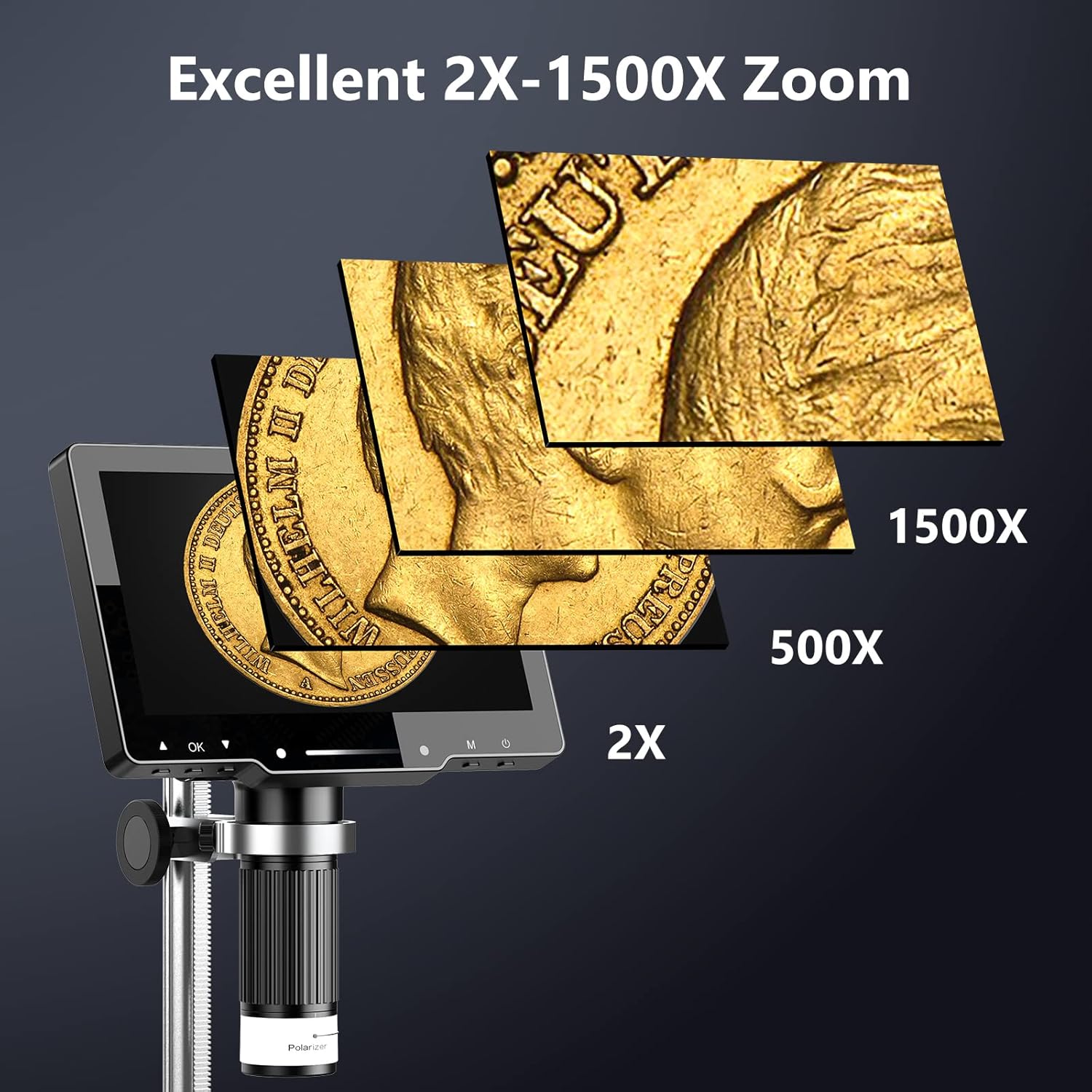
Figure 4: The microscope provides excellent zoom capabilities from 2X to 1500X.
Kontrolli i Ndriçimit
The microscope is equipped with multiple lighting options for optimal viewing:
- 8 drita LED: Integrated around the lens for direct illumination.
- 2 Side Lights: Adjustable gooseneck lights for flexible illumination angles.
- Bottom LED Light: Për viewing transparent specimens or slides. (10 prepared slides are included).
Adjust the brightness of the lights using the controls on the unit or the remote control.

Figure 5: Intelligent touch light control for adjustable illumination.

Figure 6: The amazing bottom light stage për viewing transparent objects.
Polarizer Lens
The unique polarizer lens design helps to reduce reflection and glare, especially when observing reflective surfaces like coins, diamonds, or PCB metals. Rotate the polarizer ring on the lens to achieve optimal observation conditions.
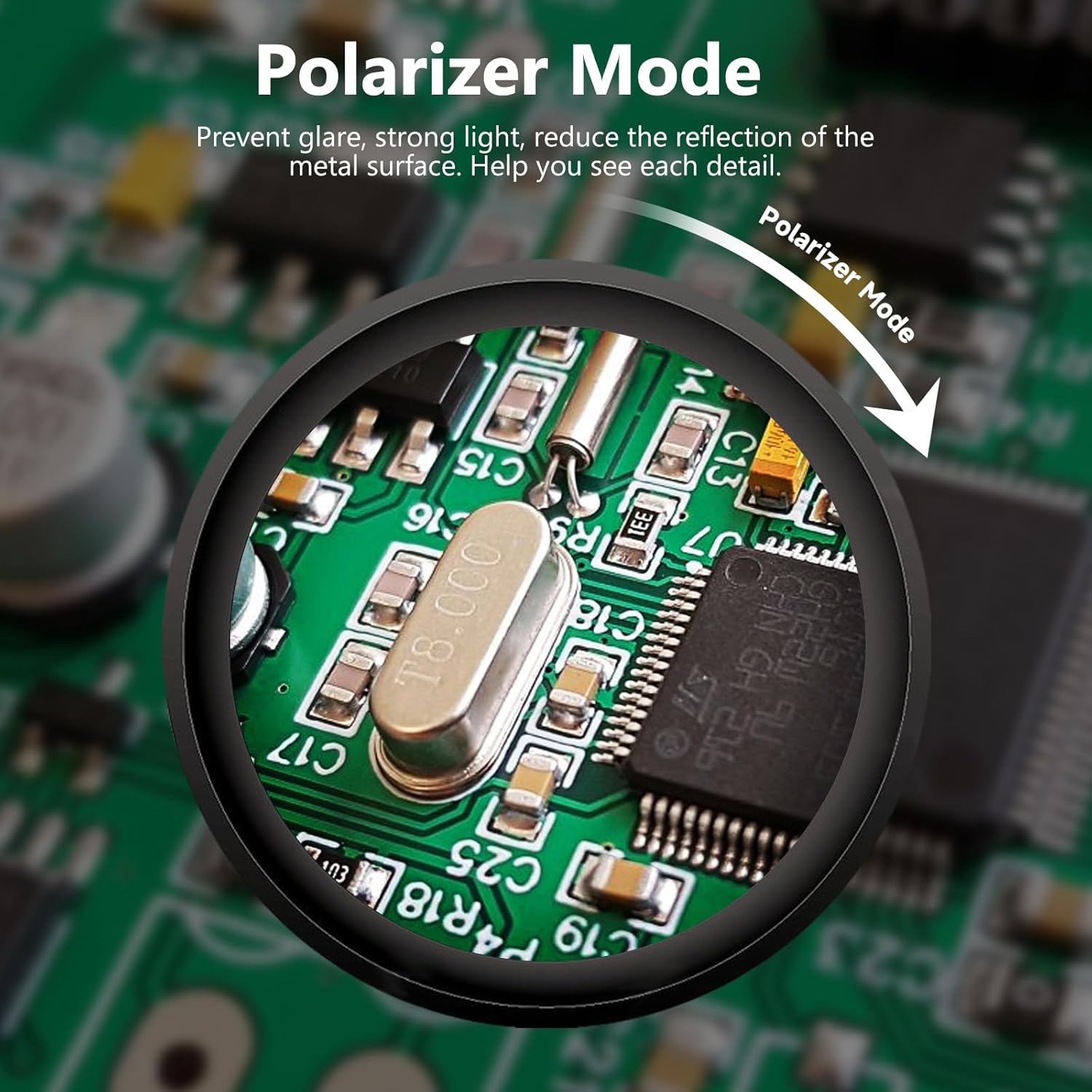
Figure 7: Polarizer mode for reducing glare on reflective surfaces.
External Display Connectivity (HDMI & USB)
The Hayve HY070 PRO supports connection to external displays for a larger view and easier sharing:
- Dalja HDMI: Connect the microscope to a TV or projector using the provided HDMI cable for real-time, high-definition display without delay.
- Dalja USB: Connect to a PC or Mac via the USB-C port. This allows for real-time transmission and compatibility with various camera operation software (e.g., HiView, Amcap).
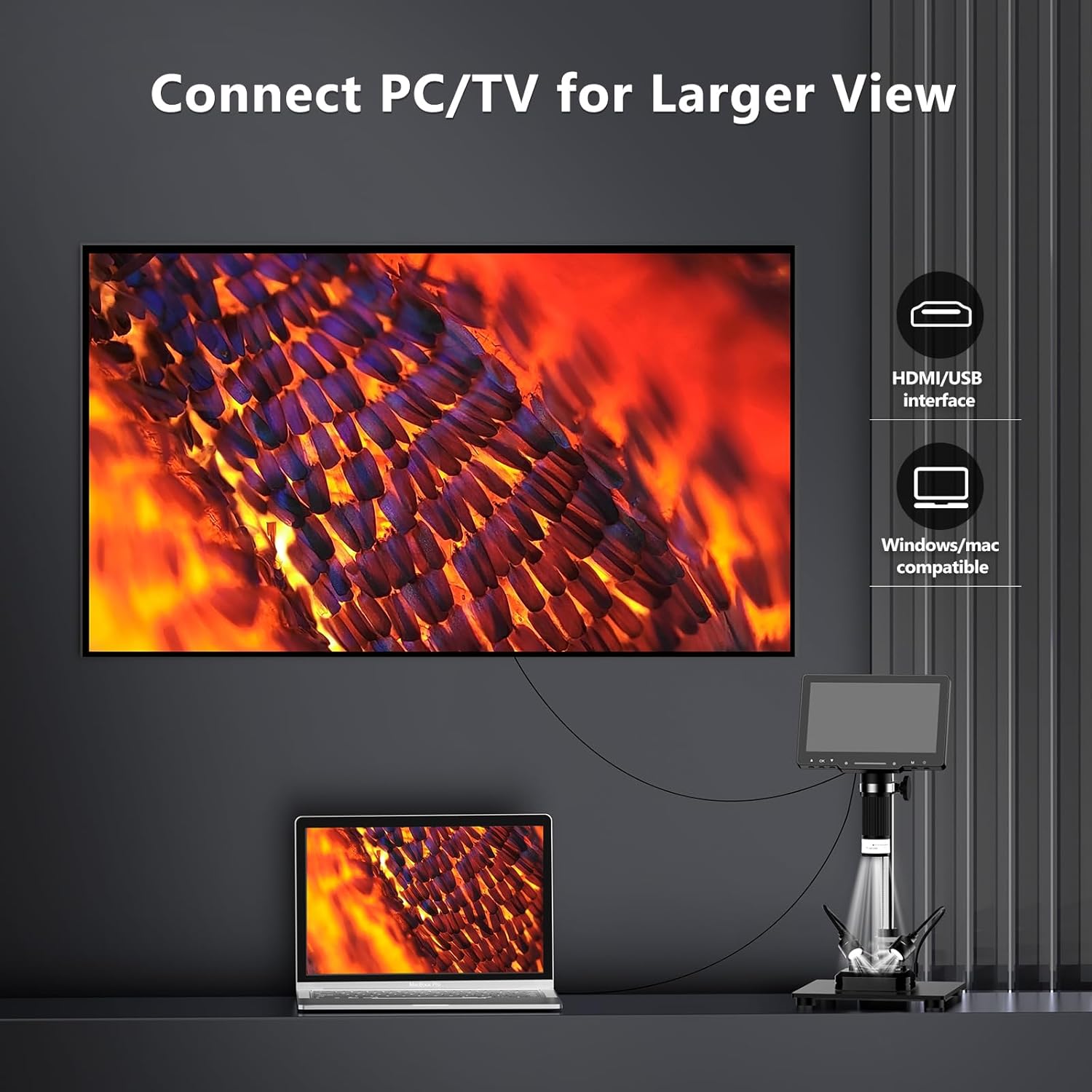
Figure 8: Connect to PC/TV for a larger viewpërvojë.
Kapje fotosh dhe videosh
The microscope captures 4K photos and 2K ultra-clear videos. A 32GB MicroSD card is included for storage, capable of storing over 10,000 pictures. Use the buttons on the unit or the remote control to capture images and videos.
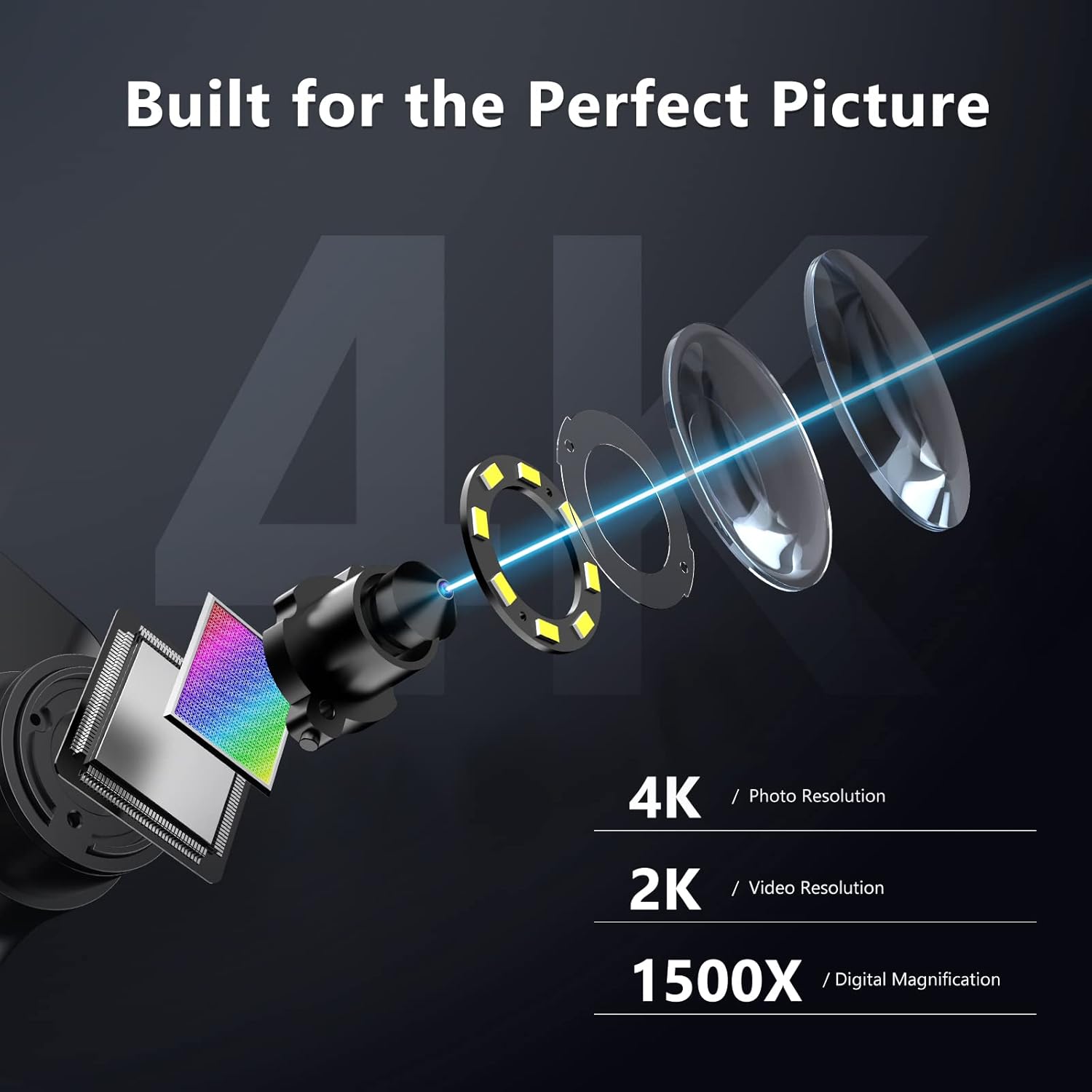
Figure 9: Built for perfect picture quality with 4K photo and 2K video resolution.

Figure 10: The upgraded 7-inch IPS screen provides vivid and saturated colors with a 178-degree wide viewkënd ing.
Funksionimi me telekomandë
The included remote control provides convenient access to various functions, such as capturing photos, recording videos, and adjusting lighting, without disturbing the microscope's position.
Figure 11: Convenient remote control for easy operation.
Mirëmbajtja
- Pastrimi: Use a soft, dry cloth to clean the exterior of the microscope. For the screen and lens, use a microfiber cloth specifically designed for optics. Do not use abrasive cleaners or solvents.
- Magazinimi: When not in use, store the microscope in a clean, dry place, away from dust and direct sunlight. The original packaging can be used for safe storage and transport.
- Kujdesi për baterinë: Për të zgjatur jetëgjatësinë e baterisë, shmangni shkarkimin e saj të plotë shpesh. Ngarkojeni pajisjen rregullisht, edhe nëse nuk është në përdorim aktiv.
Zgjidhja e problemeve
| Problem | Shkaku i mundshëm | Zgjidhje |
|---|---|---|
| No image on screen / Screen is black. | Device is off, battery is low, or screen brightness is too low. | Ensure the device is powered on. Charge the battery. Adjust screen brightness. |
| Imazhi është i turbullt. | Incorrect focus, incorrect working distance, or dirty lens. | Adjust the focus wheel. Adjust the height of the microscope unit. Clean the lens. |
| Image has glare/reflection. | Strong light source reflecting off the specimen. | Activate and adjust the polarizer lens. Adjust the angle or intensity of the LED lights. |
| Cannot connect to PC/TV. | Incorrect cable, port, or driver issues. | Ensure correct HDMI/USB-C cable is used. Try a different port. Install necessary drivers for PC connection. |
| Telekomanda nuk funksionon. | Low battery in remote, or obstruction. | Replace remote control batteries. Ensure no obstructions between remote and microscope. |
Specifikimet
- Emri i modelit: HY070 PRO
- Zmadhimi: 2X - 1500X
- Rezolucioni i fotos: 4K (48MP)
- Rezolucioni i videos: 2K
- Ekrani: Ekran IPS 7 inç
- Ekrani ViewKëndi i ing: 178 gradë
- Ndriçimi: 8 LED Lights (around lens), 2 Side Lights (gooseneck), Bottom LED Light
- Lidhshmëria: HDMI, USB-C
- Magazinimi: Mbështet kartën MicroSD (32 GB e përfshirë)
- Bateria: Built-in 3600mAh rechargeable Lithium Polymer
- Fuqia hyrëse: 5V/1A or 5V/2A USB
- Materiali: Metal, Plastike
- Ngjyra: E zezë
- Pesha e artikullit: Përafërsisht 3.74 paund (1.7 kg)
- Dimensionet e paketës: 11.42 x 8.7 x 3.9 inç
Informacioni i Garancisë
Specific warranty details for the Hayve 4K Digital Microscope are not provided in this manual. Please refer to the product packaging, the official Hayve website, or contact Hayve customer support for comprehensive warranty terms and conditions.
Mbështetje
For further assistance, technical support, or inquiries, please contact Hayve customer service. You may find contact information on the official Hayve webfaqja e internetit ose nëpërmjet shitësit me pakicë ku e keni blerë produktin.
Hayve Customer Service: Refer to the official Hayve webvendndodhjen ose paketimin e produktit për detajet e kontaktit.
We are committed to providing reliable products and support to meet your needs.


