1. Hyrje
This manual provides instructions for the VTech CS2051 DECT 2 Handset Cordless Home Telephone with Answering Machine. It covers setup, operation, maintenance, and troubleshooting to ensure optimal performance of your device. Please read these instructions carefully before using your telephone.
2. Përmbajtja e paketës
Verifikoni që paketa juaj përmban artikujt e mëposhtëm:
- 1 x Njësi Bazë
- 2 x Telefona pa Tel
- 2 x Karikues Telefonash
- 2 x AC Adaptors (for base unit and chargers)
- 2 x Battery Packs (AAA batteries required, included)
- 1 x Kabllo Linje Telefoni
- 1 x Udhëzues për fillimin e shpejtë

Image: The VTech CS2051 system, showing the main base unit with one handset, and a separate charger with the second handset.
3. Konfigurimi
3.1 Instalimi i baterisë
- Hapni kapakun e ndarjes së baterisë në pjesën e pasme të secilës pajisje telefonike.
- Vendosni paketën e baterisë AAA të dhënë, duke u siguruar që të keni polaritetin e saktë.
- Mbyllni kapakun e ndarjes së baterisë.
- Place each handset on its respective charger or the base unit to charge for at least 16 hours before first use.
3.2 Lidhja e njësisë bazë
- Lidhni njërin skaj të kabllit të linjës telefonike me portën LINE në njësinë bazë.
- Lidhni anën tjetër të kabllit të linjës telefonike me prizën e telefonit tuaj në mur.
- Connect the AC adaptor to the POWER port on the base unit.
- Plug the AC adaptor into a mains power outlet.
- For the additional charger, connect its AC adaptor to the charger and then to a mains power outlet.
3.3 Regjistrimi i celularit
Your handsets are typically pre-registered to the base unit. If a handset displays 'Unregistered' or 'Register Handset', follow these steps:
- Në njësinë bazë, shtypni dhe mbani shtypur FAQJA button for approximately 5 seconds until the registration indicator light flashes.
- On the handset, navigate to the 'Registration' menu (refer to the Quick Start Guide for specific menu navigation).
- Select 'Register Handset' and enter the system PIN (default is usually 0000).
- Pajisja do të shfaqë 'Duke u regjistruar...' dhe pastaj 'Pajisja u regjistrua' pas përfundimit me sukses.
4. Udhëzimet e funksionimit
4.1 Kryerja dhe marrja e thirrjeve
- Për të bërë një telefonatë: Shtypni FLASIN button, then dial the number. Alternatively, dial the number first and then press FLASIN.
- Për të marrë një telefonatë: Kur të bjerë telefoni, shtypni butonin FLASIN butonin.
- Për të përfunduar një telefonatë: Shtypni FUND butonin ose vendoseni përsëri celularin në njësinë bazë/karikuesin.
4.2 Sekretaria Dixhitale
The base unit includes a digital answering machine to record messages when you are unavailable.
- Duke luajtur mesazhe: Shtypni LUAJ/STOP button on the base unit. The display will show the number of new messages.
- Fshirja e mesazheve: During message playback, press the FSHIJE butonin në njësinë bazë.
- Konfigurimi: Access the answering machine settings via the handset menu to record your outgoing message or adjust settings.

Image: The base unit of the VTech CS2051, highlighting the digital answering system with a message count display.
4.3 Bllokuesi i Thirrjeve të Shqetësuara
This feature allows you to block unwanted incoming calls.
- Bllokimi i një numri: During or after a call, access the call blocker menu on the handset. You can add numbers to a block list.
- Blocking Unknown Numbers: The system can be configured to block calls from numbers not stored in your phonebook or from withheld numbers.

Image: A VTech CS2051 handset, illustrating the call blocker feature for managing unwanted calls.
4.4 ID e Thirrësit dhe Pritja e Thirrjeve
These features require subscription from your telephone service provider.
- ID e thirrësit: The handset display shows the caller's number (and name if stored in your phonebook) before you answer. The phone stores up to 20 incoming call records.
- Telefonata në pritje: If you are on a call and another call comes in, you will hear a tone. You can switch between calls.

Image: A close-up of the VTech CS2051 handset display showing an incoming call number, demonstrating the Caller ID feature.
4.5 Altoparlantë
The speakerphone function allows for hands-free conversations.
- Për të aktivizuar: Gjatë një telefonate, shtypni butonin FOLTORËT butonin.
- Për të çaktivizuar: Shtypni FOLTORËT button again or lift the handset to your ear.
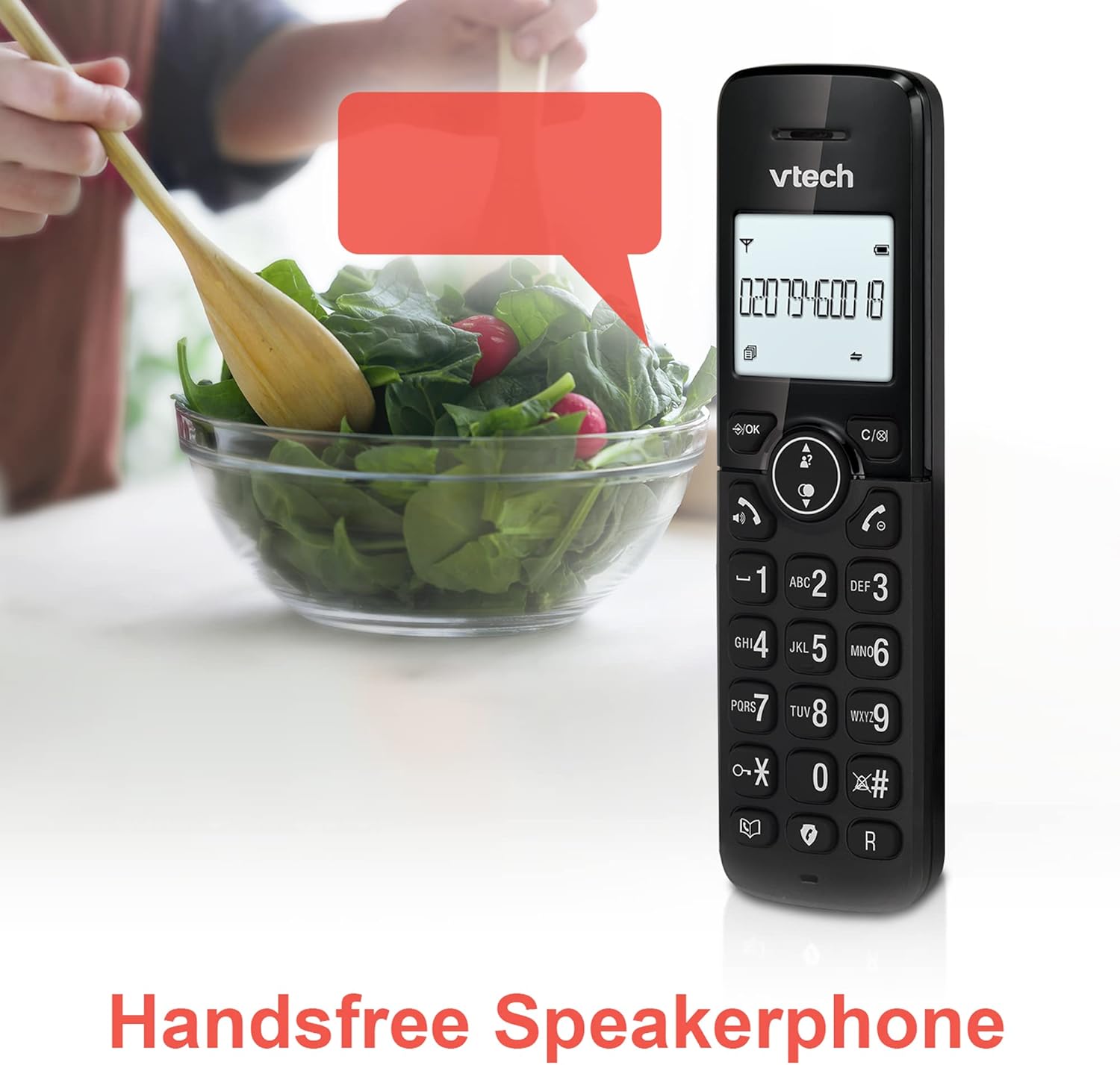
Image: A VTech CS2051 handset positioned for hands-free use, illustrating the speakerphone capability.
4.6 Intercom
You can use the handsets to communicate with each other internally.
- To Initiate: Shtypni INT button on one handset and select the desired handset to call.
4.7 Volumi dhe Melodia e Rregullueshme e Zilës
Customize the ringtone and volume to your preference.
- Access the 'Ringtone Settings' or 'Volume Settings' menu on the handset to choose from available melodies and adjust the ring volume.

Image: A VTech CS2051 handset, highlighting the controls for adjusting ring volume and melody settings.
4.8 Funksioni i alarmit dhe heshtjes
- Alarmi: Vendosni një alarm përmes menysë së celularit.
- Hesht: Gjatë një telefonate, shtypni butonin SHUM button to temporarily silence your microphone. Press again to unmute.

Image: Illustrates the alarm function (represented by a clock icon) and the mute function (represented by a musical note icon) available on the VTech CS2051.
5. Mirëmbajtja
- Pastrimi: Wipe the telephone and handsets with a soft, damp pëlhurë. Mos përdorni pastrues gërryes ose tretës.
- Kujdesi për baterinë: Ensure handsets are placed on the charger when not in use to maintain battery life. Replace batteries when performance significantly degrades.
- Vendndodhja: Vendoseni njësinë bazë në një vend qendror, larg pajisjeve të tjera elektrike që mund të shkaktojnë ndërhyrje.
6. Troubleshooting
- Nuk ka ton telefonik: Ensure the telephone line cord is securely connected to both the base unit and the wall socket. Check if the AC adaptor is properly plugged in.
- Telefoni nuk po karikohet: Verify the handset is correctly seated in the charger/base unit. Clean the charging contacts on both the handset and charger with a dry cloth.
- Poor Call Quality/Interference: Move the base unit away from other electronic devices (e.g., Wi-Fi routers, microwaves). Ensure the handset is within range of the base unit.
- Handset Displays 'Unregistered': Follow the handset registration steps in Section 3.3.
- Sekretaria telefonike nuk po regjistron: Check the answering machine settings via the handset menu to ensure it is enabled and has sufficient recording time.
7. Specifikimet
| Veçori | Specifikimi |
|---|---|
| Model | CS2051 |
| Lloji i telefonit | DECT pa tel |
| Numri i Celularëve | 2 |
| Lloji i sistemit të përgjigjes | Digital (up to 15 minutes record time) |
| Identifikimi i Thirrësit | Po (kërkohet abonim) |
| Bllokues i Thirrjeve të Shqetësuara | po |
| Ekrani | Ekran me ndriçim nga prapa 1.8 inç |
| Bateritë | Kërkohen 4 bateri AAA (të përfshira) |
| Materiali | Akrilonitril butadien stiren (ABS) |
| Burimi i energjisë | Mundësuar nga bateria |
| Operacion shumëvijësh | po |
8. Garancia dhe Mbështetja
This VTech CS2051 product is supplied as an Amazon Renewed item. For specific warranty details and support, please refer to the Amazon Renewed program terms and conditions or contact Amazon Renewed customer service directly. VTech provides manufacturing support for its products. For technical assistance or further information, please visit the official VTech support website or consult the full user manual if available from the manufacturer.


