1. Produkti i Mbaruarview
The Keyscaper Star Wars Darth Vader Wireless Mouse is designed for comfort and precision, featuring a distinctive Darth Vader color block design. This wireless mouse connects via a USB nano-receiver and is powered by two AAA batteries. It offers laser-optical precision and an auto-sleep function to maximize battery life.

Figure 1: Keyscaper Star Wars Darth Vader Wireless Mouse
Karakteristikat kryesore:
- Officially licensed Star Wars product.
- Easy plug & play functionality via included USB nano-receiver.
- Laser-optical precision for accurate and responsive tracking.
- Auto-sleep feature to conserve battery power.
- Durable full-color printed logo.
2. Udhëzime për konfigurimin
2.1 Çfarë ka në kuti
- Keyscaper Star Wars Darth Vader Wireless Mouse
- Nano-marrës USB
- 2 bateri AAA (të parainstaluara ose të përfshira veçmas)
2.2 Instalimi i baterisë
- Gjeni kapakun e ndarjes së baterisë në pjesën e poshtme të mausit.
- Rrëshqisni ose ngrini butësisht kapakun për të hapur ndarjen.
- Vendosni dy bateri AAA, duke u siguruar që polariteti të jetë i saktë (+/-) siç tregohet brenda ndarjes.
- Vendoseni kapakun e ndarjes së baterisë përsëri derisa të fiksohet mirë në vendin e tij.

Figure 2: Mouse components and battery installation
2.3 Connecting the USB Nano-Receiver
- Locate the USB nano-receiver, typically stored within a slot in the battery compartment for convenience.
- Remove the nano-receiver from its storage slot.
- Plug the USB nano-receiver into an available USB-A port on your computer or laptop.
- Kompjuteri juaj duhet të zbulojë dhe instalojë automatikisht drajverët e nevojshëm. Kjo mund të zgjasë disa çaste.

Figure 3: USB nano-receiver storage
2.4 Ndezja/Fikja
- On the underside of the mouse, locate the ON/OFF switch.
- Slide the switch to the "ON" position to activate the mouse.
- To conserve battery life when not in use, slide the switch to the "OFF" position.
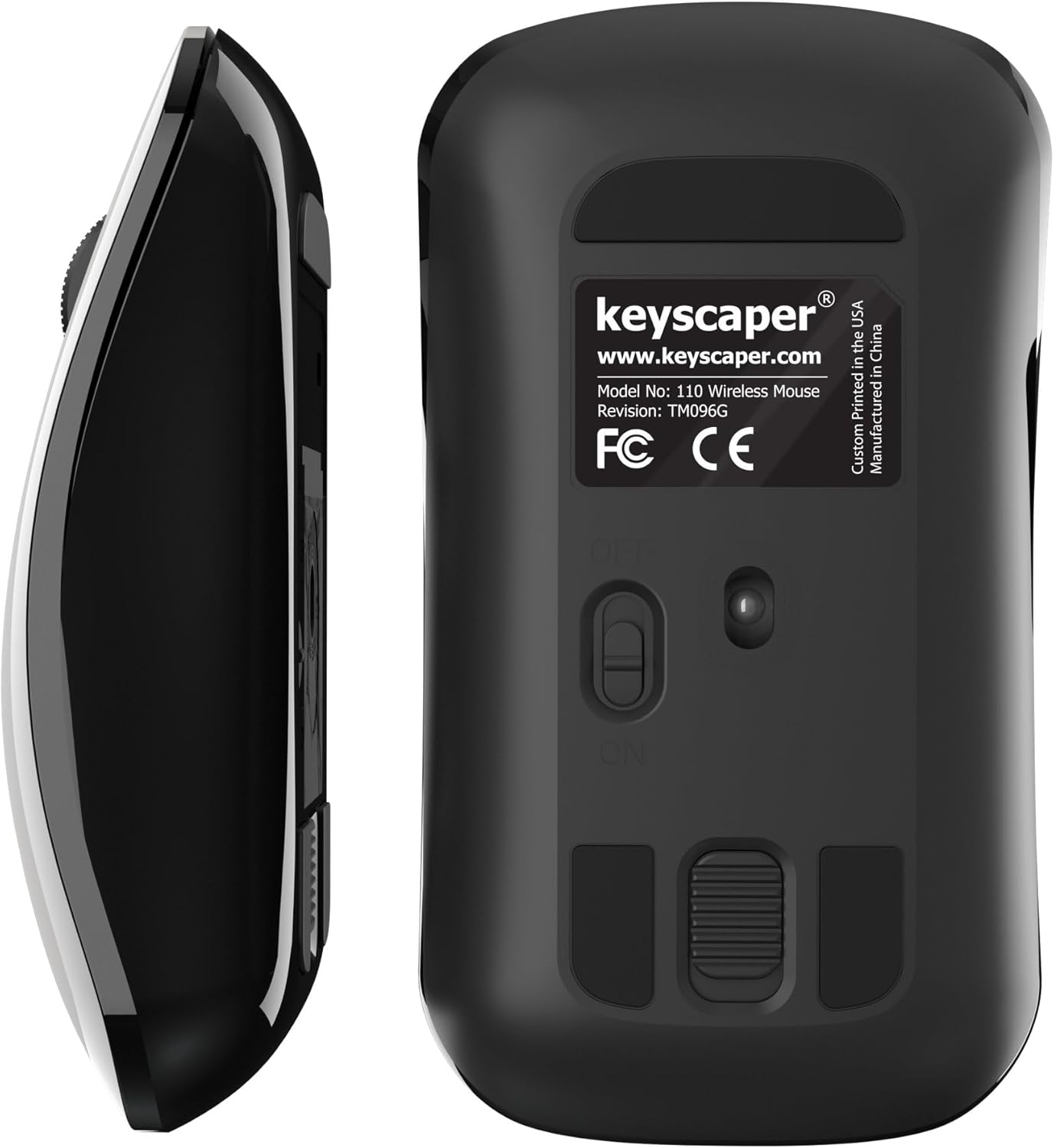
Figure 4: Underside of the mouse
3. Udhëzimet e funksionimit
3.1 Përdorimi bazë
- Klikoni majtas: Press the left button for primary actions (selecting, opening).
- Klikoni me të djathtën: Press the right button for secondary actions (context menus).
- Rrota e lëvizjes: Rrotulloni rrotën lart ose poshtë për të shfletuar dokumentet ose web pages. Press the scroll wheel for middle-click functionality (e.g., opening links in new tabs).
3.2 Funksioni i Gjumit Automatik
The mouse is equipped with an auto-sleep feature. If inactive for a period, it will enter a low-power sleep mode to save battery. To wake the mouse, simply move it or click any button.
4. Mirëmbajtja
4.1 Ndërrimi i baterisë
When the mouse performance degrades or it stops responding, it's time to replace the AAA batteries. Follow the steps in Section 2.2 for battery installation.
4.2 Pastrimi
Për të ruajtur performancën optimale, pastroni mausin periodikisht:
- Ensure the mouse is turned OFF.
- Përdorni lehtë një leckë të butë, pa garzë damptë larë me ujë ose me një tretësirë të butë pastrimi për të fshirë pjesën e jashtme.
- Shmangni hyrjen e lagështirës në çdo hapje.
- Use a dry cotton swab to gently clean the optical sensor on the underside.
5. Troubleshooting
5.1 Miu nuk përgjigjet
- Sigurohuni që mausi të jetë i ndezur.
- Check the batteries. Replace them if they are low or depleted.
- Verify that the USB nano-receiver is securely plugged into a working USB-A port on your computer. Try a different USB port if necessary.
- Move the mouse closer to the USB nano-receiver to rule out range issues.
- Rinisni kompjuterin tuaj.
5.2 Lëvizja e Çrregullt e Kursorit
- Clean the optical sensor on the underside of the mouse (refer to Section 4.2).
- Ensure you are using the mouse on a suitable surface. Highly reflective or uneven surfaces may cause issues. A mouse pad is recommended for best performance.
6. Specifikimet
- Numri i modelit: 110 WL
- Dimensionet e produktit: 2 x 1 x 0.1 inç
- Pesha e artikullit: 4 ons
- Teknologjia e lidhjes: Radio Frequency (via USB nano-receiver)
- Teknologjia e zbulimit të lëvizjes: Optike
- Bateritë: 2 bateri AAA (të përfshira)
- Ngjyra: Darth Vader (Color Block)
- Prodhuesi: Dongguan Togran Electronic Technology Co, Ltd.
7. Garancia dhe Mbështetja
For warranty information or technical support, please refer to the official Keyscaper webfaqen e internetit ose kontaktoni shërbimin e tyre ndaj klientit. Ruajeni faturën e blerjes për kërkesat e garancisë.
This product is designed and printed by Keyscaper in Tualatin, Oregon, USA, and manufactured by Dongguan Togran Electronic Technology Co, Ltd.
