Hyrje
This manual provides detailed instructions for the AODELAN Wireless Shooting Grip and Mini Tripod. This versatile accessory is designed to enhance your photography and videography experience with compatible Sony cameras by offering stable handheld shooting, tripod functionality, and remote control capabilities. Please read this manual thoroughly before use to ensure proper operation and to maximize the product's potential.
Kamerat e përputhshme: Sony ZV-E10, ZV-1, A7SM3, A7C, A7RIV, a9, a7R III, a7R IV, a9 II, a6600, a6400, a6100, a7 III, RX0 II, RX100 VII.
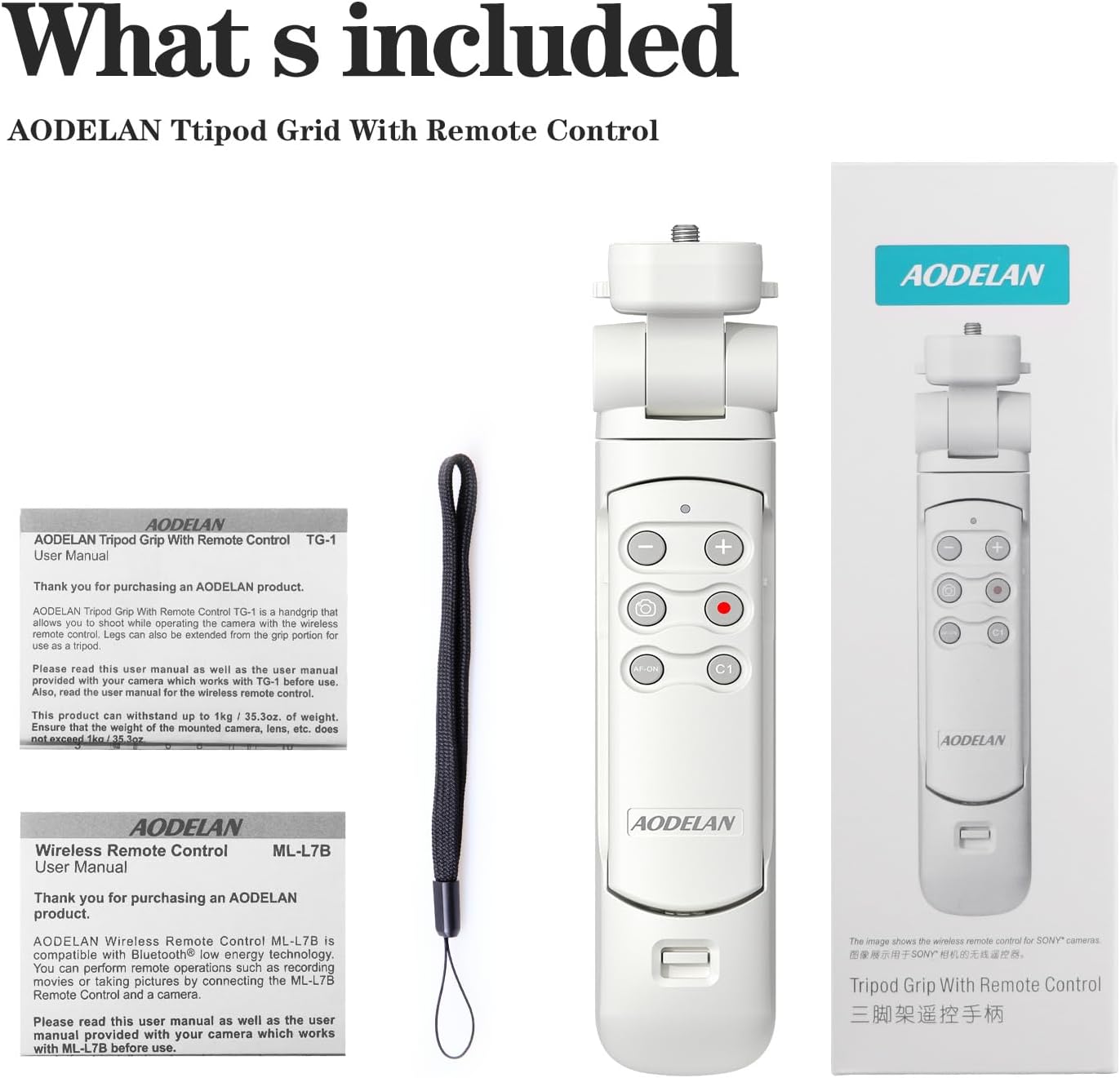
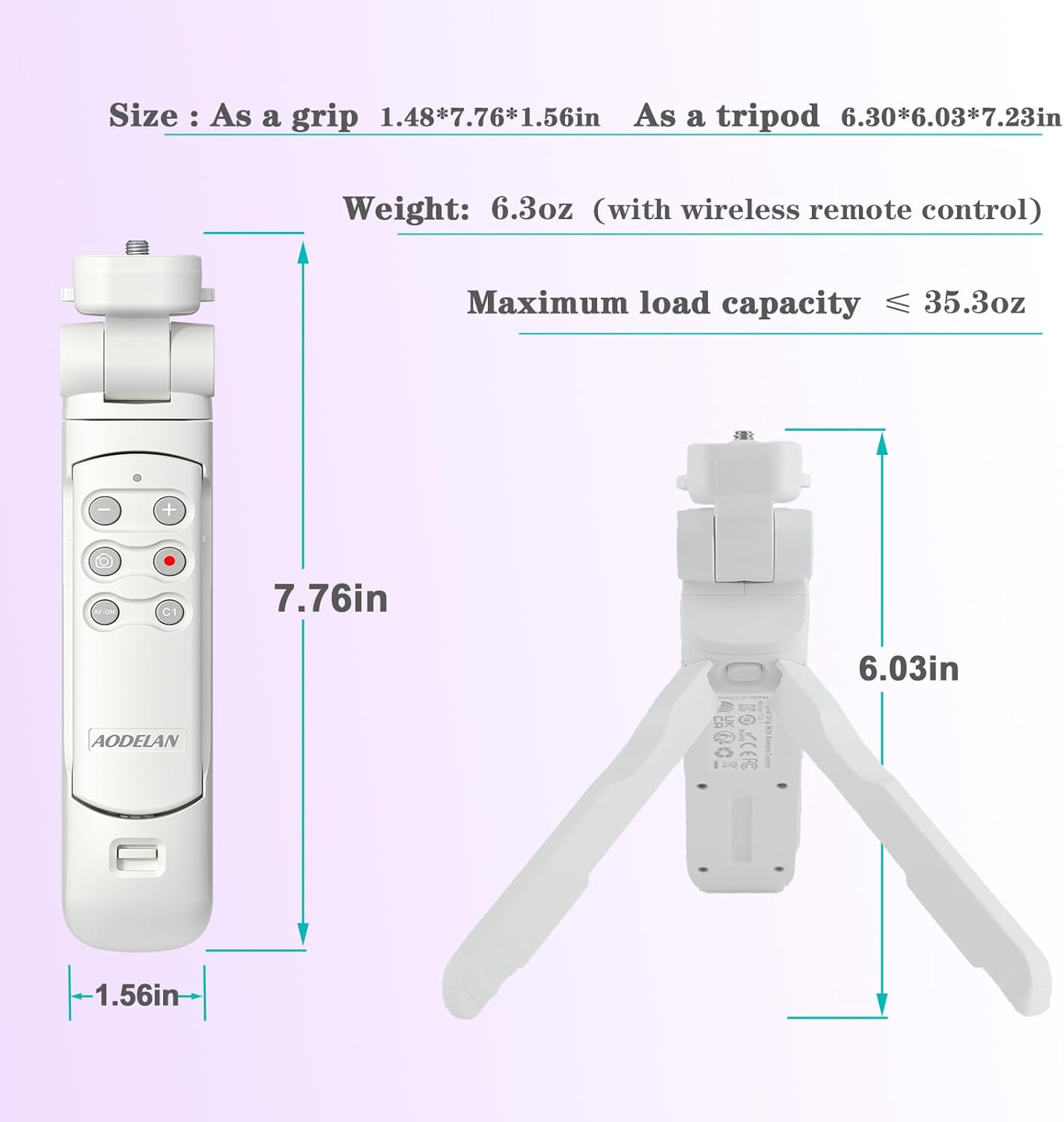
Note: Maximum load capacity is 1kg / 35.3 oz. Do not exceed this weight.
Produkti Mbiview
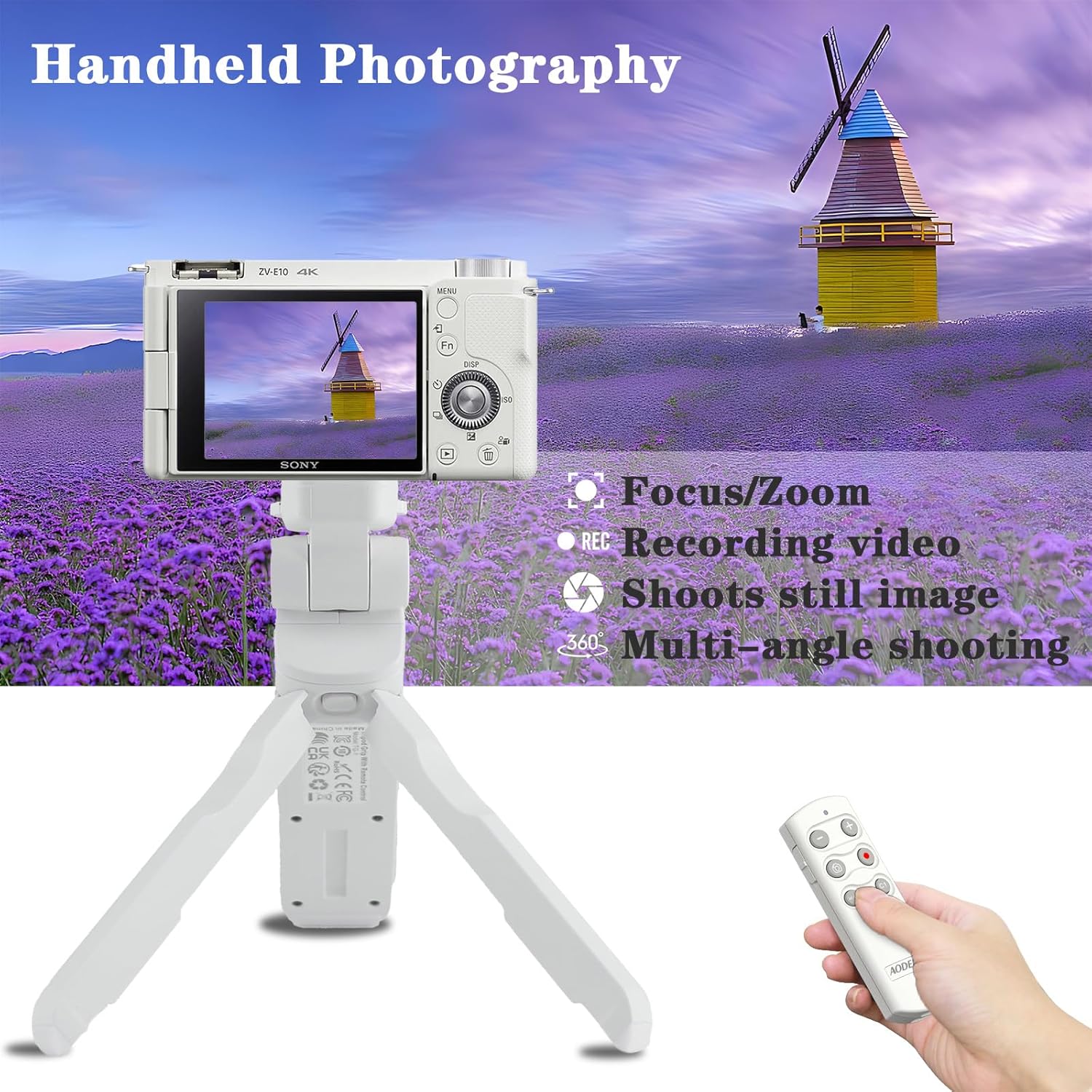
The AODELAN Shooting Grip serves as both a comfortable handheld grip and a stable mini tripod. It features a detachable wireless remote control for convenient operation from a distance.

Karakteristikat kryesore:
- Wireless Remote Commander: Controls still and movie shooting without touching the camera.
- Tripod Functionality: Integrated legs convert the grip into a stable tripod.
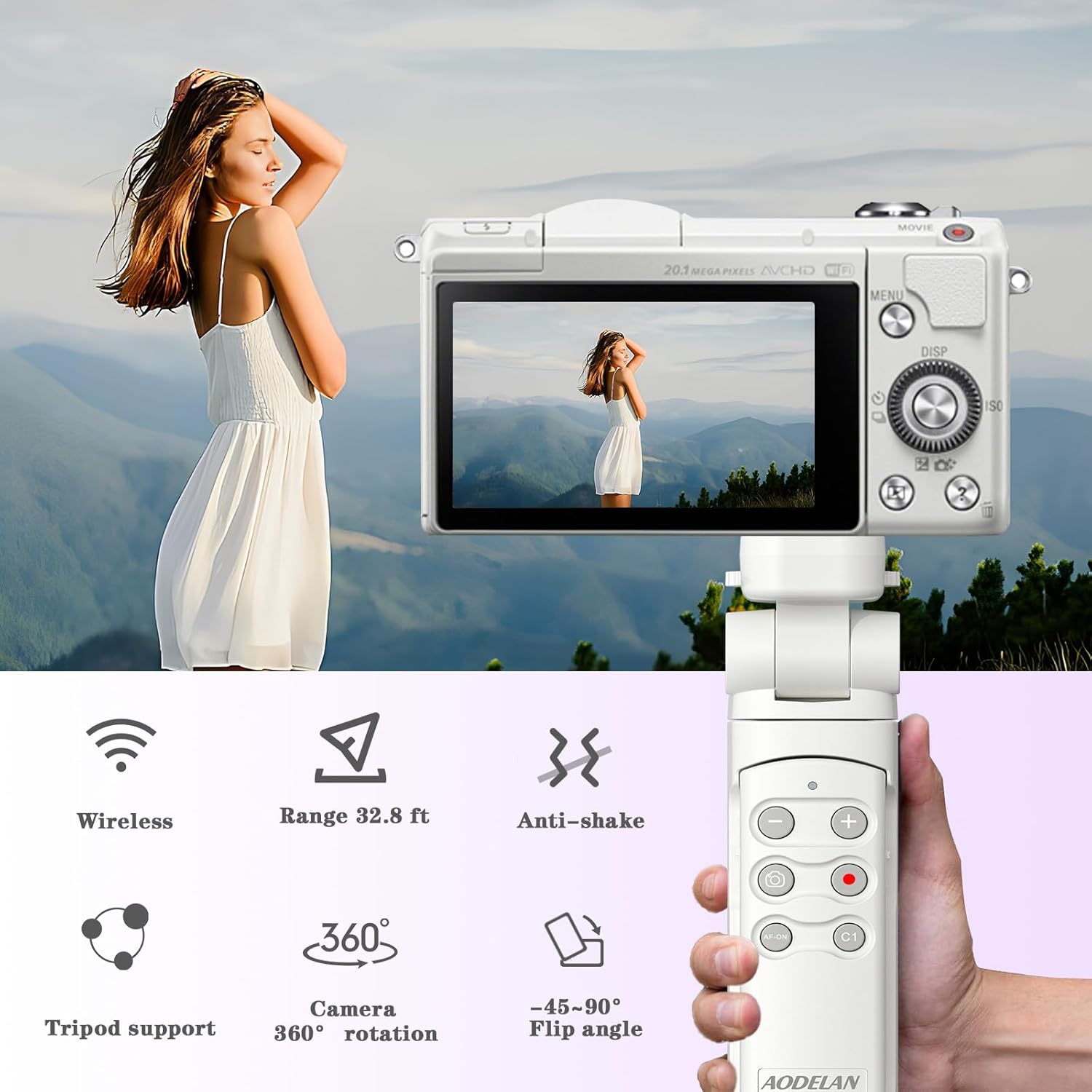
- Funksioni i pjerrësisë fleksibile: Easily adjust the camera angle (90° forward, 45° backward, lockable every 15°).
- Rrotullimi 360°: The camera mount can be turned 360° and locked every 90° for vertical or horizontal shooting.
- No Cable Required: Bluetooth connectivity eliminates the need for cables.
- Customizable C1 Button: Any function assigned to the camera's C1 button can be recalled via the remote.
Konfigurimi
1. Attaching Your Camera
- Ensure the grip's legs are folded and the camera mount is in a stable position.
- Align your Sony camera's tripod screw hole with the 1/4-inch screw on the grip's camera mount.
- Turn the camera mounting wheel clockwise to securely fasten the camera to the grip. Do not overtighten.
2. Pairing the Wireless Remote Control
The remote control connects to your camera via Bluetooth. Follow these steps to pair:
- On your Sony camera, navigate to the Network2 menuja e cilësimeve.
- Zgjidhni Cilësimet e Bluetooth dhe të sigurojë Funksioni Bluetooth është vendosur në On.
- Also, ensure Telekomanda Bluetooth is enabled in your camera's settings.
- On the AODELAN Remote Control, press and hold the Butoni i heqjes së diafragmës dhe + side of the Focus/Zoom button simultaneously for at least 7 seconds. The remote's indicator light will flash, indicating it's in pairing mode.
- On your camera screen, a confirmation message will appear. Select [OK] për të përfunduar procesin e çiftimit.
Video: Remote Control Pairing and Functionality
This video demonstrates how to pair the AODELAN remote control with a Sony ZV-1 camera and showcases its basic functions, including recording and zooming. It highlights the importance of enabling Bluetooth remote control settings on the camera for successful pairing.
Video: AODELAN Remote Control Shutter for Sony Camera
This video provides a quick guide on connecting the AODELAN RMT-P1BTA remote to a Sony camera, demonstrating how to enable Bluetooth function and pairing. It also shows how to shoot still images, record videos, zoom, and lock the remote control buttons.
Udhëzimet e funksionimit
1. Using as a Handheld Grip
Fold the tripod legs inward to use the device as a comfortable handheld grip for stable shooting while moving.
2. Using as a Mini Tripod
Spread the integrated legs outward to transform the grip into a stable mini tripod. Place it on a flat surface for stationary shooting, vlogging, or time-lapses.
3. Adjusting Camera Angle and Orientation

- Rregullimi i animit: Press and hold the front/back lock release button to adjust the camera's vertical tilt. The camera mount can be flipped up to 90° forward and backward up to 45°, with locking positions every 15°.
- Rregullimi i rrotullimit: Press and hold the left/right lock release button to rotate the camera mount 360°. It can be locked every 90° for easy switching between horizontal and vertical shooting orientations.

4. Përdorimi i telekomandës pa tel
The detachable remote control allows you to operate your camera functions from a distance.
- Lirimi i diafragmës: Press the Shutter-release button to take a still photo.
- Regjistrimi i videos: Press the REC (record) button to start/stop video recording.
- Zmadhimi/Fokusimi: Use the + and - buttons to zoom in/out or adjust focus, depending on the selected mode (switch on the side of the remote).
- AF-ON: Activates autofocus.
- Butoni C1: Functions as the custom C1 button configured on your camera.
- Çelësi i kyçjes: Slide the LOCK switch on the side of the remote to the "LOCK" position to disable all buttons and prevent accidental presses.
Video: See the removable remote control on the tripod vlogging grip
This video demonstrates the detachable remote control feature of the AODELAN Shooting Grip. It shows how to remove the remote, use its various buttons for camera control (zoom, focus, shutter, record, C1), and highlights the USB-C charging port and wrist strap.
Mirëmbajtja
- Pastrimi: Use a soft, dry cloth to clean the grip and remote. Avoid harsh chemicals or abrasive materials.
- Magazinimi: Store the device in a cool, dry place away from direct sunlight and extreme temperatures. Ensure the remote control is locked to prevent battery drain.
- Bateria: The remote control uses a rechargeable Lithium Ion battery (included). Charge via the USB-C port.
Zgjidhja e problemeve
Telekomanda nuk çiftohet:
- Ensure Bluetooth is enabled on your camera (Network2 > Bluetooth Settings > Bluetooth Function: On).
- Verify that "Bluetooth Remote Control" is also enabled in your camera's settings.
- Make sure the remote control is fully charged.
- Repeat the pairing steps carefully, holding the Shutter-release and + Focus/Zoom buttons for at least 7 seconds.
Remote Control Buttons Not Responding:
- Check if the LOCK switch on the side of the remote is in the "UNLOCKED" position.
- Ensure the remote is within the effective operating range (approximately 32.8 ft / 10 meters).
- Confirm that the remote is still paired with your camera. If not, re-pair it.
Camera Not Stable on Grip/Tripod:
- Ensure the camera mounting wheel is securely tightened.
- Verify that the camera's weight does not exceed the maximum load capacity of 1kg / 35.3 oz.
- For tripod use, ensure the legs are fully spread on a flat, stable surface.
Specifikimet
| Veçori | Detaj |
|---|---|
| Dimensionet e paketës | 8.98 x 2.87 x 2.28 inç |
| Pesha e artikullit | 14.9 ons (0.42 kilogramë) |
| Materiali | Akrilonitril butadien stiren (ABS) |
| Kufiri i peshës | 1 kilogramë |
| Bateritë | Kërkohen 2 bateri litium-jon (të përfshira) |
| Veçori e veçantë | Ergonomike |
| Madhësia e palosur | 10 inches (l) x 4 inches (w) x 3 inches (h) |
Garancia dhe Mbështetja
For warranty information and customer support, please refer to the documentation included in your product packaging or visit the official AODELAN webvend. Ruajeni faturën e blerjes për çdo kërkesë garancie.


