1. Hyrje
Thank you for choosing the LYNCAST Smart Vision Beam Projector. This manual provides essential information for setting up, operating, and maintaining your projector. Please read it thoroughly before use to ensure optimal performance and safety.
2. Informacion mbi sigurinë
Ndiqni gjithmonë këto masa paraprake themelore sigurie për të zvogëluar rrezikun e zjarrit, goditjes elektrike ose lëndimit:
- Mos bllokoni hapjet e ventilimit.
- Mos e ekspozoni projektorin ndaj shiut ose lagështirës.
- Mos e hapni projektorin casing; ia drejtoni të gjitha shërbimet personelit të kualifikuar.
- Shmangni shikimin direkt në lentet e projektorit kur lamp është ndezur.
- Përdorni vetëm adaptorin e energjisë që vjen me projektorin.
- Vendoseni projektorin në një sipërfaqe të qëndrueshme dhe të niveluar.
3. Përmbajtja e paketës
Verifikoni që të gjitha artikujt janë të pranishëm në paketimin tuaj:
- LYNCAST Smart Vision Beam Projector
- Telekomandë
- Përshtatës i energjisë
- Manuali i Përdoruesit
4. Produkti i Mbaruarview
Familiarize yourself with the projector's components and interfaces.
4.1 Fronti View

Imazhi: Përpara view of the projector, highlighting the projection lens and front ventilation grille.
4.2 E pasme View dhe Ndërfaqet

Imazh: Pjesa e pasme view of the projector, detailing the HDMI interface, USB interface, and audio interface. The power input is also visible.
- Ndërfaqja HDMI: Connects to devices like laptops, game consoles (e.g., PS4), or TV boxes.
- Ndërfaqja USB: Për lidhjen e disqeve USB ose pajisjeve të tjera USB.
- Ndërfaqja audio: Për lidhjen e altoparlantëve ose kufjeve të jashtme.
- Fuqia hyrëse: Lidhni adaptorin e energjisë të dhënë këtu.
4.3 Qëndrim i rregullueshëm

Image: The projector shown with its 180-degree adjustable stand, allowing for flexible projection angles including ceiling projection.
The integrated stand allows for 180-degree rotation, enabling projection onto walls, screens, or ceilings.
5. Konfigurimi
- Lidhja e energjisë: Lidhni adaptorin e energjisë me hyrjen e energjisë të projektorit dhe pastaj me një prizë elektrike.
- Vendosja: Place the projector on a stable surface. Adjust the 180-degree stand to direct the projection onto your desired surface (wall, screen, or ceiling).
- Ndezja fillestare: Shtypni butonin e ndezjes në projektor ose në telekomandë për ta ndezur.
- Lidhje rrjeti:
- Navigate to "Settings" on the home screen.
- Select "Network & Internet" and connect to your Wi-Fi network.
- Bluetooth Pairing (for remote control):
Video: Instructions on how to pair the Bluetooth remote control with the projector. This video demonstrates opening Bluetooth settings, pressing and holding specific buttons on the remote to enter pairing mode, and confirming connection.
- Go to "Settings" -> "Bluetooth Setting".
- On the remote, press and hold the "OK" and "Volume Down" buttons simultaneously until the indicator light flashes, entering pairing mode.
- Select "Bluetooth remote" from the available devices on the projector screen to pair.
- Rregullimi i fokusit: Use the manual focus wheel near the lens to achieve a clear image.
- Korrigjimi i gurit kryesor: The projector features automatic vertical keystone correction. For manual adjustments, navigate to "Settings" -> "Projection Setting" -> "Keystone".
6. Udhëzimet e funksionimit
6.1 Android 11 OS and Applications

Image: The projector's home screen displaying the Android 11 operating system with various pre-installed applications such as Netflix, YouTube, and Google Play Store.
The projector runs on Android 11, providing access to a wide range of applications. You can download additional apps from the integrated App Store or Google Play Store.
- Use the remote control to navigate the interface.
- Select an app to launch it.
6.2 Screen Mirroring (Wi-Fi & Bluetooth)

Image: The projector wirelessly connected to various devices (iOS, Android, Windows) via 2.4G/5G Wi-Fi and Bluetooth for screen mirroring, displaying a racing game.
The projector supports 2.4G/5G Wi-Fi and Bluetooth for seamless screen mirroring from your iOS, Android, or Windows devices. Ensure your device and the projector are connected to the same Wi-Fi network for optimal performance.
6.3 Lidhja e pajisjeve të jashtme
Imazh: Pjesa e pasme view of the projector, detailing the HDMI interface, USB interface, and audio interface. The power input is also visible.
- HDMI: Connect gaming consoles (PS4), laptops, or TV boxes using an HDMI cable. Select the HDMI input from the projector's source menu.
- USB: Fut një njësi USB për të luajtur media files directly. Navigate to the "Files" app to browse content.
- Dalja e audios: Connect external speakers or headphones to the 3.5mm audio jack for enhanced sound.
6.4 Adjusting Projection Size and Quality
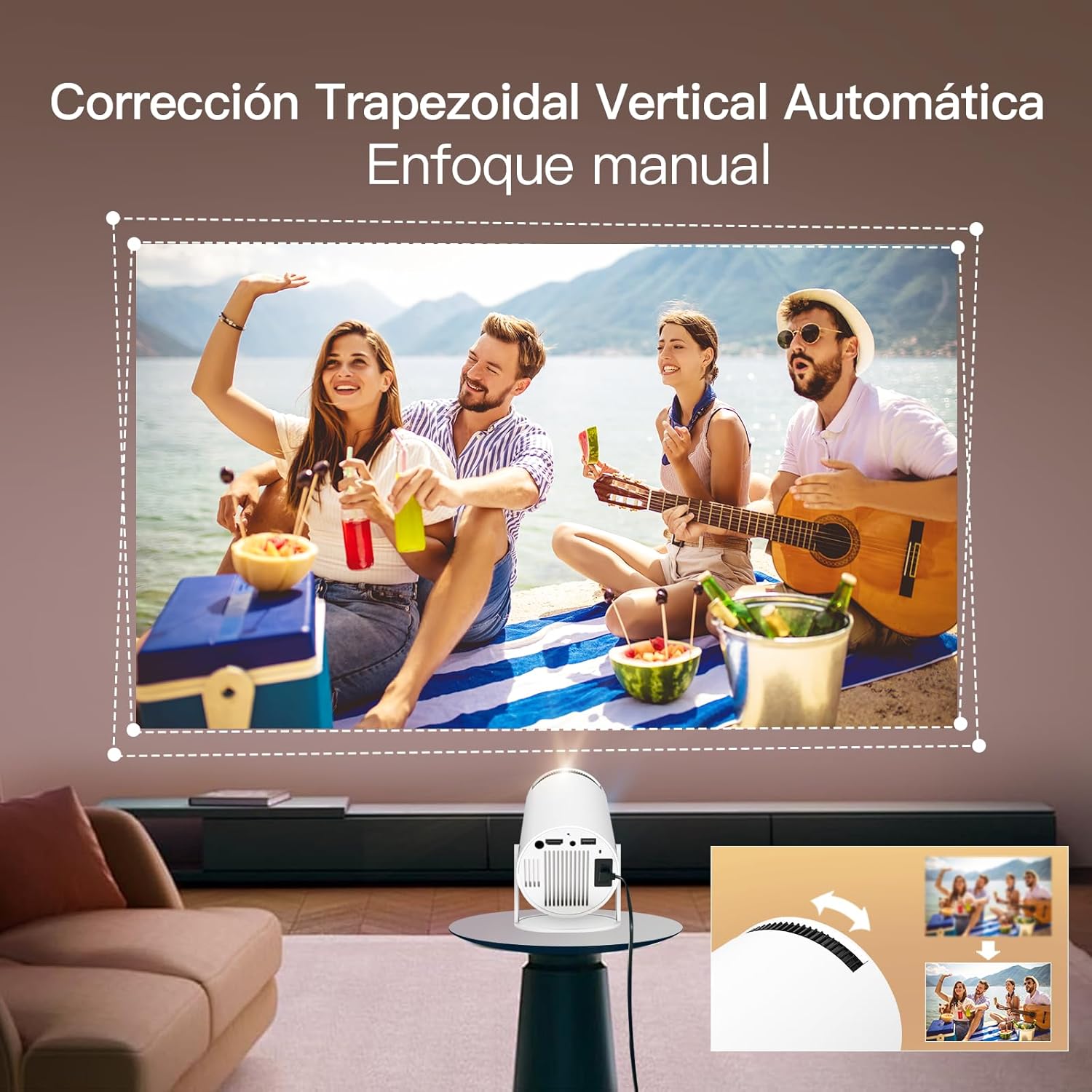
Image: The projector demonstrating flexible screen size options, from 80 inches at 1.6 meters to 130 inches at 2.6 meters, allowing users to choose their preferred viewpërvojë.
- Funksioni i zmadhimit: Use the remote control to adjust the projection size from 80% to 100% without moving the projector.
- Distanca: The projection size varies with distance. For example, 1.6m for 80 inches, 2m for 100 inches, and 2.6m for 130 inches.
- Cilësimet e imazhit: Access "Settings" -> "Picture" to adjust brightness, contrast, color, sharpness, and color temperature.
7. Mirëmbajtja
Proper maintenance ensures the longevity and performance of your projector:
- Pastrimi i lenteve: Përdorni një leckë të butë pa push, të projektuar posaçërisht për lente optike. Mos përdorni pastrues ose tretës gërryes.
- Pastrimi i C-sëasing: Fshijeni pjesën e jashtme të projektorit me një leckë të butë dhe të thatë. Për njolla kokëforta, përdorni një leckë pak të thatë.amp leckë dhe më pas thajeni tërësisht.
- Ventilimi: Sigurohuni që hapjet e ventilimit të jenë të pastra nga pluhuri dhe pengesat për të parandaluar mbinxehjen.
- Magazinimi: Kur nuk e përdorni për periudha të gjata, ruajeni projektorin në një vend të freskët dhe të thatë, larg rrezeve të diellit dhe temperaturave ekstreme.
8. Troubleshooting
| Problem | Shkaku i mundshëm | Zgjidhje |
|---|---|---|
| Nuk projektohet imazh | Power cable disconnected, projector off, input source incorrect. | Check power connection, turn on projector, select correct input source (HDMI/USB). |
| Imazhi i paqartë | Incorrect focus, projector too close/far, keystone not adjusted. | Adjust focus wheel, reposition projector, use auto or manual keystone correction. |
| Asnjë zë | Volume too low, external speakers not connected properly, audio settings incorrect. | Increase volume, check external speaker connection, verify audio output settings. |
| Probleme me lidhjen Wi-Fi/Bluetooth | Fjalëkalim i pasaktë, jashtë rrezes së veprimit, ndërhyrje. | Re-enter password, move closer to router/device, reduce interference. |
| Telekomanda nuk funksionon | Batteries low/dead, not paired, obstruction. | Replace batteries, re-pair remote via Bluetooth settings, ensure no obstructions. |
9. Specifikimet
| Veçori | Detaj |
|---|---|
| Markë | LYNCAST |
| Emri i modelit | Projektor Smart Vision Beam |
| Dimensionet e produktit | 10 x 10 x 17 cm |
| Pesha e artikullit | 820 gram |
| Ndërfaqja e harduerit | Bluetooth, HDMI, USB |
| Teknologjia e shfaqjes | LCD |
| Raporti i Kontrastit të Imazhit | 10000:1 deri në 50000:1 |
| Rezoluta amtare | 1920 x 1080 (Full HD) |
| Rezolucioni Maksimal i Ekranit | 1920 x 1080 (Supports 4K input) |
| Teknologjia e lidhjes | Bluetooth, WiFi |
| Faktori i formës | Portativ |
| Lloji i montimit | Tabela |
| Shkëlqimi | 3000 lumens (Note: ANSI lumens are typically lower than marketing lumens) |
| Lloji i kontrolluesit | Telekomandë |
| Sistemi Operativ | Android 11 |
10. Garancia dhe Mbështetja
LYNCAST offers comprehensive support for its products. For specific warranty details, please refer to the warranty card included in your package or contact LYNCAST customer service.
- Shërbimi ndaj klientit: For technical assistance, troubleshooting, or warranty claims, please contact LYNCAST support through their official webfaqja e internetit ose informacioni i kontaktit i dhënë në dokumentacionin e produktit tuaj.
- Burimet në internet: Visit the LYNCAST webfaqe interneti për pyetje të shpeshta, manuale të përditësuara dhe shkarkime softuerësh.

Image: LYNCAST's commitment to customer satisfaction, including a 2-year warranty, 30-day no-reason return policy, 24-hour response time, and lifetime technical support.


