1. Hyrje
Thank you for choosing the FLEXISPOT Standing Desk. This manual provides essential information for the safe and efficient assembly, operation, and maintenance of your new adjustable height desk. Please read this manual thoroughly before use and retain it for future reference.
2. Informacion mbi sigurinë
Për të siguruar funksionimin e sigurt dhe për të parandaluar dëmtimet, ju lutemi të ndiqni masat paraprake të sigurisë:
- Mos e tejkaloni kapacitetin maksimal të peshës së 154 paund (70 kg). Overloading may cause instability or damage.
- Mbajini fëmijët dhe kafshët shtëpiake larg tavolinës gjatë punës.
- Ensure there are no obstructions in the desk's path during height adjustments.
- Mos u ulni ose mos qëndroni në tavolinë.
- Only use the desk indoors in a dry environment.
- Shkëputni energjinë elektrike para pastrimit ose kryerjes së mirëmbajtjes.
- If any parts are damaged or missing, contact customer support immediately. Do not attempt to repair the desk yourself.
E rëndësishme: This desk is designed for office and home use. Any other use is considered improper and may lead to injury or damage.
3. Përmbajtja e paketës
Verify that all components are present and undamaged before beginning assembly. Refer to the image below for a visual representation of the package contents.
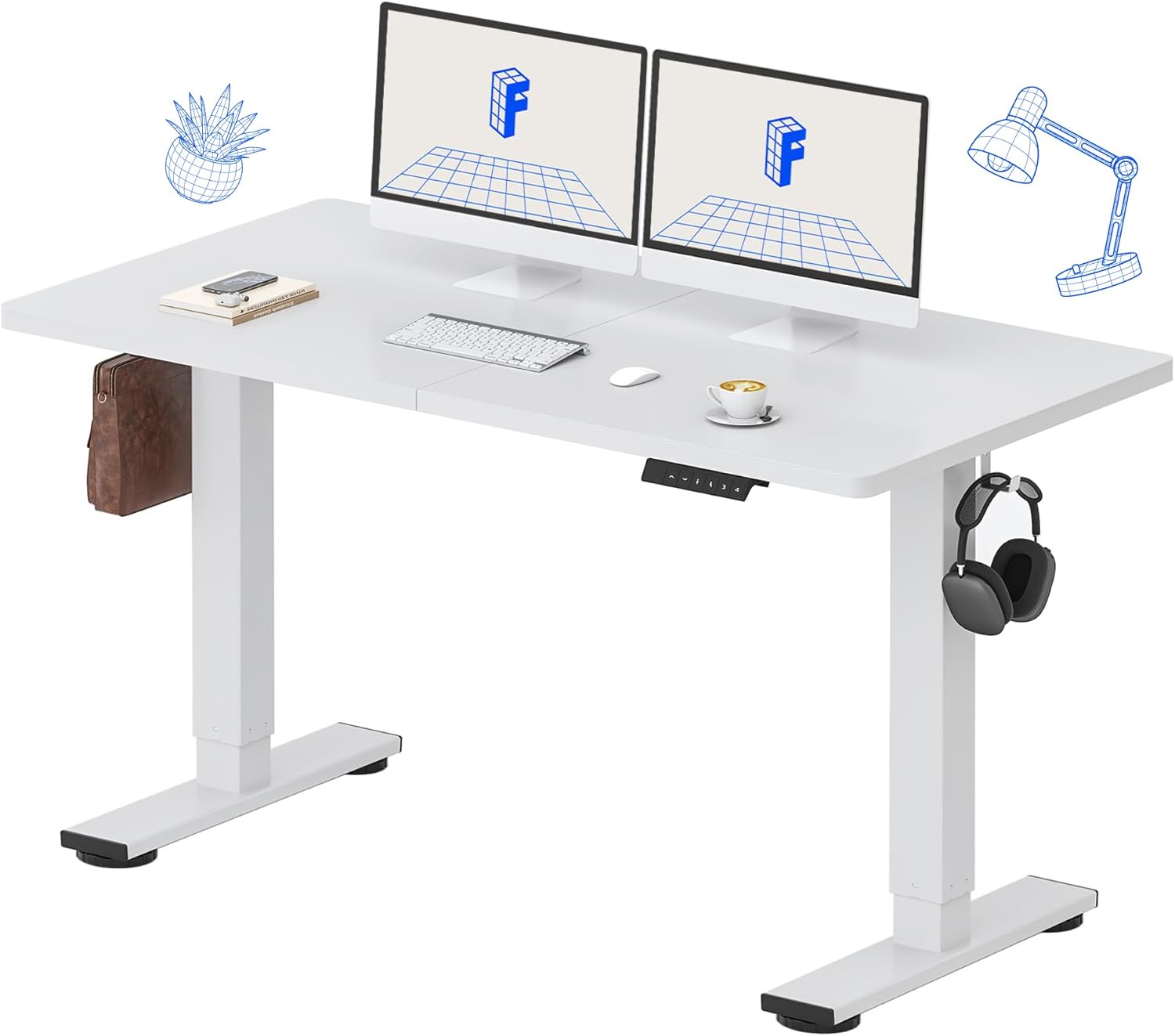
Image: All components of the FLEXISPOT Standing Desk, including the white desktop, white frame, and control panel.
- Desktop (55" x 24" White)
- Desk Frame (White)
- Paneli i kontrollit me ekran LED
- Përshtatës i energjisë
- Mjetet e montimit
- Organizator tavoline
- Side Storage Hooks (Set of 2)
4. Konfigurimi dhe montimi
Assembly is straightforward and all necessary tools are included. For detailed visual instructions, please refer to the included instruction booklet.
Hapat e montimit:
- Hiqni të gjitha pjesët nga paketimi dhe vendosini ato në një sipërfaqe të pastër dhe të sheshtë.
- Attach the lifting columns to the desktop using the provided screws and tools.
- Secure the foot supports to the bottom of the lifting columns.
- Mount the control panel to the underside of the desktop in a convenient location.
- Connect all cables (motor, control panel, power adapter) according to the diagram in the included instruction booklet.
- Futeni përshtatësin e rrymës në një prizë muri.
- Perform the initial reset (refer to Operating Instructions).

Image: The FLEXISPOT Standing Desk is shipped in a single package for convenience.
5. Udhëzimet e funksionimit
Funksionet e panelit të kontrollit:

Imazh: I detajuar view of the multi-function keypad, showing the LED display, Up/Down keys, and memory function buttons.
- Ekran LED: Tregon lartësinë aktuale të tavolinës në inç.
- Up/Down Keys (∧ / ∨): Press and hold to adjust the desk height upwards or downwards. Release to stop.
- Paracaktimet e Memories (1, 2, 3, 4):
- To save a height: Adjust the desk to your desired height, then press the 'M' button (or similar memory set button, if present) followed by the desired number (1, 2, 3, or 4). The display will show 'S-' followed by the number to confirm.
- To recall a height: Press the corresponding number button (1, 2, 3, or 4). The desk will automatically move to the saved position.
Gama e rregullimit të lartësisë:
The desk can be adjusted from a minimum height of 28.9 inç to a maximum height of 46.5 inç.

Image: Illustration showing the adjustable height range of the desk from 28.9 inches to 46.5 inches.
Initial Reset Procedure:
After initial setup or if the desk encounters an error, a reset may be required:
- Press and hold the 'Down' (∨) button until the desk reaches its lowest position and slightly retracts.
- Release the button. The desk is now reset and ready for use.
6. Mirëmbajtja
Regular maintenance ensures the longevity and optimal performance of your FLEXISPOT Standing Desk.
- Pastrimi: Fshijeni tavolinën e punës dhe kornizën me një peshqir të butëamp cloth. Avoid abrasive cleaners or harsh chemicals. Ensure the desk is unplugged before cleaning. The desktop is waterproof and scratch-resistant.
- Menaxhimi i kabllove: Periodically check all cables to ensure they are securely connected and not pinched or damaged.
- Kapaciteti i peshës: Do not exceed the 154 lb weight limit. Distribute weight evenly across the desktop.
- Zhurma e motorit: The desk features a whisper-quiet motor (<50dB). If you notice unusual noises, discontinue use and contact support.

Image: The desk's high-quality desktop is waterproof, scratch-resistant, and smooth.

Image: A comparison chart illustrating the low noise level of the desk's motor (under 50dB) compared to other common sounds.
7. Troubleshooting
If you encounter issues with your FLEXISPOT Standing Desk, refer to the table below for common problems and solutions.
| Problem | Shkaku i mundshëm | Zgjidhje |
|---|---|---|
| Tavolina e punës nuk lëviz. | Kablloja e energjisë është shkëputur; Mbingarkesë; Gabim i motorit. | Check power connection. Reduce weight on desk. Perform reset procedure. |
| Tavolina lëviz në mënyrë të pabarabartë. | Uneven weight distribution; Obstruction. | Redistribute weight. Check for obstructions under or around the desk. Perform reset procedure. |
| Kodi i gabimit në ekran. | Mosfunksionimi i sistemit. | Unplug the desk for 10 minutes, then plug back in. If error persists, contact customer support. |
| Parametrat e paracaktuar të memories nuk funksionojnë. | Paracaktimet nuk janë ruajtur saktë. | Ruani përsëri cilësimet e dëshiruara të lartësisë duke ndjekur udhëzimet në Seksionin 5. |
If the problem persists after attempting these solutions, please contact FLEXISPOT customer support.
8. Specifikimet
| Veçori | Detaj |
|---|---|
| Numri i modelit | MAH0002206 |
| Dimensionet e desktopit | 55" (Gjerësi) x 24" (Thjellë) |
| Gama e rregullimit të lartësisë | 28.9" - 46.5" |
| Kapaciteti maksimal i peshës | 154 lbs (70 kg) |
| Material (Desktop) | Druri i përpunuar |
| Materiali (korniza) | Aliazh çeliku |
| Motor Noise Level | <50dB |
| Ngjyra | White Top + White Frame |
| Komponentët e përfshirë | Desk Organizer, Side Storage Hooks |

Image: The FLEXISPOT Standing Desk in use, demonstrating its versatility for both sitting and standing work, even accommodating a walking pad.

Imazh: Nga afër view of the side storage hooks, useful for hanging headphones or bags.

Image: Technical diagram illustrating the desktop and frame dimensions, including the adjustable height range.
9. Garancia dhe Mbështetja
FLEXISPOT products come with a warranty to ensure your satisfaction. The specific warranty type is either 'Limited' or 'Lifetime' as per product registration and terms.
- Garancia: Refer to your product registration or the official FLEXISPOT webfaqe interneti për kushtet dhe afatet e detajuara të garancisë.
- Kthimet: Shijoni kthime të lehta brenda 30 ditëve.
- Mbështetja e klientit: If you have any questions, require assistance with assembly, or encounter any issues not covered in this manual, please contact FLEXISPOT customer support.
For further assistance, visit the official FLEXISPOT Store: FLEXISPOT Store on Amazon


