1. Produkti i Mbaruarview
The Retevis RT22 is a compact and portable two-way radio designed for reliable communication. It features voice-activated transmission (VOX), an emergency alarm function, and comes with acoustic tube earpieces for clear and private communication. This manual provides essential information for the proper setup, operation, and maintenance of your RT22 walkie talkies.

Figure 1: Retevis RT22 Walkie Talkie, showcasing dizajni i tij portativ.
2. Përmbajtja e paketës
Before using your Retevis RT22 walkie talkies, please verify that all items are present in the package:
- 4x Retevis RT22 Portable Radios
- 4x Rechargeable Li-ion Batteries
- 4x Kabllo USB
- 4x Unique Belt Clips
- 2x USB Adapters
- 4x Retevis Acoustic Tube Walkie Talkie Earpieces
- 1x User Manual (English)

Figure 2: Included components in the Retevis RT22 package.
3. Parts of the Radio
Njihuni me pjesët e ndryshme të radios suaj Retevis RT22:

Figure 3: Labeled diagram of the Retevis RT22 Walkie Talkie.
- Drita treguese: Tregon statusin e radios (p.sh., transmetim, marrje, karikim).
- Çelësi i fuqisë/volumit: Ndez/fik radion dhe rregullon volumin.
- Folësi: Nxjerr audio të marrë.
- Butoni PTT (Push-to-Talk): Shtypni dhe mbani shtypur për të transmetuar, lëshojeni për të marrë.
- Channel + / Monitor Button: Increases channel number. Short press to activate monitor function.
- Channel - Button: Decreases channel number.
- Mikrofoni: Captures your voice during transmission.
- Priza USB: Për të ngarkuar radion.
4. Konfigurimi
4.1 Instalimi i baterisë
Për të instaluar baterinë:
- Sigurohuni që radioja të jetë e fikur.
- Gjeni kapakun e ndarjes së baterisë në pjesën e pasme të radios.
- Rrëshqisni mbulesën e baterisë poshtë për ta hequr.
- Align the rechargeable Li-ion battery with the contacts inside the compartment.
- Shtypni butësisht baterinë në vend derisa të klikojë.
- Replace the battery compartment cover by sliding it upwards until it locks.

Figure 4: Battery compartment of the Retevis RT22.
4.2 Ngarkimi i baterisë
Charge the battery before initial use and when the battery indicator is low.
- Connect the USB cable to the USB plug on the radio.
- Connect the other end of the USB cable to a USB adapter, and then plug the adapter into a standard wall outlet.
- The indicator light will typically show red during charging and turn green when fully charged.
- Koha e karikimit mund të ndryshojë. Mos e mbingarkoni baterinë.
4.3 Ngjitja e kapëses së rripit
To attach the belt clip, align the clip with the designated slots on the back of the radio and slide it upwards until it locks into place. To remove, push the release tab and slide the clip downwards.
4.4 Connecting the Earpiece
The Retevis RT22 uses a 2-pin connector for accessories. Insert the earpiece's 2-pin plug firmly into the accessory jack on the side of the radio. Ensure a secure connection for optimal audio performance.

Figure 5: Retevis Acoustic Tube Earpiece.
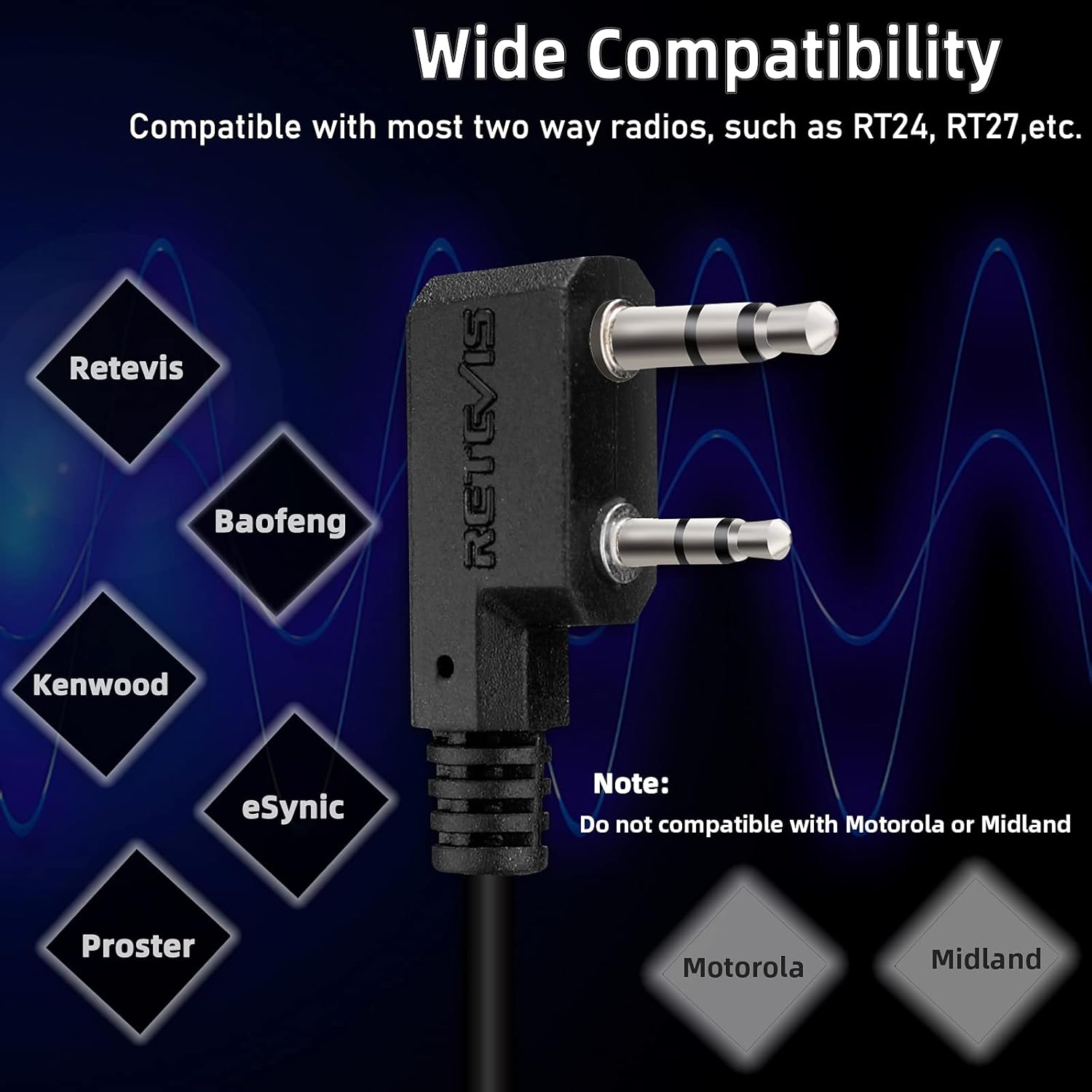
Figure 6: Components of the Acoustic Tube Earpiece.
5. Udhëzimet e funksionimit
5.1 Ndezja/Fikja dhe Rregullimi i Volumit
To turn the radio on, rotate the Power/Volume knob clockwise until you hear a click. Continue rotating clockwise to increase the volume. To turn off the radio, rotate the knob counter-clockwise until it clicks off.
5.2 Zgjedhja e kanalit
Përdorni Kanali + dhe Channel - buttons on the side of the radio to select your desired communication channel. Ensure all radios in your group are set to the same channel for communication.
5.3 Transmetimi dhe marrja
- Për të transmetuar: Shtypni dhe mbani shtypur PTT (Push-to-Talk) button on the side of the radio. Speak clearly into the microphone. The indicator light will glow red. Release the PTT button to stop transmitting.
- Për të marrë: Ensure the PTT button is not pressed. The indicator light will glow green when a signal is being received on your current channel.
5.4 VOX Function (Voice Activated Transmission)
The VOX function allows for hands-free communication. When activated, the radio will automatically transmit when it detects your voice, without needing to press the PTT button. Refer to the full user manual for detailed instructions on activating and adjusting VOX sensitivity.
5.5 Alarm Emergjence
The RT22 features an emergency alarm function. To activate, press and hold the Channel + / Monitor button for approximately 3 seconds. The radio will emit a loud alarm tone. Press the PTT button to cancel the alarm.
5.6 Funksioni i Monitorit
To temporarily disable squelch and listen for weak signals on the current channel, short press the Channel + / Monitor button. Release the button to return to normal operation.
6. Mirëmbajtja
- Pastrimi: Përdorni një të butë, damp leckë për të pastruar pjesën e jashtme të radios. Mos përdorni kimikate ose tretës të ashpër.
- Kujdesi për baterinë: Store batteries in a cool, dry place. Avoid extreme temperatures. If the radio will not be used for an extended period, remove the battery.
- Rezistenca ndaj ujit: The Retevis RT22 is jo rezistent ndaj ujit. Avoid exposing the radio to rain, splashes, or immersion in water.
- Magazinimi: Store the radio in a dry, dust-free environment when not in use.
7. Troubleshooting
| Problem | Shkaku i mundshëm | Zgjidhje |
|---|---|---|
| Radioja nuk ndizet. | Bateria ka mbaruar ose nuk është instaluar siç duhet. | Ngarkoni baterinë ose instalojeni përsëri siç duhet. |
| Nuk mund të transmetojë ose të marrë. | Incorrect channel selected; out of range; low battery. | Verify channel settings; move closer to other radios; charge battery. |
| Cilësi e dobët audio. | Volume too low; earpiece not fully connected; interference. | Adjust volume; re-seat earpiece; move away from sources of interference. |
| VOX nuk funksionon. | VOX sensitivity too low; VOX not activated. | Adjust VOX sensitivity; ensure VOX is enabled. |
8. Specifikimet
| Veçori | Detaj |
|---|---|
| Numri i modelit | RT22 |
| Markë | Retevis |
| Numri i kanaleve | 22 |
| Gama e frekuencës | 462-467 MHz |
| Vëlltage | 3.7 volt |
| Karakteristika të veçanta | Emergency Alarm, VOX (Voice Activated) |
| Niveli i rezistencës ndaj ujit | Jo Rezistent ndaj ujit |
| Pajisjet e përputhshme | Retevis two-way radios, Acoustic Tube Headset, Earpieces |
| ID FCC | 2AAR8RT22 |

Figure 7: Physical dimensions of the Retevis RT22.
9. Garancia dhe Mbështetja
Retevis products are designed for reliability and performance. For specific warranty information, please refer to the documentation included with your purchase or visit the official Retevis website. For technical support, troubleshooting assistance, or inquiries about replacement parts, please contact Retevis customer service through their official channels.
Official Retevis Store: Visit the Retevis Store on Amazon


