Hyrje
Thank you for choosing the Vieta Pro Way 4 Headband Headphones. These headphones are designed to provide a superior audio experience with advanced features such as Bluetooth 5.4 connectivity, an integrated microphone, a dedicated gaming mode, and dual pairing capabilities. This manual will guide you through the setup, operation, and maintenance of your new headphones.
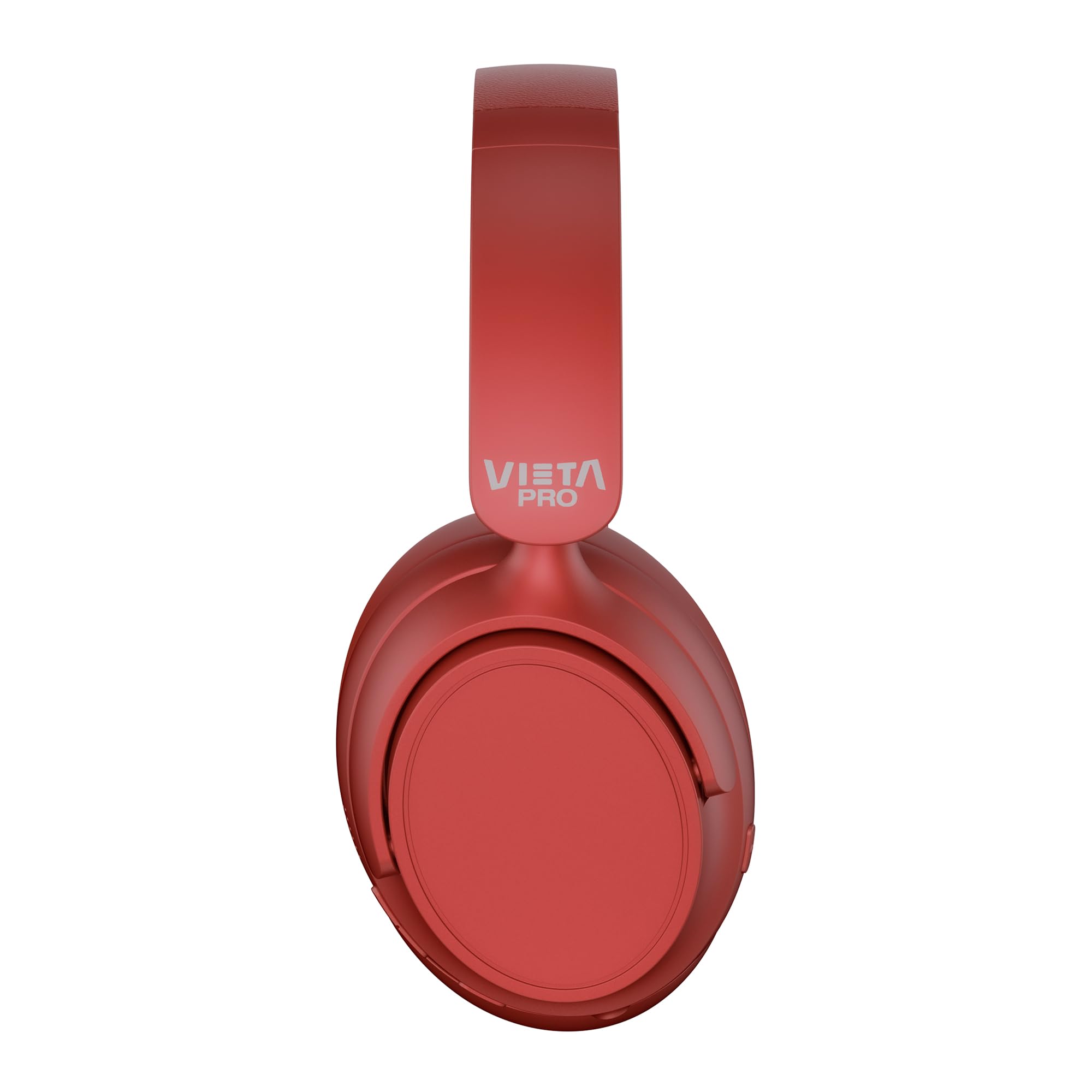
Imazhi: Përpara view of the Vieta Pro Way 4 Headband Headphones in red.
Përmbajtja e paketës
Ju lutemi kontrolloni që të gjitha artikujt të jenë të pranishëm në paketim:
- Vieta Pro Way 4 Headband Headphones
- Kabllo karikimi USB
- 3.5mm Audio Cable with integrated microphone
- Manuali i Përdoruesit (ky dokument)
Produkti Mbiview
Njihuni me pjesët dhe kontrollet e ndryshme të kufjeve tuaja.

Image: Right earcup with power button, volume controls, USB-C charging port, and 3.5mm audio jack.
- Butoni i energjisë: Used to power on/off and initiate Bluetooth pairing.
- Butoni i rritjes së volumit/këngës tjetër: Press briefly to increase volume, press and hold for next track.
- Butoni i Uljes së Volumit/Këngës së Mëparshme: Press briefly to decrease volume, press and hold for previous track.
- Butoni me shumë funksione: For play/pause, answer/end calls, activate voice assistant.
- Porta e karikimit USB-C: Për karikimin e kufjeve.
- Jack audio 3.5 mm: Për lidhje me kabllo duke përdorur kabllon audio të përfshirë.
- Mikrofoni i integruar: For calls and voice assistant commands.

Image: Left earcup and adjustable headband of the Vieta Pro Way 4 headphones.
Konfigurimi
1. Ngarkimi i kufjeve
Para përdorimit të parë, ngarkoni plotësisht kufjet.
- Lidhni kabllon e karikimit USB me portën USB-C në kufje.
- Lidhni anën tjetër të kabllit me një adaptor rryme USB (nuk përfshihet) ose me portën USB të një kompjuteri.
- Treguesi LED do të tregojë statusin e karikimit (p.sh., e kuqe për karikim, blu/joaktive për karikim të plotë).
- Një karikim i plotë siguron deri në 50 orë riprodhim.
2. Ndezja/Fikur
- Për të ndezur: Shtypni dhe mbani shtypur butonin e energjisë për afërsisht 3 sekonda derisa treguesi LED të ndizet.
- Për të fikur: Shtypni dhe mbani shtypur butonin e ndezjes për afërsisht 3 sekonda derisa treguesi LED të fiket.
3. Çiftimi Bluetooth
Lidhni kufjet me pajisjen tuaj për audio pa tel.
- Sigurohuni që kufjet të jenë të fikur.
- Shtypni dhe mbani shtypur butonin e ndezjes për afërsisht 5-7 sekonda derisa treguesi LED të ndizet me të kuqe dhe blu në mënyrë alternative, duke treguar modalitetin e çiftëzimit.
- Në pajisjen tuaj (smartfon, tablet, kompjuter), aktivizoni Bluetooth dhe kërkoni për pajisje të disponueshme.
- Select "Vieta Pro Way 4" from the list of found devices.
- Pasi të lidhet, treguesi LED do të pulsojë ngadalë në blu ose do të bëhet blu i vazhdueshëm.
4. Dual Pairing
The Vieta Pro Way 4 headphones support dual pairing, allowing simultaneous connection to two devices (e.g., phone and computer).
- Pair the headphones with the first device as described in "Bluetooth Pairing".
- Çaktivizo Bluetooth-in në pajisjen e parë. Kufjet do të hyjnë përsëri në modalitetin e çiftimit.
- Çiftoni kufjet me pajisjen e dytë.
- Riaktivizo Bluetooth-in në pajisjen e parë. Kufjet duhet të lidhen automatikisht me të dyja pajisjet.
- Audio will play from the device that is actively transmitting.
5. Wired Connection (Aux-in)
Use the included 3.5mm audio cable for a wired connection. This is useful when the battery is low or for devices without Bluetooth.
- Connect one end of the 3.5mm audio cable to the Aux-in port on the headphones.
- Lidhni anën tjetër me prizën audio 3.5 mm të pajisjes suaj.
- The headphones will automatically switch to wired mode. The integrated microphone on the cable can be used for calls in this mode.
Udhëzimet e funksionimit
Luajtja e muzikës
- Luaj/Ndalu: Shtypni një herë butonin me shumë funksione.
- Vëllimi lart: Shtypni një herë butonin e rritjes së volumit.
- Ule volumin: Shtypni një herë butonin e uljes së volumit.
- Pjesa tjetër: Shtypni dhe mbani shtypur butonin e rritjes së volumit.
- Pjesa e mëparshme: Shtypni dhe mbani shtypur butonin e uljes së volumit.
Menaxhimi i thirrjeve
- Përgjigja/Përfundimi i telefonatës: Shtypni një herë butonin me shumë funksione.
- Refuzo thirrjen: Shtypni dhe mbani butonin Multi-funksional për 2 sekonda.
- Ribllokoni numrin e fundit: Shtypni dy herë butonin me shumë funksione.
Asistent zanor
- Aktivizoni Asistentin Zëror (Siri, Asistent Google, etj.): Shtypni tre herë butonin me shumë funksione.
Mënyra e lojës
Activate Gaming Mode to reduce Bluetooth latency for an optimized gaming experience.
- Aktivizo/Çaktivizo Modalitetin e Lojërave: Press the Power button twice quickly. The headphones will provide an audio cue.
Mirëmbajtja
- Pastrimi: Fshini kufjet me një leckë të butë dhe të thatë. Mos përdorni pastrues ose tretës gërryes.
- Magazinimi: Store the headphones in a cool, dry place. The foldable design allows for compact storage.
- Kujdesi për baterinë: Për të zgjatur jetëgjatësinë e baterisë, shmangni shkarkimin e plotë të shpeshtë të kufjeve. Ngarkojini ato rregullisht.
- Rezistenca ndaj ujit: Këto kufje nuk janë të papërshkueshme nga uji. Shmangni ekspozimin ndaj ujit ose lagështirës së tepërt.

Image: The Vieta Pro Way 4 headphones in their foldable configuration, demonstrating portability.
Zgjidhja e problemeve
| Problem | Shkaku i mundshëm | Zgjidhje |
|---|---|---|
| Kufjet nuk ndizen. | Bateri e ulët. | Karikoni plotësisht kufjet. |
| Nuk mund të çiftëzohet nëpërmjet Bluetooth. | Headphones not in pairing mode; Bluetooth disabled on device; too far from device. | Ensure headphones are in pairing mode (flashing red/blue). Enable Bluetooth on your device. Move headphones closer to the device (within 10 meters). |
| Pa zë ose me volum të ulët. | Volumi shumë i ulët në kufje ose pajisje; burimi i gabuar i audios është zgjedhur; kufjet nuk janë të lidhura. | Increase volume on both headphones and device. Check Bluetooth connection or 3.5mm cable connection. Ensure the correct audio output is selected on your device. |
| Mikrofoni nuk punon. | Microphone muted on device; incorrect input device selected; issue with 3.5mm cable microphone. | Check device settings to ensure microphone is not muted and "Vieta Pro Way 4" is selected as input. If using wired connection, ensure the cable's microphone is enabled/functional. |
| Audio delay in games. | Gaming Mode is not activated. | Activate Gaming Mode by double-pressing the Power button. |
Specifikimet
| Emri i modelit | Vieta Pro Way 4 |
| Numri i modelit | Heshtja 3 |
| Lidhshmëria | Bluetooth 5.4, 3.5mm Aux-in |
| Jetëgjatësia e baterisë | Deri në 50 orë |
| Mikrofoni | Integrated (for Bluetooth), In-line (for 3.5mm cable) |
| Karakteristika të veçanta | Gaming Mode, Dual Pairing, Foldable Design, Passive Noise Reduction |
| Impedanca | 32 Ohm |
| Vendosja e veshit | Over-ear (Circumaural) |
| Materiali | Plastike |
| Rezistenca ndaj ujit | Jo i papërshkueshëm nga uji |
| Pajisjet e përputhshme | Mobile devices, computers, game consoles |
Garancia dhe Mbështetja
For warranty information and technical support, please refer to the warranty card included in your product packaging or visit the official Vieta Pro webfaqe.
Ju lutemi ruani provën e blerjes për çdo kërkesë garancie.


