1. Hyrje
This user manual provides comprehensive instructions for the PARD DS35-50RF/940 Night Vision Scope. Please read this manual thoroughly before operating the device to ensure proper use, optimal performance, and safety. The PARD DS35-50RF/940 is an advanced night vision rifle scope featuring a ballistic calculator, 1000m rangefinder, high-resolution display, video recording capabilities, Wi-Fi connectivity, and waterproof design.
2. Përmbajtja e paketës
Verifikoni që të gjitha artikujt e listuar më poshtë janë të përfshirë në paketën tuaj. Nëse ndonjë artikull mungon ose është i dëmtuar, ju lutemi kontaktoni shitësin tuaj.

Image: Contents of the PARD DS35-50RF/940 package, including the night vision scope, rubber eyepiece, scope cover, Type-C cable, Allen wrench set, mount rings, cloth, color box, and user manual.
- PARD DS35-50RF/940 Night Vision Scope
- Okulist gome
- Scope Cover
- Kabllo tip-C
- Set çelësash Allen
- Mount Rings
- Pëlhurë pastrimi
- Manuali i Përdoruesit
3. Karakteristikat e produkteve
The PARD DS35-50RF/940 Night Vision Scope is equipped with advanced features designed for enhanced performance and user experience:
- Ballistic Calculator and 1000m Range Finder: Integrated ballistic calculator for accurate motion placement, calculating trajectory parameters like wind and range. The 1000m laser rangefinder (LRF) provides precise distance information for effective night hunting.
- 350m IR Light, Image Shift Zero: Features 350m IR illumination with 850nm & 940nm options. The image shift zero function aligns the image with the crosshair center, allowing the crosshair to remain fixed in the center after initial zeroing. Includes five zeroing profiles for use on multiple devices.
- Long Eye-relief: Provides a clear and sharp image with eye relief from 20mm up to 300mm, ensuring safety during recoil. The rubber eyepiece offers comfortable and concealed observation.
- 800*800 Circular LTPS Display: Utilizes LTPS and circular display technology for higher picture resolution (2560*1440) and reduced visual fatigue. The cutting-edge circular display maximizes screen space for a natural viewpërvojë.
- Focus-free Lens Cap: Allows for clear observation in broad daylight without constant refocusing. The lens cap can be closed with a small hole open, maintaining a sharp and in-focus image regardless of cap position.
- Recoil Activated Recording: Automatically records video when recoil is detected.
- IP67 I papërshkueshëm nga uji: Ensures durability and protection against water ingress.
- Sleek and Aesthetic User Interface: Offers a user-friendly interface with clear day and night modes.
- Multiple Reticle Options: The scope offers various reticle patterns and color options to suit different preferences and lighting conditions.

Image: Illustration of the 1000m Laser Range Finder (LRF) capability, showing its use for precise target ranging.

Image: Diagram illustrating the ballistic calculator's function, showing how it quickly indicates the precise aiming point for accurate shot placement.
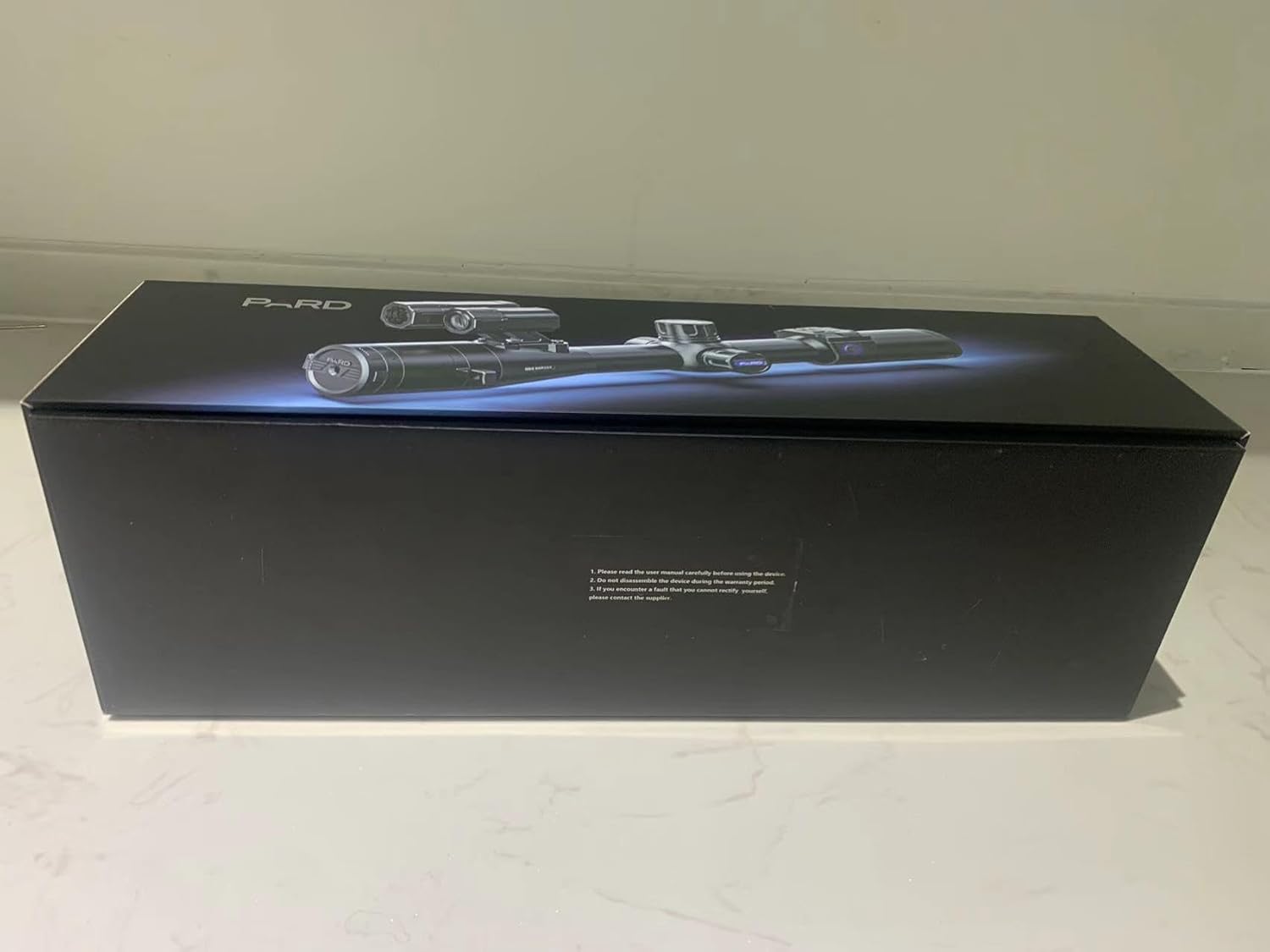
Image: Comparison showing the effect of the innovative image shift zero feature, where the reticle remains centered while the image adjusts.

Imazh: Nga afër view of the scope's ultra-clear display, showing a detailed image of a deer through the reticle.

Image: Depiction of the focus-free lens cap, showing how it can be closed with a small aperture to maintain focus in bright conditions.

Image: Visual representation of the scope's IP67 waterproof rating, with water splashing around the device.
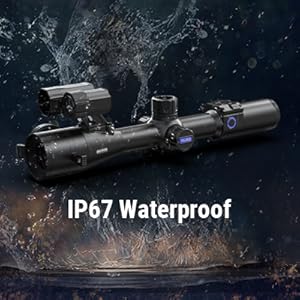
Image: Side-by-side comparison of the scope's display in day mode (color) and night mode (monochrome), showcasing the user interface.

Image: Display of various reticle patterns and color options available in the scope's interface.
4. Konfigurimi
4.1 Instalimi i baterisë
The PARD DS35-50RF/940 uses a rechargeable battery. Ensure the battery is fully charged before first use.
- Gjeni ndarjen e baterisë në pajisje.
- Hapni kapakun e ndarjes.
- Insert the battery, ensuring correct polarity.
- Mbyllni mirë kapakun e ndarjes.
4.2 Montimi i Teleskopit
Use the provided mount rings to attach the scope to your rifle's Picatinny rail.

Image: The PARD DS35-50RF/940 Night Vision Scope shown with its mounting rings and screws, ready for installation on a rifle.
- Attach the mount rings to the scope body, ensuring proper alignment.
- Place the scope with attached rings onto the Picatinny rail of your rifle.
- Tighten the mounting screws using the provided Allen wrench, ensuring the scope is firmly secured but do not overtighten.
- Adjust the scope's position for optimal eye relief and comfortable viewing.
4.3 Initial Zeroing (Image Shift Zero)
The image shift zero feature simplifies the zeroing process.
- Ndize pajisjen.
- Access the zeroing menu.
- Follow the on-screen instructions to align the image with the crosshair center. The image will shift to align, while the crosshair remains fixed.
- Save the zeroing profile. You can store up to five different zeroing profiles.
5. Udhëzimet e funksionimit
5.1 Ndez/Fik

Image: Close-up of the control buttons on the side of the PARD DS35-50RF/940, including the power button with a blue LED ring.
- To power on: Press and hold the power button (usually marked with a power symbol) until the display illuminates.
- To power off: Press and hold the power button until the display shuts down.
5.2 Navigimi i menysë

Image: Diagram showing the interactive control knob on the PARD DS35-50RF/940, highlighting its functions for adjusting values and navigating menus.
The device features an interactive control knob for menu navigation and value adjustment.
- Rotate the knob to scroll through menu options or adjust values.
- Press the knob to select an option or confirm a setting.
- Additional buttons may be present for quick access to specific functions (e.g., record, rangefinder).
5.3 Using the Rangefinder
The integrated 1000m laser rangefinder provides accurate distance measurements.

Imazh: Nga afër view of the front of the PARD DS35-50RF/940, with labels pointing to the Laser Range Finder (LRF) and IR Light components.
- Point the scope at the target.
- Activate the rangefinder function (refer to the specific button or menu option).
- The distance to the target will be displayed on the screen.
5.4 Ballistic Calculator
The ballistic calculator assists in precise aiming.
- Input relevant ballistic data (e.g., projectile type, velocity, zero range) into the device settings.
- Use the rangefinder to determine target distance.
- The ballistic calculator will provide an adjusted aiming point on the reticle.
5.5 Regjistrimi i videos
The scope supports video recording, including recoil-activated recording.
- To manually record: Press the dedicated record button. Press again to stop.
- Recoil Activated Recording: Ensure this feature is enabled in the settings. The device will automatically record a short video clip when recoil is detected.
- Videos are saved to an internal memory or an inserted SD card (if applicable).
5.6 Lidhshmëria Wi-Fi
Connect your scope to a mobile device via Wi-Fi for remote viewing, control, and file transferimi
- Enable Wi-Fi on the scope through the settings menu.
- Download the official PARD application on your smartphone or tablet.
- Connect your mobile device to the scope's Wi-Fi network (SSID and password usually found in the scope's Wi-Fi settings).
- Use the application to access features.
6. Mirëmbajtja
6.1 Pastrimi
- Lentet: Use the provided cleaning cloth or a soft, lint-free cloth specifically designed for optics. Gently wipe the lens surfaces. For stubborn smudges, use a small amount of lens cleaning solution.
- Trupi: Fshijeni trupin e teleskopit me një peshqir të butë, damp leckë. Shmangni pastruesit ose tretësit gërryes.
6.2 Ruajtja
- Ruajeni teleskopin në një vend të freskët dhe të thatë, larg rrezeve të diellit direkte dhe temperaturave ekstreme.
- Nëse e ruani për një periudhë të gjatë kohore, hiqeni baterinë për të parandaluar rrjedhjen.
- Use the scope cover to protect the lenses and body from dust and scratches.
6.3 Kujdesi për baterinë
- Recharge the battery using the provided Type-C cable and a compatible power source.
- Shmangni mbingarkimin ose shkarkimin e plotë të baterisë.
- If the battery shows signs of damage or swelling, discontinue use and replace it.
7. Troubleshooting
| Problem | Shkaku i mundshëm | Zgjidhje |
|---|---|---|
| Pajisja nuk ndizet. | Battery is low or depleted. Battery not inserted correctly. | Charge the battery. Ensure battery is inserted with correct polarity and securely. |
| Imazhi është i turbullt ose jashtë fokusit. | Diopter adjustment needed. Lens cap not fully open (if in low light). | Adjust the diopter ring near the eyepiece. Ensure lens cap is fully open for night use, or use the small aperture for bright daylight. |
| Rangefinder not working. | Target too far or too close. Obstruction in front of LRF. | Ensure target is within 1000m range. Clear any obstructions. |
| Probleme me lidhjen Wi-Fi. | Incorrect password. Wi-Fi not enabled on scope. App issues. | Verify Wi-Fi password. Enable Wi-Fi in scope settings. Restart app and scope. |
| Jetëgjatësia e shkurtër e baterisë. | Battery degradation. High power consumption features enabled. | Replace battery if old. Reduce screen brightness, disable unused features (Wi-Fi, IR). |
Nëse hasni probleme që nuk janë renditur këtu ose nëse zgjidhjet nuk e zgjidhin problemin, ju lutemi kontaktoni mbështetjen e klientit.
8. Specifikimet
| Veçori | Detaj |
|---|---|
| Emri i modelit | DS35-50RF/940 |
| Markë | Pard |
| Ngjyra | E zezë |
| Dimensionet e produktit (J x P x H) | 13.78"L x 3.46"W x 3.74"H (350*88*95mm) |
| Pesha e artikullit | 725 gram |
| Diametri i lenteve objektive | 50 milimetra |
| Pajisjet e përputhshme | Pushkë |
| Lloji i montimit | Mali Picatinny |
| Vizioni i Natës | po |
| Lehtësim i syve | 100 milimetra |
| Lloji i rrjetës | Kryqëzimi |
| Rezolucioni i ekranit | 2560x1440 (LTPS 800x800 Circular) |
| Rangefinder Range | Deri në 1000 m |
| IR Illuminator Range | 350m (850nm & 940nm) |
| Vlerësimi i papërshkueshëm nga uji | IP67 |
9. Garancia dhe Mbështetja
9.1 Informacioni i garancisë
The PARD DS35-50RF/940 Night Vision Scope comes with a manufacturer's warranty. Please refer to the warranty card included in your package or visit the official PARD webfaqja e internetit për kushtet dhe afatet e detajuara të garancisë. Ruajeni provën e blerjes për kërkesat e garancisë.
Important Warranty Notes:
- Do not disassemble the device during the warranty period, as this will void the warranty.
- Any unauthorized modifications or repairs will void the warranty.
9.2 Mbështetja e klientit
For technical assistance, troubleshooting, or warranty service, please contact PARD customer support. Contact information can typically be found on the official PARD website or in the user manual included in the product packaging.
Ju gjithashtu mund të vizitoni Pard Store on Amazon për më shumë informacion mbi produktin dhe burime mbështetjeje.


