1. Hyrje
Faleminderit për blerjenasing the Sharp KI-TX75-W Humidifying Air Purifier. This appliance is designed to improve your indoor air quality through advanced air purification and humidification technologies. It features Plasmacluster NEXT for high-density ion emission, AI AUTO mode for intelligent operation, Coanda flow for efficient dust collection, an AI monitor for real-time air quality feedback, and COCORO AIR for smart control via a smartphone app.
This manual provides essential information for the safe and efficient use, maintenance, and troubleshooting of your air purifier. Please read it thoroughly before use and keep it for future reference.
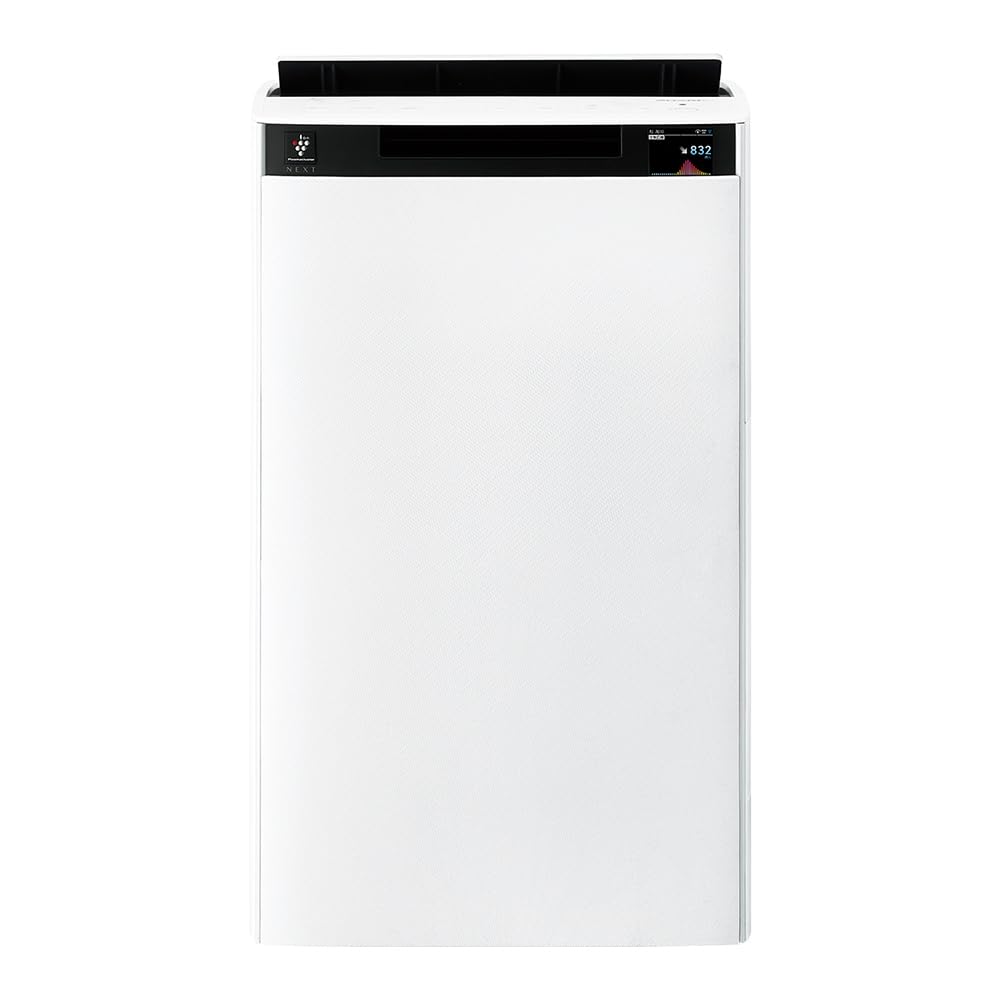
Përpara view of the Sharp KI-TX75-W Humidifying Air Purifier.
2. Informacion mbi sigurinë
Për të siguruar funksionimin e sigurt dhe për të parandaluar dëmtimet, ju lutemi të ndiqni masat paraprake të sigurisë:
- Always use the appliance with the correct voltage siç specifikohet në etiketën e vlerësimit.
- Mos i bllokoni vrimat e hyrjes ose daljes së ajrit.
- Mbajeni pajisjen larg ujit dhe lagështirës. Mos e përdorni me duar të lagura.
- Shkëputeni kabllon e energjisë nga priza përpara se ta pastroni ose të kryeni ndonjë mirëmbajtje.
- Mos lejoni fëmijët të përdorin pajisjen pa mbikëqyrje.
- Nëse kordoni i energjisë është i dëmtuar, ai duhet të zëvendësohet nga prodhuesi, agjenti i tij i shërbimit ose persona të kualifikuar të ngjashëm për të shmangur një rrezik.
- Mos futni objekte të huaja në asnjë hapje.
- Vendoseni njësinë në një sipërfaqe të qëndrueshme dhe të sheshtë.
3. Konfigurimi
3.1 Shpaketimi dhe vendosja
- Hiqeni me kujdes pastruesin e ajrit nga paketimi i tij.
- Choose a location with adequate space around the unit for optimal airflow. Avoid placing it directly against walls or furniture.
- Ensure the unit is placed on a flat, stable surface. The built-in casters with stoppers allow for easy movement and secure positioning.

The unit features casters with stoppers for convenient movement and secure placement.
3.2 Instalimi i filtrit
The unit comes with pre-installed filters. Verify they are correctly seated before first use.
- Open the back panel of the air purifier.
- Ensure the HEPA filter, deodorizing filter, and pre-filter are securely in place.
- Mbyllni panelin e pasmë.

The air purifier utilizes a three-layer filter system: pre-filter, deodorizing filter, and HEPA filter.
3.3 Mbushje e rezervuarit të ujit
For humidification, fill the water tank with clean tap water.
- Hiqeni rezervuarin e ujit nga ana e njësisë.
- Open the water tank cap and fill it with fresh tap water.
- Mbylleni kapakun mirë dhe futeni përsëri rezervuarin e ujit në pajisje.

Remove the water tank from the side of the unit to fill it with water.
3.4 Ndezja fillestare dhe lidhja me rrjetin
- Lidheni kordonin e rrymës në një prizë muri.
- Shtypni butonin e energjisë në panelin e kontrollit.
- To utilize smart features, download the COCORO AIR app on your smartphone and follow the in-app instructions to connect the air purifier to your wireless LAN network.
4. Udhëzimet e funksionimit
4.1 Paneli i kontrollit Mbiview

The control panel allows selection of various modes and settings.
4.2 Mënyrat e funksionimit
- AI AUTO Mode: This intelligent mode automatically adjusts operation based on detected air quality, aiming for a cleanroom Class 8 level environment. It optimizes airflow to effectively collect pollen, dust, and fine particles.
- Modaliteti i pastrimit të ajrit: Operates solely as an air purifier, removing airborne particles and odors.
- Modaliteti i lagështimit: Adds moisture to the air while purifying. The unit can deliver up to 900 mL/h of humidification.
- Plasmacluster NEXT: This technology generates high-density Plasmacluster ions (50,000 ions/cm³) to suppress airborne and adhering viruses, allergens, and odors.

AI AUTO mode significantly reduces airborne particles to maintain a clean environment.
4.3 AI Monitor
The AI Monitor visualizes the number of particles in the room and provides feedback on air quality. It displays real-time particle counts and indicates when the air is clean or needs purification.

The AI Monitor provides a visual representation of airborne particle levels.
The AI Monitor also provides notifications for humidification status, maintenance timing, and estimated electricity costs.

Notifications include humidification status, maintenance alerts, and electricity usage.
4.4 COCORO AIR App
Connect your air purifier to the COCORO AIR app via Wi-Fi for enhanced control and monitoring. The app allows you to:
- Monitor air quality and operating status remotely.
- Customize operation schedules and settings.
- Receive notifications for filter replacement and maintenance.
- Access special operating modes, such as pet-specific modes.

The COCORO AIR app provides remote control and monitoring capabilities.
5. Mirëmbajtja
Mirëmbajtja e rregullt siguron performancë optimale dhe zgjat jetëgjatësinë e pastruesit tuaj të ajrit.
5.1 Pastrimi dhe Zëvendësimi i Filtrit
- Para-filtri: Clean regularly (e.g., once a month) by vacuuming or washing with water.
- HEPA Filter & Deodorizing Filter: These filters are not washable. Replace them according to the recommended schedule (typically every 1-2 years, depending on usage and environment). The COCORO AIR app will notify you when replacement is due.
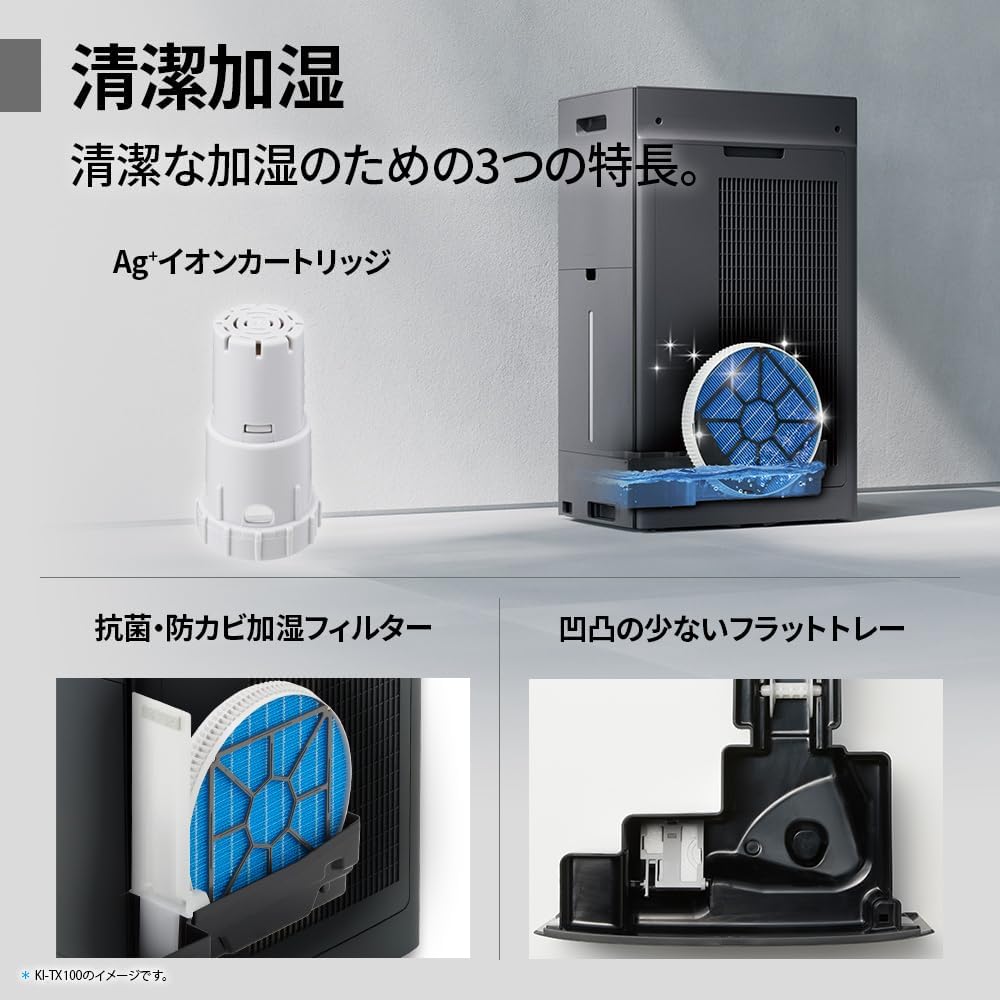
Regularly clean the pre-filter to maintain air purification efficiency.
5.2 Humidifying Filter Maintenance
The humidifying filter can be automatically cleaned using the unit's internal cleaning function. This helps prevent scale buildup.
- Remove the water tank and humidifying filter assembly.
- Add a small spoon of citric acid (commercially available) to the water tank and fill with water.
- Press the internal humidification cleaning button on the unit.
- After the cleaning cycle, rinse the tank and filter thoroughly.

The humidifying filter can be automatically cleaned using citric acid and water.
5.3 Ag+ Ion Cartridge Replacement
The Ag+ ion cartridge helps keep the water in the tank clean. Replace it approximately once a year.

Replace the Ag+ ion cartridge annually for optimal water tank hygiene.
6. Troubleshooting
Nëse hasni probleme me pastruesin e ajrit, referojuni problemeve dhe zgjidhjeve të zakonshme të mëposhtme:
| Problem | Shkaku i mundshëm | Zgjidhje |
|---|---|---|
| Njësia nuk ndizet. | Kablloja e energjisë nuk është e lidhur siç duhet. Nuk ka energji nga priza. | Kontrolloni lidhjen e kabllos së energjisë. Testoni prizën me një pajisje tjetër. |
| Weak airflow or poor purification. | Filters are dirty or clogged. Air intake/outlet blocked. | Clean or replace filters. Ensure vents are clear. |
| No humidification or low humidity output. | Water tank is empty. Humidifying filter is dirty. | Refill water tank. Clean the humidifying filter. |
| Zhurmë e pazakontë gjatë funksionimit. | Unit not on a level surface. Foreign object in fan. | Ensure unit is stable. Check for obstructions (unplug first). |
| AI Monitor shows high particle count despite operation. | Filters need cleaning/replacement. Room size exceeds recommended area. | Perform filter maintenance. Consider unit placement or additional units for larger spaces. |
Nëse problemi vazhdon pasi të provoni këto zgjidhje, ju lutemi kontaktoni mbështetjen e klientit.
7. Specifikimet
| Veçori | Specifikimi |
|---|---|
| Numri i modelit | KI-TX75-W |
| Markë | I mprehtë |
| Dimensionet (W x D x H) | 39.5 cm x 26.5 cm x 65 cm |
| Pesha | 12 kg |
| Burimi i energjisë | Elektrike me kabllo |
| Niveli i zhurmës | 20-52 dB |
| Recommended Room Size (Plasmacluster) | Up to 18 tatami (~29.7 m²) |
| Madhësia e rekomanduar e dhomës (pastrimi i ajrit) | Up to 34 tatami (~56.1 m²) |
| Maximum Humidification Capacity | 900 ml/h |
| Air Purification Time (8 tatami) | 9 minuta |
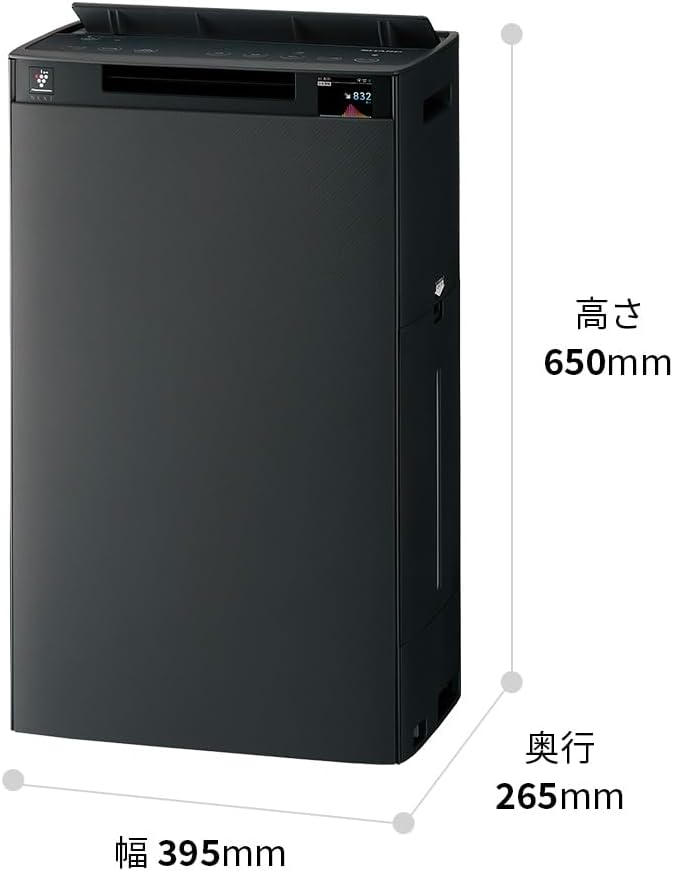
Detailed dimensions of the Sharp KI-TX75-W.
8. Garancia dhe Mbështetja
8.1 Garancia e Prodhuesit
This Sharp KI-TX75-W Humidifying Air Purifier comes with a Garanci 1-vjeçare e prodhuesit nga data e blerjes. Kjo garanci mbulon defektet në materiale dhe prodhim nën përdorim normal. Ju lutemi ruani provën e blerjes për kërkesat e garancisë.
Garancia nuk mbulon dëmet e shkaktuara nga keqpërdorimi, aksidenti, modifikimi i paautorizuar ose mosndjekja e udhëzimeve në këtë manual.
8.2 Mbështetja e klientit
For technical assistance, warranty service, or inquiries about replacement parts, please contact Sharp customer support.
You can find additional support resources and FAQs on the official Sharp webfaqe:


