Hyrje
The RISOON WiFi 15-in-1 Smart Air Quality Monitor (Model ZN-MT29) is a versatile device designed to accurately measure and monitor various indoor air quality parameters. This manual provides detailed instructions for setting up, operating, maintaining, and troubleshooting your air quality monitor to ensure optimal performance and a healthy living environment.

Image: The RISOON WiFi 15-in-1 Smart Air Quality Monitor and its companion mobile application interface.
Informacioni i Sigurisë
Ju lutemi lexoni të gjitha paralajmërimet dhe udhëzimet e sigurisë përpara se ta përdorni këtë produkt për të parandaluar lëndime ose dëmtime. Ruajeni këtë manual për referencë në të ardhmen.
- Mos e ekspozoni pajisjen ndaj temperaturave ekstreme, rrezeve të diellit direkte ose lagështisë së lartë.
- Shmangni rënien ose ekspozimin e pajisjes ndaj goditjeve të forta.
- Mos u përpiqni ta çmontoni ose riparoni vetë pajisjen. Kontaktoni personelin e kualifikuar të shërbimit.
- Mbajeni pajisjen larg ujit dhe lëngjeve të tjera.
- Ensure proper ventilation around the device for accurate readings.
- Pajisja është projektuar vetëm për përdorim të brendshëm.

Image: Understanding the potential health impacts of poor air quality, including formaldehyde, humidity, and temperature extremes.

Imazhi: P.shamples of common indoor environments and activities that can affect air quality, such as briquette stoves, gas water heaters, and kitchen cooking.
Çfarë ka në Kuti
Pasi të hapni paketën, sigurohuni që të gjitha sendet janë të pranishme dhe në gjendje të mirë:
- 1 x RISOON WiFi 15-in-1 Smart Air Quality Monitor
- 1 x Kabë karikimi USB-C
- 1 x User Instruction Manual (this document)

Image: The product packaging, indicating the model ZN-MT29 and an internal identifier X0028UY8VF.
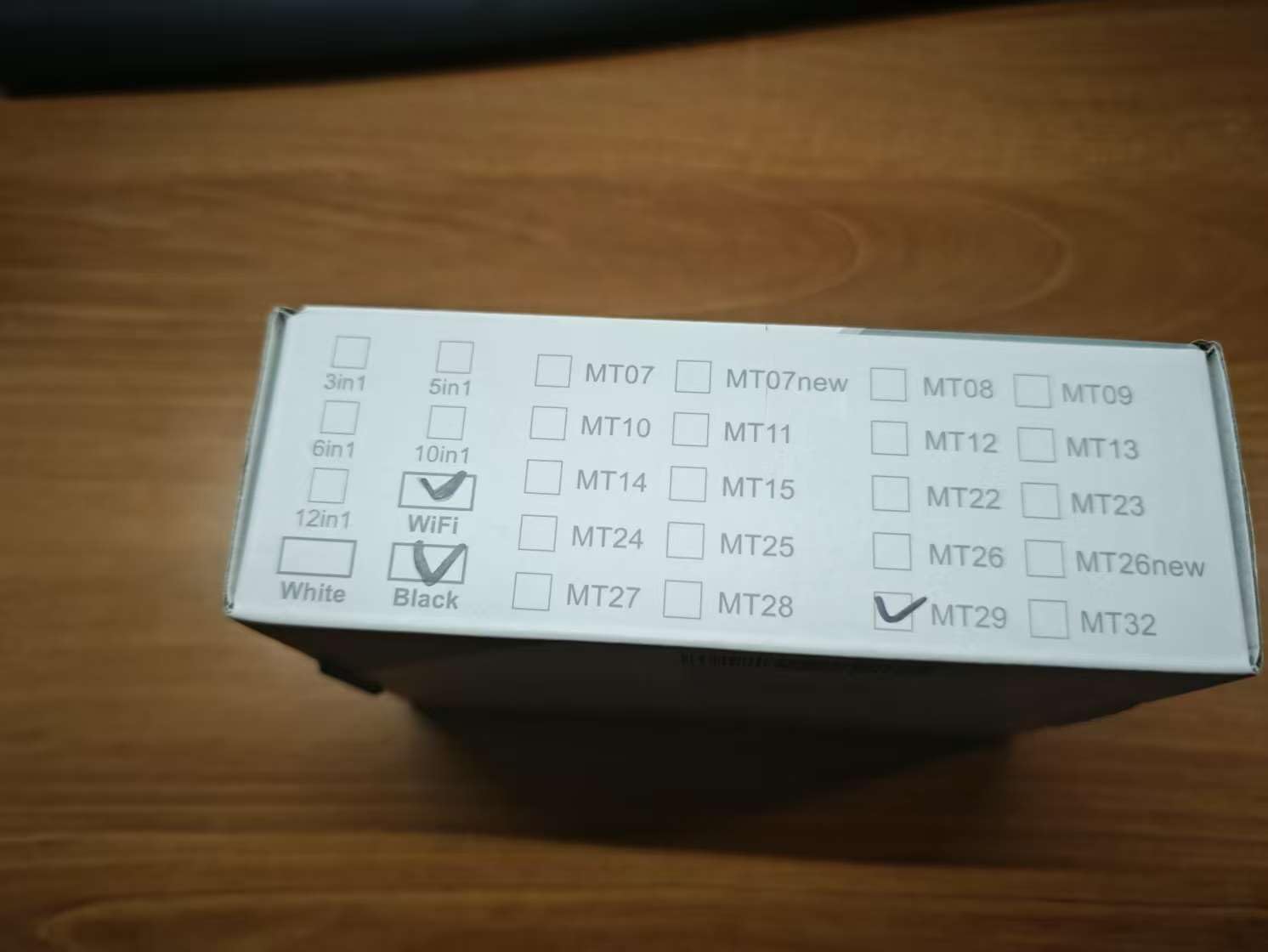
Image: Top of the product box, confirming the MT29 model selection.
Produkti Mbiview
The RISOON ZN-MT29 monitor is equipped with advanced sensors to detect 15 different air quality parameters, providing comprehensive data for a healthier indoor environment. It features a clear display and can be controlled via a mobile application.
Karakteristikat kryesore:
- Measures AQI, CO2, CO, HCHO, TVOC, PM0.3, PM1.0, PM2.5, PM10, Temperature, and Humidity.
- Integrated alarm clock and timer functions.
- High accuracy sensors with double ventilation structure for precise data.
- WiFi connectivity for remote monitoring and control via Tuya/Smart Life App.
- Portable design with a 4800 mAh battery for wired or wireless use.
- Upgraded structure and appearance for enhanced functionality.
- Features an implicit full-frequency electro-optical chemical sensor for more accurate measurements.
- Equipped with a high-performance core processor and constant convection technology for stable and accurate detection.

Image: Visual representation of the various air quality parameters measured by the device.

Imazh: Një mbiview of the advanced technologies integrated into the MT29 for precise and fast air quality monitoring.

Image: The RISOON Air Quality Detector, emphasizing its 15-in-1 smart capabilities and compatibility with Tuya and 2.4 GHz WiFi.

Image: The air quality monitor in a home setting, illustrating its role in monitoring and ensuring a healthy environment for families.

Image: Diverse application scenarios for the air quality monitor, from residential to commercial and educational settings.
Konfigurimi
1. Ngarkimi fillestar
Before first use, fully charge the device using the provided USB-C cable. Connect the cable to the monitor's charging port and a standard USB power adapter (not included). The device has a 4800 mAh battery, providing extended use.
2. Ndezja/Fikur
Press and hold the power button located on the side of the device to turn it on or off. The display will illuminate upon successful power-on.
3. App Connection (Tuya/Smart Life App)
For remote control, trend analysis, and advanced features, download the Tuya or Smart Life app from your smartphone's app store. Follow the in-app instructions to add and connect your RISOON ZN-MT29 monitor to your home WiFi network (2.4 GHz is supported). All parameters can be customized for intelligent scenarios via the app.
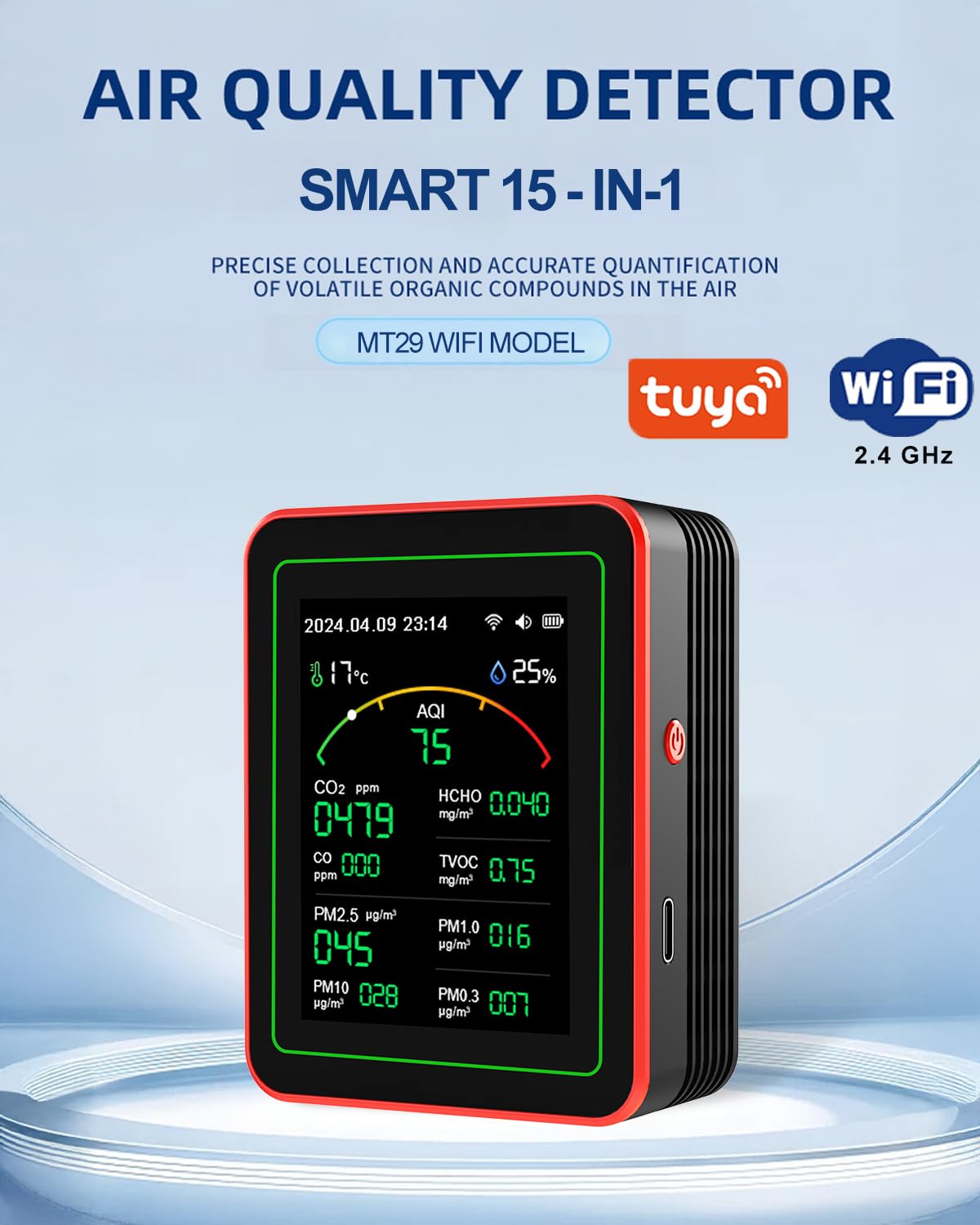
Image: The air quality monitor connected to a smartphone displaying real-time data and settings within the companion app.
Video: Një mbiview of the RISOON WiFi Air Quality Monitor's features, including its 15 functions, WiFi connectivity for intelligent control, and new structural design with an 8-hour standby battery life.
Udhëzimet e funksionimit
1. Kuptimi i Ekranit
The monitor's display shows real-time readings for all measured parameters. The main screen typically shows AQI, CO2, HCHO, TVOC, CO, PM0.3, PM1.0, PM2.5, PM10, temperature, and humidity. The date and time are also displayed.
2. Interpreting Air Quality Data
Refer to the Air Quality Pollution Level Reference Table below to understand the significance of the readings and assess your indoor air quality.
Image: A reference table detailing air quality pollution levels for various parameters, indicating what constitutes "Good," "OK," and "Poor" air quality.
3. Setting Alarms and Timers
The device supports setting alarms for specific parameter thresholds and timers for scheduled operations. These can be configured directly on the device or more conveniently through the connected Tuya/Smart Life app. An immediate sound alarm will be triggered when a set standard is exceeded.

Image: The monitor's alarm feature, designed to alert users when air quality parameters exceed safe levels, acting as a personal air quality radar.
4. Remote Monitoring with App
Use the Tuya/Smart Life app to check current air quality readings from anywhere, analyze historical trends, and receive timely notifications and tips to improve your air quality. The app also allows you to check local pollen forecasts.
Image: The air quality monitor in a bedroom setting, demonstrating its ability to provide real-time data on temperature and humidity for a comfortable environment.
Mirëmbajtja
1. Pastrimi
Wipe the device regularly with a soft, dry cloth. Do not use abrasive cleaners or solvents, as they may damage the surface or internal components. Ensure the ventilation openings are free from dust and debris.
2. Kujdesi për baterinë
To prolong battery life, avoid fully discharging the device frequently. Charge it when the battery indicator is low. If storing the device for an extended period, charge it to about 50% and recharge every few months.
3. Magazinimi
Store the monitor in a cool, dry place, away from direct sunlight and extreme temperatures, when not in use.
Zgjidhja e problemeve
1. Pajisja nuk ndizet
- Sigurohuni që pajisja është plotësisht e ngarkuar. Lidheni atë me një burim energjie dhe prisni disa minuta përpara se të përpiqeni ta ndizni përsëri.
- Check the USB-C cable and power adapter for any damage.
2. Lexime të pasakta
- Sigurohuni që pajisja të vendoset në një zonë me qarkullim të mirë të ajrit, larg rrymave të drejtpërdrejta ose ajrit të ndotur.tagnant ajri.
- Avoid placing the device near strong heat sources, open windows, or areas with high concentrations of pollutants (e.g., cooking fumes, cleaning products).
- Clean the device's ventilation openings to ensure proper airflow to the sensors.
3. Probleme me lidhjen e aplikacionit
- Ensure your smartphone is connected to a 2.4 GHz WiFi network. The device does not support 5 GHz networks.
- Check that the device is within range of your WiFi router.
- Restart both the air quality monitor and your smartphone.
- Ensure the Tuya/Smart Life app is updated to the latest version.
Specifikimet
| Parametri | Vlera |
|---|---|
| Markë | RISOON |
| Numri i modelit | ZN-MT29 |
| Dimensionet e produktit | 0.39 x 0.39 x 0.39 inç |
| Pesha e artikullit | 3.53 ons (100 gramë) |
| Burimi i energjisë | Battery Powered (4800 mAh) |
| Lloji i tarifimit | USB-C |
| Parametrat e matur | AQI, CO2, CO, HCHO, TVOC, PM0.3, PM1.0, PM2.5, PM10, Temperature, Humidity |
| Lidhshmëria | WiFi (2.4 GHz) |
Garancia dhe Mbështetja
RISOON products are manufactured with high-quality standards. For any questions, technical support, or warranty claims, please contact the manufacturer directly. Refer to the contact information provided with your purchase or on the official RISOON webfaqe.


