1. Hyrje
This manual provides essential information for setting up, operating, maintaining, and troubleshooting your Roku Smart TV 2025 – 24-Inch Select Series 720p HD TV. Please read these instructions carefully before using your television.
The Roku Select Series HD TV offers a streamlined entertainment experience. It features bright HD picture quality, auto speech clarity, and a night mode. Access free live television directly from the home screen and utilize the voice remote for content discovery across various applications. This television is suitable for various rooms including bedrooms, living rooms, kitchens, or children's rooms.
2. Çfarë ka në kuti
Verifikoni që të gjithë përbërësit janë të pranishëm në paketim:
- Roku Select Series 24" HD TV
- Mbështetëse dhe vida
- Roku Voice Remote with batteries
- Udhëzues për fillimin e shpejtë

Image: The Roku Select Series TV box contents, showing the television, remote, and stand components.
3. Konfigurimi
3.1 Montimi i bazamenteve të televizorit
- Vendoseni me kujdes ekranin e televizorit poshtë mbi një sipërfaqe të butë dhe të pastër për të parandaluar gërvishtjet.
- Vendosni secilën mbështetëse në pozicionin përkatës të vidave në pjesën e poshtme të televizorit.
- Siguroni mbështetëset duke përdorur vidat e dhëna. Sigurohuni që të jenë të shtrënguara fort.
3.2 Lidhja e pajisjeve periferike
Your Roku TV includes multiple ports for connecting external devices:
- Portat HDMI: Connect devices such as cable boxes, gaming consoles, or Blu-ray players. The HDMI 1 (ARC) port supports Audio Return Channel for simplified audio connections.
- Porta USB: For media playback from a USB drive or powering compatible devices.
- Hyrja e antenës/kabllit: Lidhni një antenë për transmetime ajrore ose një lidhje televizive kabllore.
- Dalja optike e audios: Për t'u lidhur me një soundbar ose marrës audio.
- Hyrja AV: Për lidhjen e pajisjeve të vjetra duke përdorur kabllo video të përbëra dhe kabllo audio stereo.

Image: Close-up of the back of the Roku TV, highlighting the HDMI, USB, optical, and AV input ports.
3.3 Ndezja fillestare dhe lidhja me rrjetin
- Lidheni kabllon e energjisë në televizor dhe pastaj në një prizë muri.
- Insert the included AAA batteries into the voice remote.
- Shtypni butonin e ndezjes në telekomandë për të ndezur televizorin.
- Ndiqni udhëzimet në ekran për të zgjedhur gjuhën tuaj, për t'u lidhur me rrjetin tuaj Wi-Fi dhe për të aktivizuar llogarinë tuaj Roku.
4. Operimi i televizorit tuaj Roku
4.1 Përdorimi i Telekomandës Zërore
The Roku Voice Remote simplifies navigation and content search. It features dedicated buttons for popular streaming services and voice control capabilities.
- Butoni i zërit: Press and hold to speak commands for searching content, launching apps, or controlling playback.
- Tastiera e navigimit: Përdorni shigjetat drejtuese dhe butonin OK për të lëvizur nëpër menu dhe për të zgjedhur artikujt.
- Shkurtoret e aplikacionit: Dedicated buttons provide quick access to services like Netflix, Disney+, and Prime Video.
- Kontrollet e volumit: Adjust TV volume directly from the remote.
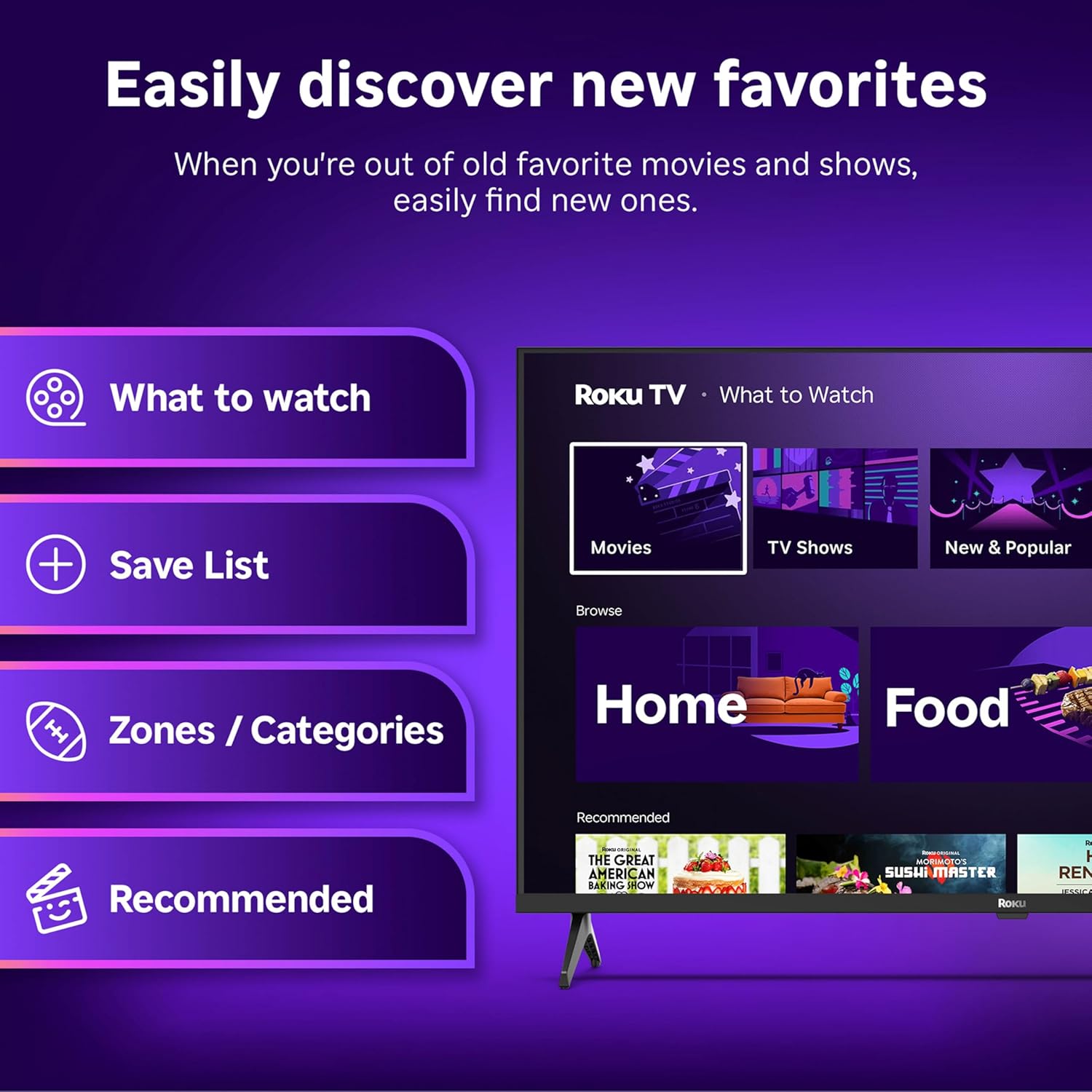
Image: The Roku Voice Remote, showing its layout and key functions.
4.2 Streaming and App Navigation
The Roku TV home screen provides quick access to all your streaming channels and inputs. You can customize the order of your apps for personalized access.
- Ekrani bazë: Displays your installed apps, recommended content, and TV inputs.
- Dyqani i transmetimit: Shfletoni dhe shtoni kanale të reja transmetimi.
- TV drejtpërdrejt: Access free live television channels directly from the home screen.
- Kërko: Use the search function or voice remote to find movies, shows, actors, or directors across various services.

Image: The Roku TV user interface, showing the home screen with app tiles and menu options.
4.3 Cilësimet e figurës dhe zërit
Your Roku TV features Smart Picture technology to optimize viewing and offers enhanced audio features.
- Smart Picture: Automatically adjusts picture settings based on the content being viewed (e.g., movie, sports, vivid, standard).
- Audio Clarity: Designed for clear speech and louder sound.
- Modaliteti i kufjeve Bluetooth: Connect your wireless headphones for private listening.

Image: A vibrant nature scene displayed on the Roku TV, demonstrating the clear picture quality.
4.4 Integrimi i Shtëpisë Inteligjente
The Roku TV integrates with various smart home ecosystems for convenient voice control and content sharing.
- Kontrolli i zërit: Compatible with Roku Voice, Siri, Alexa, and Google Assistant for hands-free operation.
- Apple AirPlay: Effortlessly share videos, photos, and music from your Apple devices to your TV.

Image: A Roku TV screen with a smart speaker nearby, illustrating voice control integration with smart home systems.
5. Mirëmbajtja
5.1 Pastrimi i televizorit tuaj
- Gjithmonë shkëputeni televizorin nga priza para se ta pastroni.
- Përdorni një leckë të butë pa push për të fshirë butësisht ekranin dhe kabinetin.
- Për shenja kokëforta, lyejeni lehtëampLani leckën me ujë ose me një pastrues të butë ekrani, jo-gërryes. Mos spërkatni kurrë pastrues direkt mbi ekran.
- Shmangni përdorimin e kimikateve të ashpra, sfungjerëve gërryes ose tretësve.
5.2 Përditësimet e softuerit
Your Roku TV receives automatic software updates to provide new features and improve performance. Ensure your TV is connected to the internet to receive these updates.
6. Troubleshooting
If you encounter issues with your Roku TV, try the following basic troubleshooting steps:
- Pa fuqi: Sigurohuni që kablloja e energjisë është e lidhur mirë si në televizor ashtu edhe në një prizë elektrike funksionale. Provoni një prizë tjetër.
- Pa figurë/tingull: Verifikoni që është zgjedhur burimi i saktë i hyrjes. Kontrolloni që të gjitha lidhjet e kabllove (HDMI, AV, etj.) të jenë të sigurta.
- Telekomanda nuk përgjigjet: Zëvendësoni bateritë në telekomandë. Sigurohuni që nuk ka pengesa midis telekomandës dhe televizorit.
- Probleme me lidhjen e rrjetit: Restart your Wi-Fi router. Go to the TV's network settings to reconnect to your Wi-Fi.
- Aplikacioni nuk po ngarkohet: Try restarting the app. If the issue persists, remove the app and reinstall it from the Streaming Store.
- Rikthim ne gjendjen e fabrikes: As a last resort, a factory reset can resolve many software issues. This will erase all personal settings and installed apps. Access this option through the TV's Settings menu.
7. Specifikimet
| Veçori | Specifikimi |
|---|---|
| Markë | Roku |
| Numri i modelit | 24R2D5 |
| Madhësia e ekranit | 24 inç |
| Teknologjia e shfaqjes | LED |
| Rezolucioni | 720p |
| Shpejtësia e rifreskimit | 60 Hz |
| Raporti i pamjes | 16:9 |
| Teknologjia e lidhjes | Bluetooth, WiFi |
| Karakteristika të veçanta | Bluetooth Headphone Mode, Dolby Audio, Voice Remote |
| Pesha e artikullit | 5.7 paund |
| Dimensionet e produktit | 7 x 21.1 x 14.3 inç |
| Bateritë e nevojshme | 2 bateri AAA (për telekomandën) |
8. Garancia dhe Mbështetja
For warranty information and technical support, please refer to the documentation included with your product or visit the official Roku support webfaqe. Mbani faturën tuaj të blerjes për pretendimet e garancisë.
Roku offers various support resources, including online FAQs, troubleshooting guides, and customer service contact options.