1. Hyrje
This manual provides essential information for the proper use and maintenance of your Picun F5 Active Noise Cancelling Headphones. Please read it thoroughly before operating the device.
2. Përmbajtja e paketës
Verifikoni që të gjitha artikujt janë të pranishëm në paketimin tuaj:
- 1 x Picun F5 Headphone
- 1 x 3.5 mm kabllo audio
- 1 x kabllo USB karikimi
- 1 x Manuali i Përdoruesit

3. Karakteristikat e produkteve
- Anulimi aktiv i zhurmës (ANC): Advanced technology to reduce ambient noise for an immersive audio experience.
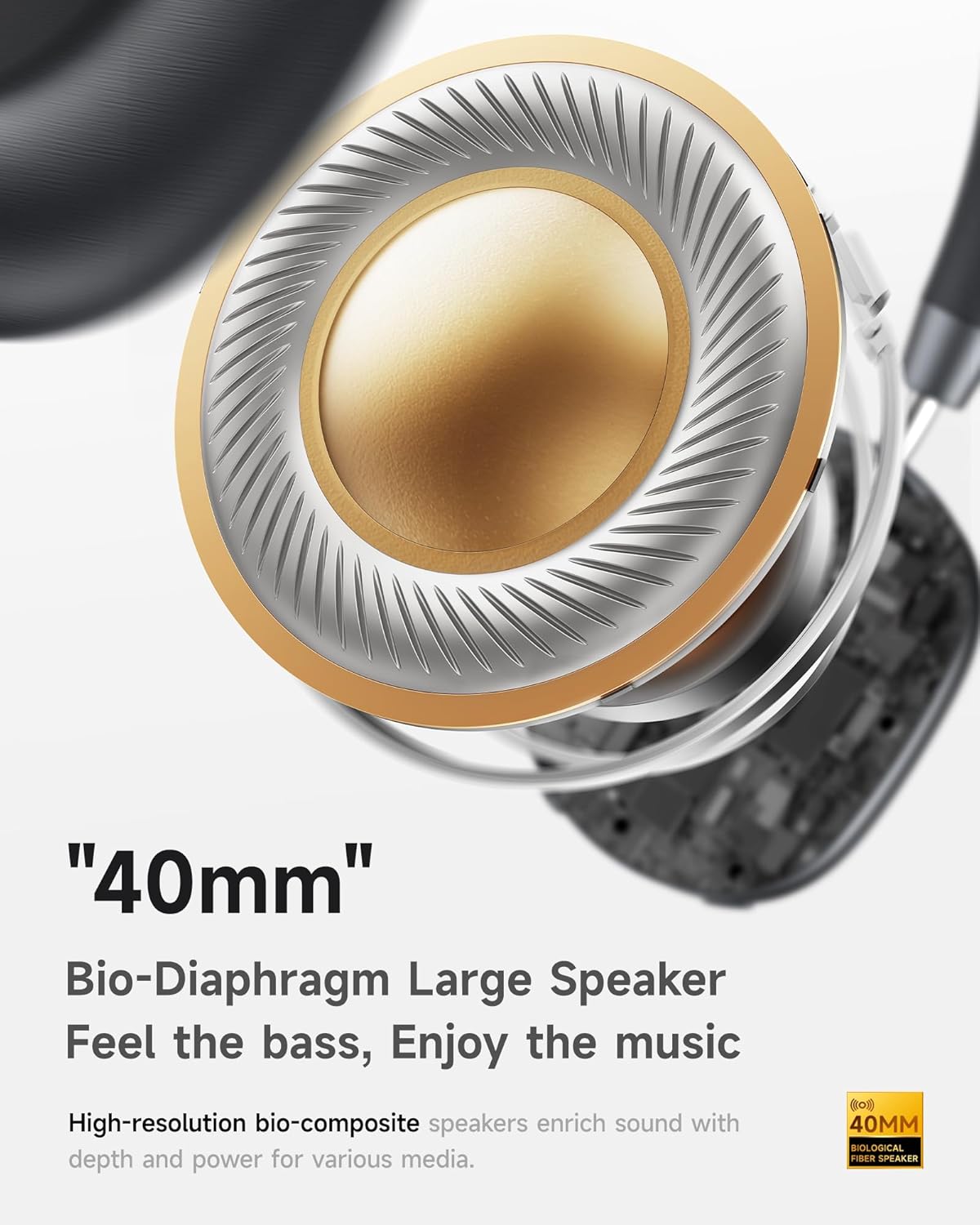
- Audio Hi-Fi me bas të thellë: Delivers clear sound with enhanced bass.
- App-Controlled EQ: Customize audio settings via a dedicated companion application.
- Mikrofoni i integruar: Ensures clear voice calls.
- Lidhja me shumë pika: Allows seamless switching between two connected Bluetooth devices.
- Dizajni ergonomik: Lightweight build with soft memory-foam earcups for extended comfort.
- Long Playtime & Fast Charging: Up to 30 hours of playback on a single charge, with quick recharge capabilities.



4. Konfigurimi
4.1 Ngarkimi i kufjeve
Before first use, fully charge your Picun F5 headphones. Connect the provided USB charging cable to the headphone's charging port and a compatible USB power source. The charging indicator light will show the charging status.
4.2 Çiftimi Bluetooth
- Sigurohuni që kufjet të jenë të fikur.
- Press and hold the Power button until the indicator light flashes, indicating pairing mode.
- Në pajisjen tuaj (smartfon, tablet, kompjuter), aktivizoni Bluetooth dhe kërkoni për pajisje të disponueshme.
- Select "Picun F5" from the list of devices to connect.
- Pasi të lidhet, drita treguese do të ndryshojë në blu të qëndrueshme ose do të fiket, varësisht nga modeli.
4.3 Lidhja me shumë pika
The Picun F5 supports connecting to two Bluetooth devices simultaneously. After pairing with the first device, disable Bluetooth on that device. Pair the headphones with the second device. Then, re-enable Bluetooth on the first device. The headphones should now be connected to both devices, allowing seamless audio switching.

5. Operacioni
5.1 Kontrollet bazë
The headphones feature intuitive controls for managing audio and calls:
- Ndezja/Fikja e energjisë: Shtypni dhe mbani shtypur butonin e energjisë.
- Rregullimi i volumit: Use the dedicated volume knob/buttons on the earcup.
- Luaj/Ndalu: Shtypni një herë butonin shumëfunksional.
- Pjesa tjetër: Shtypni dy herë butonin shumëfunksional.
- Pjesa e mëparshme: Shtypni tre herë butonin Shumëfunksional.
- Përgjigja/Përfundimi i telefonatës: Shtypni një herë butonin shumëfunksional gjatë një thirrjeje hyrëse.
- Refuzo thirrjen: Shtypni dhe mbani shtypur butonin shumëfunksional gjatë një thirrjeje hyrëse.
5.2 Active Noise Cancelling (ANC) Modes
The ANC feature can be toggled or adjusted using a dedicated button on the headphones. Refer to the specific button layout on your device for exact functionality. Some models may offer different ANC levels or transparency modes.
5.3 App Control and Custom EQ
Download the companion app for your Picun F5 headphones to unlock personalized features. The app allows you to:
- Customize Equalizer (EQ) settings to match your audio preferences.
- Adjust ANC levels or switch between different noise control modes.
- Access additional smart features and settings.


6. Mirëmbajtja
To ensure the longevity and optimal performance of your Picun F5 headphones, follow these maintenance guidelines:
- Pastrimi: Përdorni një leckë të butë dhe të thatë për të pastruar kufjet dhe shiritin e kokës. Shmangni përdorimin e kimikateve të ashpra ose materialeve gërryese.
- Magazinimi: Store the headphones in a cool, dry place, away from direct sunlight and extreme temperatures. When not in use, consider storing them in a protective case.
- Shmangni lagështinë: Mos i ekspozoni kufjet ndaj ujit ose lagështirës së tepërt.
- Trajto me kujdes: Shmangni rrëzimin ose ekspozimin e kufjeve ndaj goditjeve të forta.

7. Troubleshooting
If you encounter issues with your Picun F5 headphones, refer to the following common solutions:
- Pa fuqi: Sigurohuni që kufjet të jenë të ngarkuara plotësisht. Lidhni ato me një burim energjie dhe kontrolloni treguesin e karikimit.
- Nuk mund të çiftëzohet: Make sure the headphones are in pairing mode (indicator flashing). Disable and re-enable Bluetooth on your device, then try pairing again. Ensure the headphones are not already connected to another device.
- Nuk ka zë: Check the volume levels on both the headphones and your connected device. Ensure the headphones are properly paired. If using a wired connection, ensure the 3.5mm audio cable is securely plugged in.
- Cilësi e dobët e zërit: Move closer to your connected device to avoid interference. Check for any obstructions between the headphones and the device. Ensure the audio source is of good quality.
- ANC nuk funksionon: Ensure the ANC feature is activated. Check for any physical obstructions around the microphones.
If the issue persists, try resetting the headphones (refer to the full user manual for specific reset instructions) or contact customer support.
8. Specifikimet
| Markë | Pikun |
| Emri i modelit | F5 |
| Teknologjia e lidhjes | Pa tel (Bluetooth 4.0) |
| Kontrolli i zhurmës | Sound Isolation (Active Noise Cancelling) |
| Përgjigja e frekuencës | 20 KHz |
| Ndjeshmëria | 42 dB |
| Kufje Jack | 3.5 mm Jack |
| Jetëgjatësia e baterisë | 30 orë |
| Lloji i drejtuesit të audios | Drejtues dinamik |
| Forma e kufjes | Rrumbullakët |
| Impedanca | 32 Ohm |
| Pesha e artikullit | 14 ons (0.4 kilogramë) |
| Materiali | Akrilonitril butadien stiren (ABS) |
9. Garancia dhe Mbështetja
Picun products are designed for reliability and performance. For warranty information, product support, or technical assistance, please refer to the warranty card included in your package or visit the official Picun webfaqe. Mbani faturën tuaj të blerjes për pretendimet e garancisë.