1. Hyrje
This manual provides essential information for the safe and efficient operation of your GooDee AC571 4K Smart Projector. Please read it thoroughly before use and retain it for future reference.
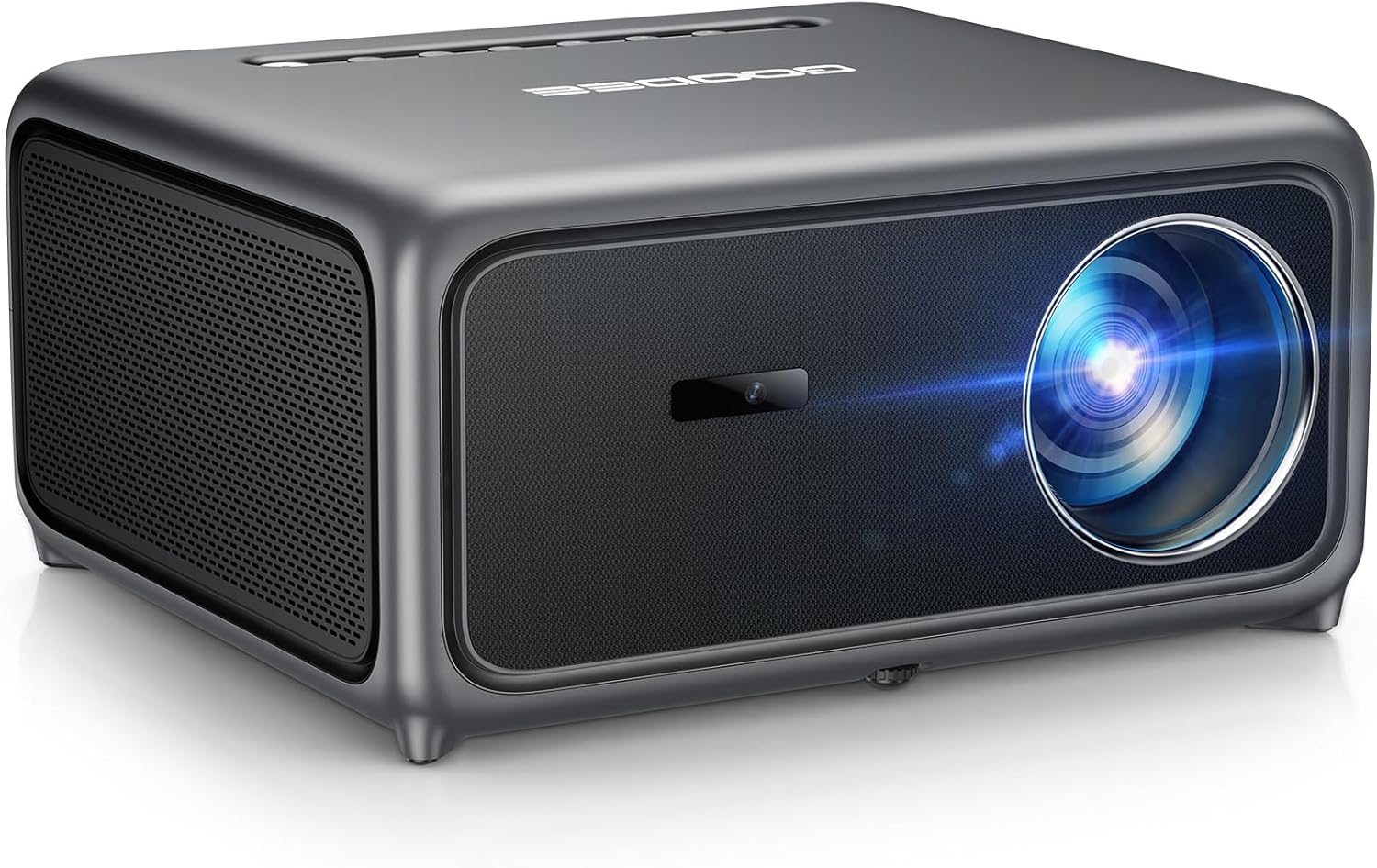
Image 1.1: The GooDee AC571 4K Smart Projector. This image displays the projector's front and side profile, highlighting its lens and speaker grille.
2. Çfarë ka në kuti
Verifikoni që të gjitha sendet janë të pranishme kur të çpaketoni:
- GooDee AC571 4K Smart Projector
- Kordoni elektrik
- Kabllo HDMI
- Telekomandë
- Kompleti i pastrimit
- Mbulesa e lenteve të projektorit
- Manuali i Përdoruesit (ky dokument)
3. Udhëzuesi i konfigurimit
3.1 Vendosja Fillestare
Place the projector on a stable, flat surface. Ensure adequate ventilation around the device. For optimal viewduke e vendosur projektorin direkt përpara sipërfaqes së projeksionit (mur ose ekran).
3.2 Lidhja e energjisë
- Lidhni kabllon e energjisë me hyrjen e energjisë të projektorit.
- Lidhni anën tjetër të kabllit të energjisë në një prizë elektrike të përshtatshme.
3.3 Lidhja e pajisjeve të jashtme
The projector supports various input sources. Refer to the port diagram below for connection points.

Image 3.1: Rear panel connections of the GooDee AC571 Projector. This image illustrates the available ports including HDMI, USB, and audio output, with labels indicating their functions.
- HDMI: Connect Blu-ray players, gaming consoles, or laptops using the provided HDMI cable.
- USB: Vendosni disqet USB për të luajtur media.
- Dalja e audios 3.5 mm: Lidhni kufje ose altoparlantë të jashtëm.
3.4 Automatic Calibration (ToF Auto Focus & Keystone)
The projector features advanced AI + ToF Smart Sensing for automatic image calibration. Upon power-on or movement, the projector will automatically adjust focus, keystone correction, and screen adaptation for a clear, rectangular image.

Image 3.2: The GooDee AC571 Projector demonstrating 1ms ultra-low latency ToF Smart Sensing and AI Precision for auto-calibration. The image shows the projector automatically adjusting the projected image on a wall, ensuring optimal focus and keystone correction.
This process includes:
- Fokusi automatik: Ensures a sharp image.
- Keystone automatike: Corrects trapezoidal distortion.
- Shmangia Automatike e Pengesave: Adjusts the image to avoid objects on the projection surface.
- Automatic Screen Adaptation: Fits the image to the available screen area.
4. Udhëzimet e funksionimit
4.1 Ndez/Fik
- Shtypni butonin e ndezjes në projektor ose në telekomandë për ta ndezur ose fikur njësinë.
4.2 Navigating the Smart OS
The GooDee AC571 features an intelligent operating system with built-in applications. Use the remote control to navigate the interface.

Image 4.1: The GooDee AC571's Smart OS interface, displaying various streaming app icons like Netflix, Prime Video, and YouTube. This image shows the user-friendly layout for accessing built-in entertainment.
- Ekrani bazë: Qasuni në aplikacione të parainstaluara si Netflix, Prime Video dhe YouTube.
- Dyqani i aplikacioneve: Download additional applications for personalized entertainment.
- Cilësimet: Adjust display, audio, network, and system preferences.
4.3 Lidhshmëria pa tel (WiFi dhe Bluetooth)
The projector supports WiFi 6 and Bluetooth 5.4 for seamless streaming and audio connections.

Image 4.2: The GooDee AC571 Projector demonstrating seamless streaming and effortless connectivity via WiFi 6 and Bluetooth 5.4. The image shows a smartphone mirroring content to the projector, highlighting its wireless capabilities.
- Lidhja WiFi: Shko tek Settings > Network > WiFi to connect to your wireless network.
- Lidhja Bluetooth: Shko tek Cilësimet > Bluetooth to pair with Bluetooth headphones or speakers.
- Ekran pasqyre: Use AirPlay (iOS) or Miracast (Android/Windows) for wireless screen sharing.
4.4 Audio Settings (Dolby Audio & AI SoundBalance)
The projector features Dolby Audio-certified 30W dual speakers and AI SoundBalance technology.

Image 4.3: The GooDee AC571 Projector with Dolby Audio. The image visually represents sound waves emanating from the projector, emphasizing its immersive audio capabilities.
- Kontrolli i volumit: Adjust using the remote control.
- Mënyrat e zërit: Access audio settings to select different sound profiles or enable/disable AI SoundBalance.
5. Mirëmbajtja
5.1 Pastrimi i lenteve
Use the provided cleaning kit to gently clean the projector lens. Avoid abrasive materials that could scratch the lens surface.
5.2 Dust Protection
The projector incorporates an advanced dust-shield triple-protection architecture. However, regular cleaning of the exterior with a soft, dry cloth is recommended to prevent dust buildup.

Image 5.1: Illustration of the GooDee AC571 Projector's advanced dust-shield triple-protection architecture. The image shows a transparent overlay highlighting the internal dust protection mechanisms, ensuring longevity and clear projection.
5.3 Ruajtja
When not in use, cover the lens with the provided lens cap and store the projector in a cool, dry place away from direct sunlight and extreme temperatures.
6. Troubleshooting
Referojuni tabelës më poshtë për problemet e zakonshme dhe zgjidhjet e tyre.
| Çështja | Shkaku i mundshëm | Zgjidhje |
|---|---|---|
| Asnjë imazh nuk shfaqet | Power not connected; Input source incorrect; Lens cap on | Kontrolloni lidhjen e energjisë; Zgjidhni burimin e saktë të hyrjes; Hiqni kapakun e lentes |
| Imazhi është i paqartë | Out of focus; Projector moved | Allow auto-focus to recalibrate; Manually adjust focus if needed via settings |
| Imazhi është i shtrembëruar (formë trapezoidale) | Keystone not corrected | Allow auto-keystone to recalibrate; Manually adjust keystone via settings |
| Asnjë zë | Volume too low; External audio device not connected; Muted | Increase volume; Check external audio connections; Unmute projector |
| Nuk mund të lidhet me WiFi/Bluetooth | Incorrect password; Device out of range; Network issue | Verify password; Move closer to router/device; Restart router/projector |
7. Specifikimet
Key technical specifications for the GooDee AC571 4K Smart Projector:
| Veçori | Specifikimi |
|---|---|
| Markë | GooDee |
| Numri i modelit | AC571 |
| Rezolucioni i ekranit | 1920 x 1080 (Native 1080P, 4K Decoding) |
| Shkëlqimi | 3000 Lumens ANSI |
| Raporti i kontrastit | 20,000:1 |
| Gama e ngjyrave | 98% NTSC |
| Karakteristika të veçanta | ToF Auto Focus, Auto Keystone, Auto Obstacle Avoidance, Auto Screen Alignment, MEMC, Dolby Audio, AI SoundBalance Pro, AI Image Tech, Built-in Wi-Fi 6, Bluetooth 5.4, Built-in Speaker, Movin OS with Netflix/Prime Video/YouTube |
| Teknologjia e lidhjes | Bluetooth, HDMI, USB, Wi-Fi |
| Përdorimet e rekomanduara | Biznes, Arsim, Lojëra, Kinema në Shtëpi |
| Pesha e artikullit | 9.23 paund |
| Dimensionet e paketës | 12 x 10 x 9.25 inç |
8. Garancia dhe Mbështetja
8.1 Informacioni i garancisë
Your GooDee AC571 4K Smart Projector is covered by a manufacturer's warranty. Please refer to the warranty card included in your product packaging for specific terms and conditions, including warranty duration and coverage details.
8.2 Mbështetja e klientit
For technical assistance, troubleshooting not covered in this manual, or warranty claims, please contact GooDee customer support. Contact information can typically be found on the GooDee official webnë vend ose në kartën e garancisë.

Image 8.1: A customer support representative, symbolizing reliable service and professional support available for GooDee products.