Hyrje
This manual provides detailed instructions for the operation and maintenance of your KEPLUG MX9 Sunrise Alarm Clock. Please read this manual thoroughly before use to ensure proper functionality and to maximize your experience with the device.
The KEPLUG MX9 is a multifunctional device designed to enhance your sleep and wake-up routine, featuring a sunrise simulation alarm, white noise sound machine, and a dimmable night light.
Përmbajtja e paketës
- KEPLUG MX9 Sunrise Alarm Clock
- Kabllo energjie
- Manuali i Përdoruesit
Konfigurimi
Lidhja e energjisë
- Lidhni kabllon e energjisë të dhënë me portën hyrëse DC 5V në pjesën e pasme të orës me zile.
- Plug the other end of the power cable into a standard USB wall adapter (included) or a compatible USB port.
- The device will power on and the time display will illuminate.
Rezervimi i baterisë (opsionale)
The device requires 2 AAA batteries (not included) for battery backup functionality. These batteries preserve your time settings in the event of a power outage but do not power the alarm clock for normal operation.
- Locate the battery compartment on the bottom of the device.
- Vendosni 2 bateri AAA, duke u siguruar që polariteti të jetë i saktë (+/-).
- Mbyllni mirë kapakun e ndarjes së baterisë.

This image shows the front of the KEPLUG MX9 Sunrise Alarm Clock, highlighting its compact design and the digital time display. The device is white with control buttons located on the lower front panel.
Video 1: Një overview of the KEPLUG MX9 Sunrise Alarm Clock, demonstrating its physical features and initial setup steps, including power connection and battery installation.
Udhëzimet e funksionimit
Vendosja e kohës
- Shtypni dhe mbani shtypur Vendosja e kohës button (usually indicated by a clock icon) for 2 seconds to enter time setting mode.
- Përdorni + or - buttons to adjust the hour. Press the Vendosja e kohës butoni përsëri për të konfirmuar.
- Përsëriteni procesin për të caktuar minutat.
- You may also select 12-hour or 24-hour format if available.
Vendosja e alarmit
- Shtypni dhe mbani shtypur Alarmi button (bell icon) for 2 seconds to enter alarm setting mode.
- Përdorni + or - buttons to set the desired alarm time (hour and minute). Press the Alarmi button to confirm each step.
- Select your preferred alarm sound from the available 6 options using the Muzikë button (note icon) or +/- butonat.
- Adjust the alarm volume (7 levels) using the + or - butonat.
- Për të aktivizuar/çaktivizuar alarmin, shtypni shkurtimisht Alarmi butonin. Një ikonë alarmi do të shfaqet/zhduket në ekran.
The snooze function allows for an additional 9 minutes of sleep. To activate snooze, press any button on the front panel when the alarm sounds. The alarm will sound again after 9 minutes.
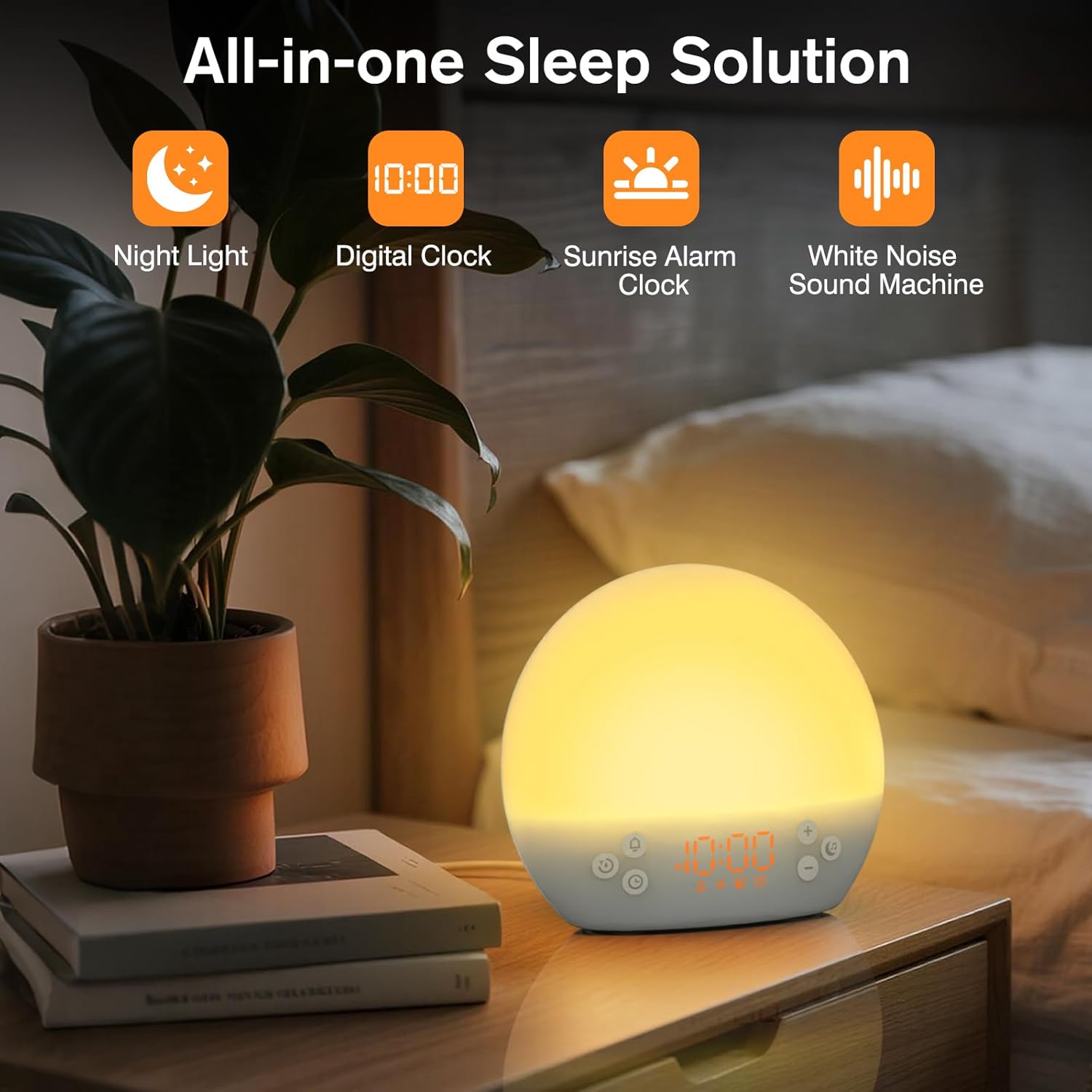
This image shows the KEPLUG MX9 alarm clock on a bedside table next to a plant, with its digital time display clearly visible. The clock emits a warm, soft light, indicating its function as a night light or ambient light source.
Simulimi i lindjes së diellit
The sunrise simulation feature gradually brightens the light before your set alarm time, mimicking a natural sunrise. This duration can be customized from 15 to 120 minutes.
- During alarm setting, you can adjust the sunrise duration.
- Choose from 3 wake-up modes: gentle light + sound, just the alarm, or sunrise light without sound.

This image illustrates the sunrise simulation feature of the KEPLUG MX9 alarm clock. It shows a person waking up gently as the clock's light gradually brightens, simulating a natural sunrise over a period of 15-120 minutes.
Video 2: This video demonstrates the sunrise simulation feature, showing how the light gradually brightens to gently wake the user.
Makinë e zërit të zhurmës së bardhë
The device offers 30 soothing sounds to aid in relaxation and sleep. These include 10 white noises (white, pink, brown noises, fan sounds) and 20 nature sounds (rain, ocean waves, thunderstorms, birdsong, campfires, lullabies).
- Shtypni Muzikë butonin për të kaluar nëpër tingujt e disponueshëm.
- Përdorni + or - butona për të rregulluar volumin (15 nivele).
- An optional sleep timer (30-120 minutes) can be set to automatically turn off sounds.

This image highlights the 30 soothing sounds available on the KEPLUG MX9, categorized into white noises and nature sounds, designed to create a tranquil environment for sleep.
Video 3: This video demonstrates the sound machine functionality, demonstrating the variety of white noise and nature sounds available.
Night Light & Dimmable Display
The alarm clock features 12-color night lights and adjustable brightness. It can be used as a bedside lamp, baby nursery light, or for creating romantic ambient lighting.
- Shtypni shkurt Drita button (sun icon) to turn the light on/off or change colors.
- Use the dedicated light dimmer slider on the back of the device to adjust the light brightness.
- The LED clock display brightness can also be adjusted to your personal comfort level using the display dimmer slider.

This image displays the KEPLUG MX9 alarm clock functioning as a night light, showing a range of 12 solid colors and 4 RGB mood lights. It highlights the device's versatility in creating different ambient settings.
Video 4: This video demonstrates the 12-color night light feature, showing the various color options and how to adjust them.
Intelligent Sleep Timer
The sleep timer allows you to set the device to automatically and gradually turn off sounds and lights after a specified duration (15, 30, 60, or 120 minutes), ensuring an undisturbed night's rest.
- Shtypni Timer button (clock with arrow icon) to activate the sleep timer.
- Cycle through the available durations (15, 30, 60, 120 minutes) by repeatedly pressing the Timer butonin.
- The timer will begin counting down and the light/sound will gradually fade before turning off.
Mirëmbajtja
Pastrimi
- Sigurohuni që pajisja të jetë shkëputur nga priza përpara se ta pastroni.
- Fshijeni sipërfaqen me një leckë të butë dhe të thatë.
- Mos përdorni pastrues gërryes, tretës ose kimikate të ashpra.
Magazinimi
Ruajeni pajisjen në një vend të freskët dhe të thatë, larg rrezeve të diellit dhe temperaturave ekstreme, kur nuk e përdorni për periudha të gjata kohore.
Zgjidhja e problemeve
| Problem | Shkaku i mundshëm | Zgjidhje |
|---|---|---|
| Pajisja nuk ndizet. | Power cable not connected or faulty. | Ensure the power cable is securely connected to both the device and a working power outlet. Try a different USB adapter or outlet. |
| Alarmi nuk bie. | Alarmi nuk është aktivizuar ose volumi është shumë i ulët. | Check if the alarm icon is displayed. If not, activate the alarm. Increase the alarm volume. |
| Time settings are lost after power outage. | No AAA batteries installed or batteries are depleted. | Install 2 new AAA batteries for backup. Remember, batteries only save settings, they do not power the clock for normal operation. |
| Light does not change color or brightness. | Incorrect button press or dimmer setting. | Short press the Light button to cycle colors. Use the light dimmer slider on the back to adjust brightness. |
Specifikimet e produktit
| Veçori | Detaj |
|---|---|
| Emri i modelit | MX9 |
| Dimensionet e produktit | 2.76"D x 6.38"L x 5.71"H |
| Pesha e artikullit | 0.39 kilogramë (13.7 ons) |
| Burimi i energjisë | Energji elektrike me kabllo (DC 5V) |
| Rezervimi i baterisë | 2 AAA batteries (not included) for time settings only |
| Lloji i dritës | Wake Up Light, 12-color Night Light |
| Opsionet e zërit | 30 Soothing Sounds (White Noise, Nature Sounds) |
| Tingujt e alarmit | 6 Tinguj të Natyrës |
| Kohëzgjatja e shtyrjes | 9 minuta |
| Kohëmatësi i gjumit | 15, 30, 60, 120 minuta |
Informacioni i Sigurisë
- Mos e përdorni në vaskë ose pranë ujit.
- Follow all instructions to avoid injury or damage to the device.
- Use at safe volumes to protect hearing.
- Mbajeni jashtë mundësive të fëmijëve dhe kafshëve shtëpiake.
Garancia dhe Mbështetja
For warranty information or technical support, please refer to the product packaging or contact KEPLUG customer service directly. Keep your purchase receipt for warranty claims.
Për ndihmë të mëtejshme, vizitoni KEPLUG Store on Amazon.


