1. Hyrje
Faleminderit për blerjenasing the LYNCAST N300 Mini Smart Projector. This manual provides essential information for setting up, operating, and maintaining your projector. Please read it thoroughly before use to ensure optimal performance and safety.
The LYNCAST N300 is a portable smart projector featuring Android 13, 1080P native resolution with 4K support, automatic keystone correction, WiFi 6, and Bluetooth 5.4 connectivity. Its 180° rotatable design offers flexible projection angles for various environments.
2. Informacion mbi sigurinë
- Mos shikoni drejtpërdrejt në lentet e projektorit kur lamp është ndezur.
- Siguroni ajrosjen e duhur rreth projektorit për të parandaluar mbinxehjen.
- Përdorni vetëm përshtatësin e dhënë të energjisë.
- Mbajeni projektorin larg ujit ose lëngjeve të tjera.
- Shmangni vendosjen e projektorit në sipërfaqe të paqëndrueshme.
- Mos u përpiqni ta çmontoni ose riparoni vetë projektorin. Kontaktoni personelin e kualifikuar të shërbimit.
- Mbajeni jashtë mundësive të fëmijëve.
3. Përmbajtja e paketës
Verifikoni që të gjitha artikujt janë të pranishëm në paketimin tuaj:
- LYNCAST N300 Mini Smart Projector
- Përshtatës i energjisë
- Kabllo HDMI
- Telekomandë
- Manuali i Përdoruesit (ky dokument)
4. Produkti i Mbaruarview
4.1 Komponentët e Projektorit
Familiarize yourself with the main components and interfaces of your LYNCAST N300 projector.
Imazhi 4.1: E pasme view of the LYNCAST N300 projector showing HDMI and USB ports.
- Lente: Projekton imazhin në ekran.
- Rrota e fokusit: Manual adjustment for image sharpness.
- Butoni i energjisë: Ndez/fik projektorin.
- Porta HDMI: Connects to external devices like TV sticks, laptops, gaming consoles (PS5), and TV boxes.
- Porta USB: Connects to USB storage devices or charges compatible devices.
- Fuqia hyrëse: Lidh përshtatësin e energjisë.
- Folësi: Dalje audio e integruar.
- Qëndrim i rregullueshëm: Allows for 180° rotation and flexible projection angles.
5. Konfigurimi
5.1 Lidhja e energjisë
- Lidhni adaptorin e energjisë me portën e hyrjes së energjisë të projektorit.
- Futeni përshtatësin e rrymës në një prizë muri.
- Shtypni butonin e ndezjes në projektor ose në telekomandë për ta ndezur.
5.2 Placement and Angle Adjustment
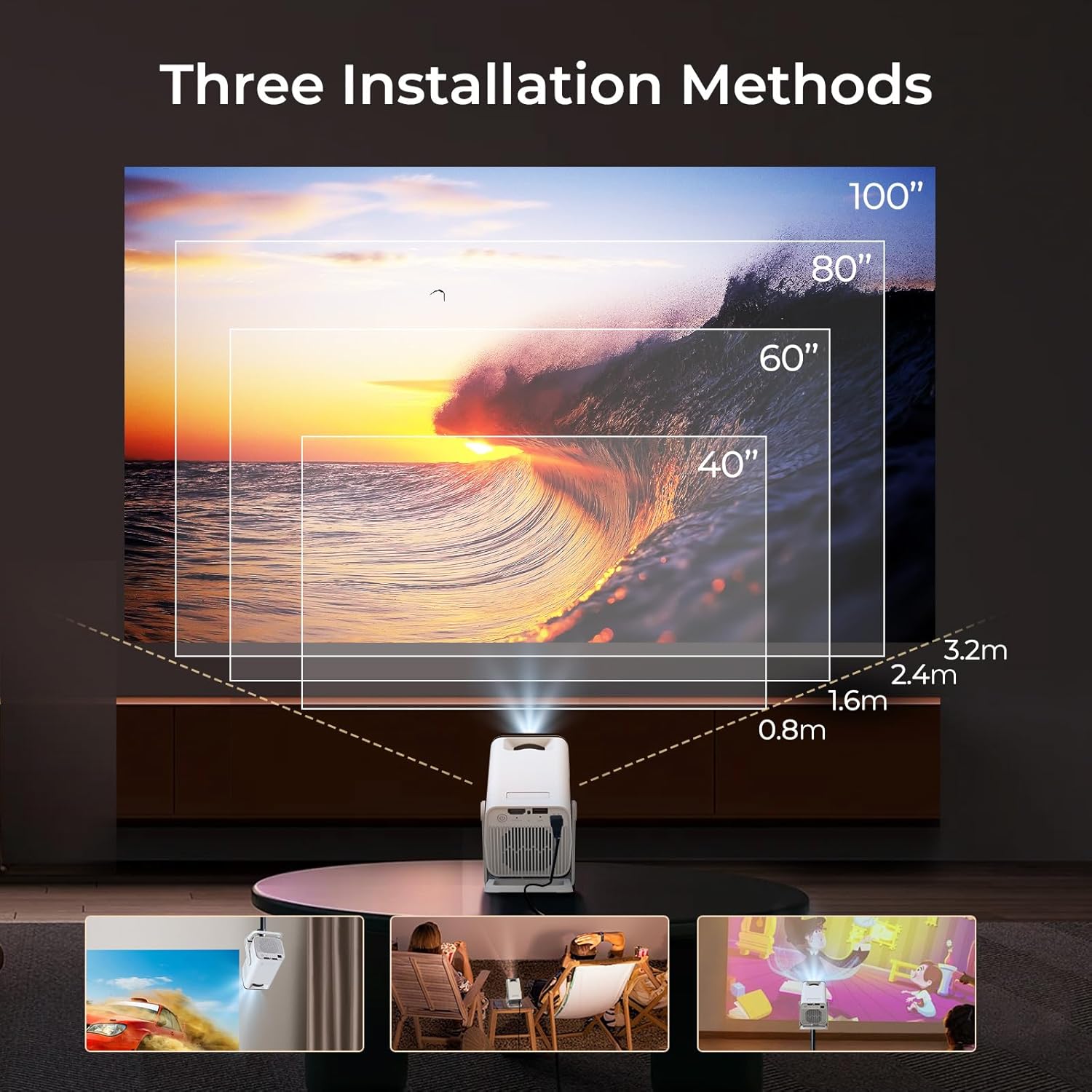
The LYNCAST N300 features a 180° rotatable design, allowing for versatile placement options.

Imazhi 5.1: The projector's adjustable stand allows for various projection angles, including ceiling projection.
- Vendoseni projektorin në një sipërfaqe të qëndrueshme.
- Adjust the projector's angle using its integrated stand to project onto a wall, ceiling, or screen. The stand supports up to 180° rotation.
5.3 Rregullimi i fokusit
To achieve a clear image, manually adjust the focus.

Imazhi 5.2: Location of the manual focus wheel on the projector.
- Ndizni projektorin dhe shfaqni një imazh.
- Rotate the focus wheel located on the side of the projector until the image appears sharp and clear.
5.4 Automatic Keystone Correction
The LYNCAST N300 features automatic keystone correction to adjust distorted images caused by angled projection. This feature automatically squares the image.
- The projector will automatically detect and correct vertical keystone distortion.
- If further adjustments are needed, refer to the on-screen display (OSD) settings for manual keystone correction options.
6. Udhëzimet e funksionimit
6.1 Connecting External Devices via HDMI
Connect devices such as TV sticks, laptops, gaming consoles, or TV boxes using an HDMI cable.
- Connect one end of the HDMI cable to the HDMI port on the projector.
- Connect the other end to the HDMI output of your external device.
- Select the HDMI input source from the projector's menu.
6.2 Lidhje USB
The USB port allows you to play media files direkt nga një pajisje ruajtëse USB.
- Insert your USB storage device into the USB port on the projector.
- Navigate to the media player application on the projector's home screen to browse and play files.
6.3 Lidhshmëria pa tel (WiFi 6 dhe Bluetooth 5.4)
The projector supports WiFi 6 for faster and more stable internet connection and Bluetooth 5.4 for audio devices.
6.3.1 Lidhja me WiFi
- Go to the projector's Settings menu.
- Select "Network & Internet" or "WiFi".
- Choose your desired WiFi network and enter the password if prompted.
6.3.2 Lidhja e pajisjeve Bluetooth
- Go to the projector's Settings menu.
- Select "Connected Devices" or "Bluetooth".
- Aktivizoni Bluetooth dhe kërkoni për pajisje të disponueshme.
- Zgjidhni altoparlantin ose kufjet Bluetooth për t'i çiftuar.
6.4 Screen Mirroring (Phone Link)
Mirror your iOS or Android device screen to the projector.

Imazhi 6.1: Screen mirroring from a smartphone to the projector.
6.4.1 For iOS Devices (AirPlay)
- Ensure both your iOS device and the projector are connected to the same WiFi network.
- On your iOS device, open Control Center and tap "Screen Mirroring".
- Zgjidhni projektorin nga lista e pajisjeve të disponueshme.
6.4.2 For Android Devices (Miracast/Google Cast)
- Ensure both your Android device and the projector are connected to the same WiFi network.
- On your Android device, go to Settings and look for "Cast", "Screen Mirroring", or "Wireless Display". The exact name may vary by device.
- Zgjidhni projektorin nga lista e pajisjeve të disponueshme.
6.5 Using Android 13 Smart Features
The LYNCAST N300 runs on Android 13, providing access to a wide range of applications.

Imazhi 6.2: Android 13 interface showing pre-installed applications.
- Aplikacionet e para-instaluara: Access popular streaming services like Netflix, YouTube, Prime Video, and Disney+ directly from the home screen.
- Dyqani i aplikacioneve: Shkarkoni dhe instaloni aplikacione shtesë nga dyqani i integruar i aplikacioneve.
- Navigimi: Use the remote control to navigate the Android interface.
7. Mirëmbajtja
7.1 Pastrimi i Lentes
- Përdorni një leckë të butë pa push, të projektuar posaçërisht për lentet optike.
- Gently wipe the lens to remove dust or smudges. Do not use abrasive cleaners or excessive force.
7.2 Pastrimi i trupit të projektorit
- Fshijeni pjesën e jashtme të projektorit me një leckë të butë dhe të thatë.
- Mos përdorni pastrues të lëngshëm ose tretës.
7.3 Ruajtja
- Kur nuk e përdorni për periudha të gjata, ruajeni projektorin në një vend të freskët dhe të thatë, larg rrezeve të diellit dhe temperaturave ekstreme.
- Consider using the original packaging or a protective case to prevent dust accumulation and damage.
8. Troubleshooting
| Problem | Shkaku i mundshëm | Zgjidhje |
|---|---|---|
| Asnjë fuqi | Kablloja e energjisë nuk është e lidhur; Priza e energjisë është e dëmtuar | Sigurohuni që kablloja e energjisë është e lidhur mirë; provoni një prizë tjetër elektrike. |
| Asnjë imazh | Incorrect input source; Loose HDMI cable; Device not powered on | Select correct input source; Check HDMI cable connection; Ensure connected device is powered on. |
| Imazhi i turbullt | Focus not adjusted; Projector too far/close | Adjust the manual focus wheel; Reposition the projector for optimal distance. |
| Asnjë zë | Volume too low; Muted; Incorrect audio output selected; Bluetooth device not connected | Increase volume; Unmute; Check audio settings; Reconnect Bluetooth device. |
| Telekomanda nuk funksionon | Bateri të ngordhura; Pengesa midis telekomandës dhe projektorit | Zëvendësoni bateritë; Sigurohuni që të keni një vijë të qartë shikimi me marrësin IR të projektorit. |
| Probleme me lidhjen WiFi | Incorrect password; Out of range; Router issues | Verify WiFi password; Move projector closer to router; Restart router. |
9. Specifikimet
| Veçori | Detaj |
|---|---|
| Markë | LYNCAST |
| Emri i modelit | Netflix VisualCube N300 (X1AA) |
| Sistemi Operativ | Android 13 |
| Teknologjia e shfaqjes | LED, Laser |
| Rezoluta amtare | 1920 x 1080 (1080 P) |
| Mbështetje me Rezolucionin maksimal | 3840 Pixels (4K) |
| Raporti i kontrastit | 1000:1 |
| Teknologjia e lidhjes | Bluetooth 5.4, WiFi 6 |
| Ndërfaqja e harduerit | HDMI, USB |
| Karakteristika të veçanta | Automatic Obstacle Avoidance (Auto Keystone), 180° Rotation |
| Pajisjet e përputhshme | Speaker, Game Console, Laptop, Smartphone, Tablet, TV Stick |
| Dimensionet e produktit | 10 x 10 x 17 cm |
| Pesha e produktit | 770 g |
| Lloji i montimit | Montimi i tryezës |
10. Garancia dhe Mbështetja
For warranty information and technical support, please refer to the warranty card included in your package or visit the official LYNCAST webfaqe interneti. Ruajeni faturën e blerjes si provë të blerjes.
LYNCAST Official Webfaqe: LYNCAST Brand Store on Amazon
11. Demonstrim Video i Produktit
Shikoni këtë video për një përmbledhje vizualeview of the LYNCAST N300 Mini Smart Projector's features and usage.
Klipi 11.1: LYNCAST N300 Projector overview, demonstrating features like Netflix compatibility, portable design, 270° rotation, manual focus, and phone link (screen mirroring).


