1. Produkti i Mbaruarview
The avedio links VHS to Digital Converter is a USB capture device designed to convert analog video signals from various sources into a digital USB format. This allows for the preservation and playback of older media on modern computers.
- Konvertimi analog në dixhital: Converts analog video (RCA/Composite) to digital USB signals, supporting resolutions up to 1080p at 30Hz.
- Përputhshmëri e gjerë: Ideal for connecting old camcorders, set-top boxes, DVD players, VHS recorders, and DVRs.
- Plug & Play: Designed for ease of use with most current laptops, ensuring stable video recording and transmission.
- Kabllo e zgjeruar: Features a 1-meter USB cable for flexible connection options.
- Mbështetja e sistemit: Compatible with Windows and macOS operating systems.
- Integrimi i softuerit: Works seamlessly with popular recording software such as OBS and PotPlayer for video capture and screen recording.

Image 1.1: The avedio links VHS to Digital Converter, showing its RCA (yellow, white, red) and S-Video input connectors, and the USB output connector. This device facilitates the conversion of analog audio and video to a digital format.
2. Përmbajtja e paketës
Verifikoni që të gjitha sendet janë të pranishme në paketim:
- RCA and S-Video to USB Capture Adapter
- Konvertuesi USB-A në USB-C
- Shofer CD
- Manual udhëzimi (ky dokument)
3. Udhëzime për konfigurimin
Follow these steps to set up your avedio links VHS to Digital Converter:
- Instaloni drejtuesit: Insert the included Driver CD into your computer's CD/DVD drive and follow the on-screen instructions to install the necessary drivers. If your computer does not have a CD drive, drivers may be available for download from the avedio links support webfaqe.
- Lidhni burimin analog: Connect your analog video source (e.g., VCR, camcorder, DVD player) to the converter using the appropriate RCA (yellow for video, white for left audio, red for right audio) or S-Video cables. Ensure all connections are secure.
- Lidhu me kompjuterin: Plug the USB connector of the capture device into an available USB 2.0 port on your laptop or PC. If your computer only has USB-C ports, use the provided USB-A to USB-C converter.
- Install Recording Software: Install your preferred video recording software (e.g., OBS Studio, PotPlayer). These applications are widely available and offer robust features for video capture.
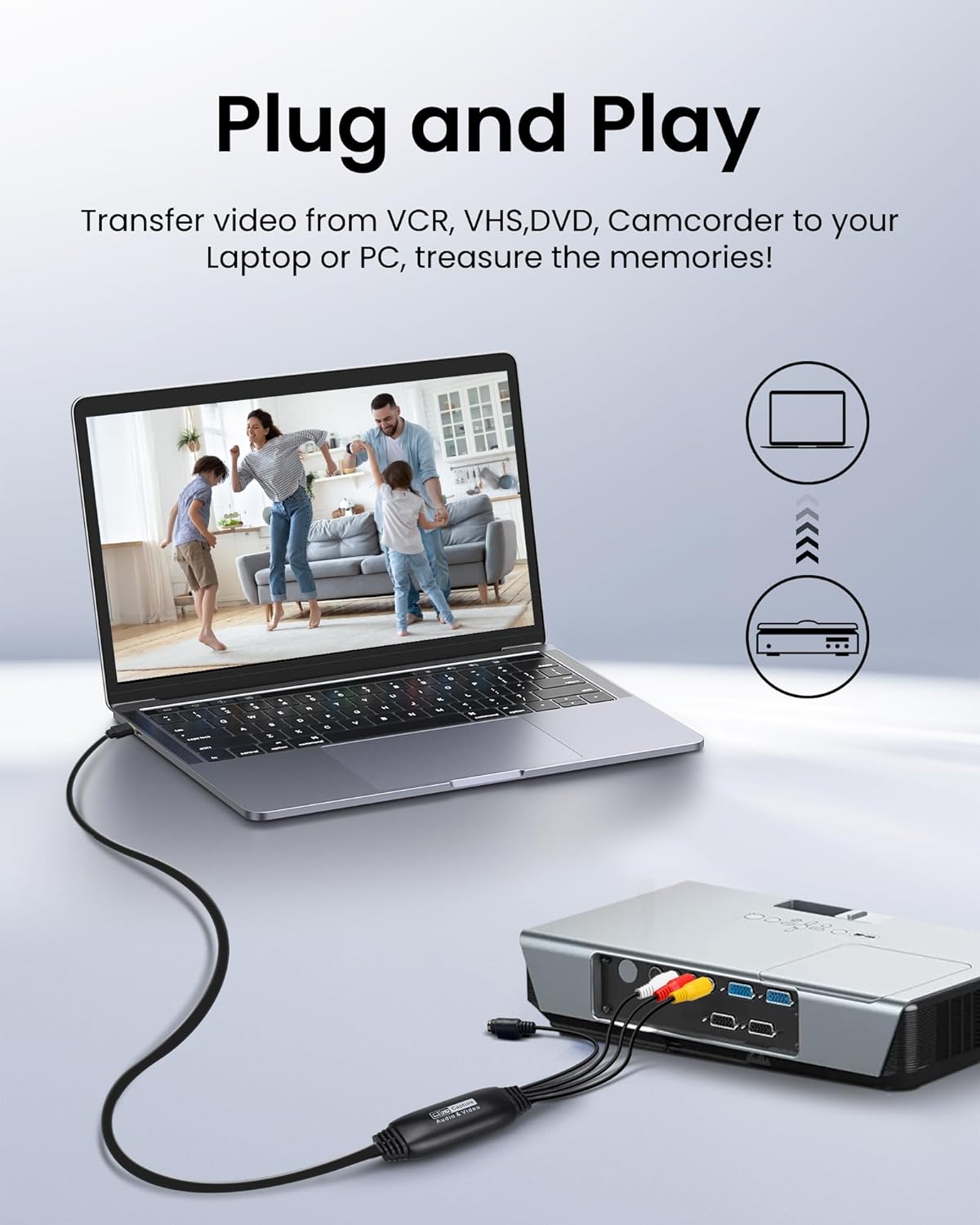
Image 3.1: Connection diagram illustrating how to connect an analog source (VCR) to the avedio links converter and then to a laptop for digital conversion.

Image 3.2: The converter is compatible with various operating systems including Mac OS, Windows, Android, and Linux, and supports software like OBS, Xsplit, VLC, and Skype for video capture.
4. Udhëzimet e funksionimit
Once the setup is complete, follow these steps to capture video:
- Ndezja e pajisjeve: Ensure your analog video source (VCR, camcorder) and computer are powered on.
- Nisja e softuerit: Open your chosen video recording software (e.g., OBS Studio).
- Select Video Input: In the software settings, locate the video input source selection. Choose the avedio links capture device (it may appear as 'USB Video Device' or similar).
- Select Audio Input: Similarly, select the audio input source, which should also correspond to the avedio links capture device.
- Konfiguro cilësimet: Adjust video resolution, frame rate, and audio settings within the software as needed. For optimal quality, aim for 1080p at 30Hz if supported by your source and software.
- Filloni riprodhimin: Begin playing the video on your analog source device.
- Filloni regjistrimin: In your software, click the 'Record' button to begin capturing the video. Monitor the preview window to ensure the signal is being received correctly.
- Ndalo regjistrimin: Once the playback is complete, stop the recording in your software. Save the captured video file në vendndodhjen e dëshiruar në kompjuterin tuaj.
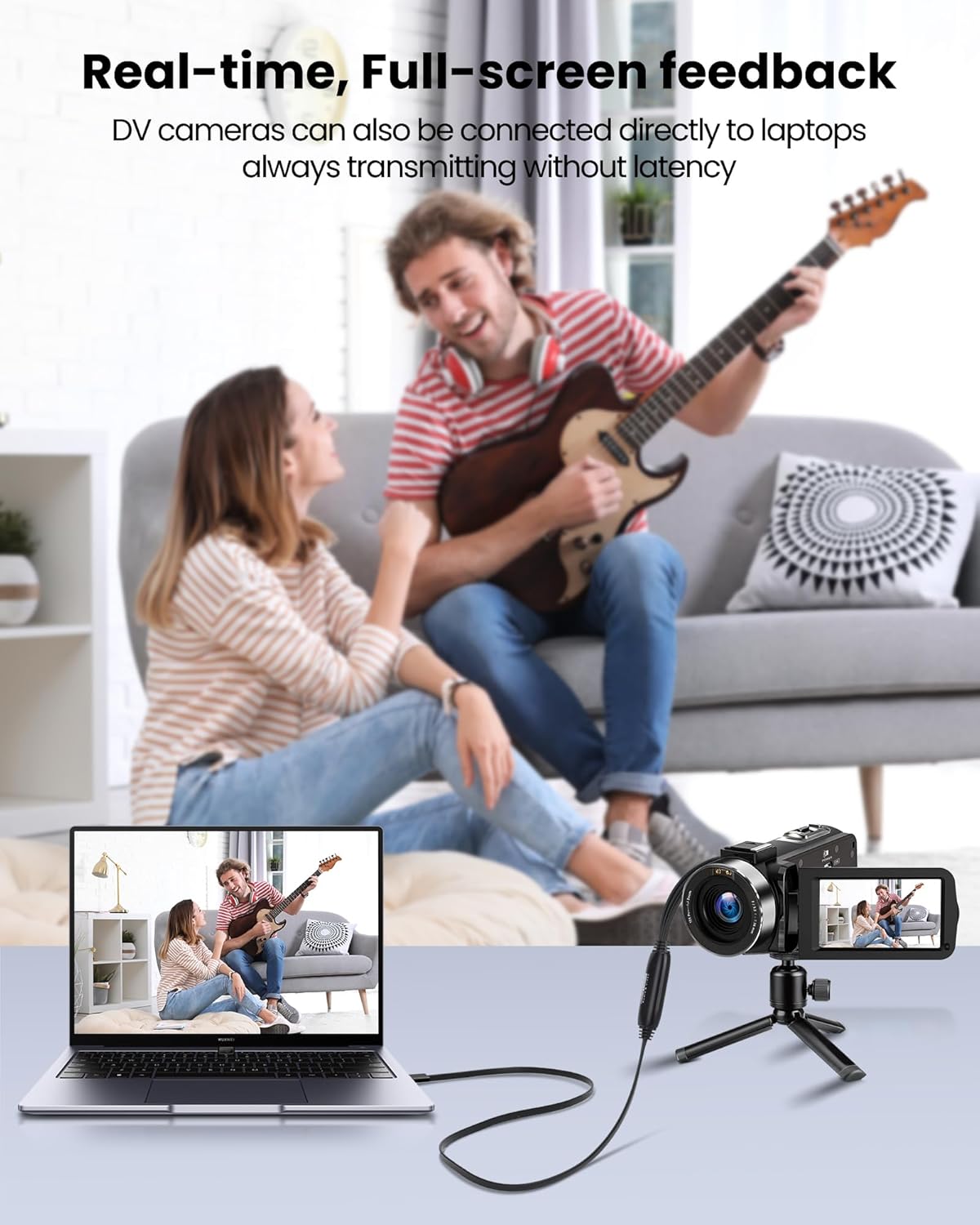
Image 4.1: Demonstrates real-time, full-screen feedback when a DV camera is connected directly to a laptop using the converter, ensuring no latency during transmission.

Image 4.2: The converter supports up to 1080P@30Hz output, as shown with a gaming console connected to a television.
5. Mirëmbajtja
To ensure the longevity and optimal performance of your avedio links converter:
- Pastrimi: Përdorni një leckë të butë dhe të thatë për të pastruar pajisjen. Shmangni pastruesit e lëngshëm ose materialet gërryese.
- Magazinimi: Store the converter in a cool, dry place away from direct sunlight and extreme temperatures.
- Kujdesi për kabllot: Avoid bending or kinking the cables excessively. Do not pull on the cables to disconnect the device.
- Përditësimet e softuerit: Periodically check for updated drivers or software for your operating system and recording application to ensure compatibility and performance.
6. Troubleshooting
If you encounter issues, refer to the following troubleshooting tips:
- Pa sinjal video/audio:
- Ensure all cables (RCA/S-Video, USB) are securely connected.
- Verify that the analog source device (VCR, camcorder) is powered on and playing content.
- Check if the correct video and audio input sources are selected in your recording software.
- Confirm that the drivers for the capture device are correctly installed. Reinstall if necessary.
- Cilësi e dobët e videos/audio:
- Ensure the analog source is providing a clean signal. Test with a different tape or DVD if possible.
- Check cable quality. Damaged or low-quality cables can degrade the signal.
- Adjust resolution and bitrate settings in your recording software. Higher settings generally result in better quality but larger file madhësive.
- Softueri nuk e njeh pajisjen:
- Ensure drivers are installed correctly. Try uninstalling and reinstalling them.
- Rinisni kompjuterin tuaj pas instalimit të shoferit.
- Provoni një port tjetër USB në kompjuterin tuaj.
- Update your recording software to the latest version.
- Software Installation Issues:
- If you experience issues installing software from the CD, try downloading the latest version directly from the software developer's website (e.g., OBS Studio).
- Ensure your operating system meets the minimum requirements for the software.
7. Specifikimet
| Markë | lidhjet avedio |
| Numri i modelit | 9799240a-5448-44ed-a7ce-1925c09da1aa |
| Dimensionet e produktit | 16.3 x 13.1 x 1.5 cm |
| Pesha | 110 gram |
| Ngjyra | E zezë |
| Interface input | RCA (Composite), S-Video |
| Ndërfaqja e daljes | USB 2.0 (with USB-A to USB-C converter) |
| Rezolucioni maksimal | 1080p @ 30Hz |
| Pajisjet e përputhshme | Laptop, PC |
| Sistemet Operative | Windows, macOS (also compatible with Android, Linux) |

Image 7.1: The avedio links converter featuring its 1-meter extended USB cable, providing increased flexibility for connections.
8. Garancia dhe Mbështetja
For technical support, driver updates, or warranty inquiries, please visit the official avedio links webfaqen e internetit ose kontaktoni shërbimin e tyre ndaj klientit. Ruajeni faturën e blerjes për kërkesat e garancisë.


