1. Hyrje
This manual provides essential information for the setup, operation, maintenance, and troubleshooting of your Razer Blade 14 (2025) Gaming Laptop. This device is engineered for high performance in a portable form factor, suitable for gaming, creative tasks, and professional use.
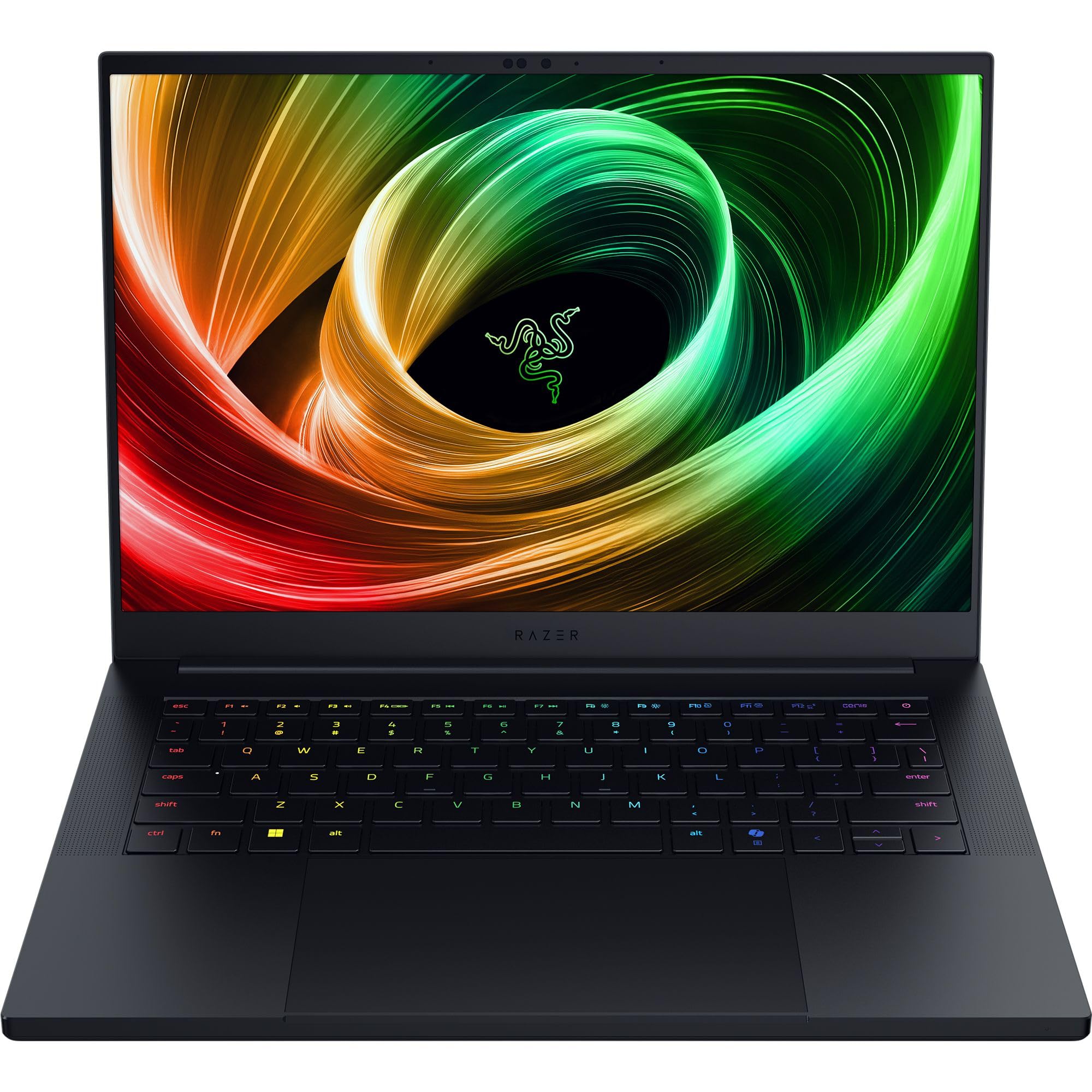
Figure 1: Razer Blade 14 (2025) Gaming Laptop.
2. Çfarë ka në kuti
Verifikoni që të gjitha sendet janë të pranishme në paketim:
- Razer Blade 14 Gaming Laptop
- Përshtatës energjie + kordoni rajonal i energjisë
- Pëlhurë pastrimi me mikrofibër
- Udhëzues i rëndësishëm i informacionit të produktit
Video 1: Hapja e kutisë dhe vendosja e inicialeve mbi tëview of the Razer Blade 14. This video provides a visual guide to the contents of the box and the laptop's initial appearance.
3. Konfigurimi
3.1 Ndezja fillestare
- Unpack the Razer Blade 14 and its power adapter from the box.
- Lidhni adaptorin e energjisë me portën e karikimit të laptopit dhe më pas me një prizë elektrike.
- Open the laptop lid. The system may power on automatically or require you to press the power button located on the top-right of the keyboard.
- Ndiqni udhëzimet në ekran për të përfunduar procesin e konfigurimit të Windows 11 Home. Kjo përfshin zgjedhjen e rajonit tuaj, lidhjen me një rrjet dhe krijimin e një llogarie përdoruesi.
3.2 Lidhja e pajisjeve periferike
The Razer Blade 14 offers a variety of ports for connecting external devices:
- Portat USB-A: Connect USB accessories such as mice, keyboards, or external storage.
- USB4 Type-C Ports: Use for data transfer, video output, or charging compatible devices.
- Porta HDMI: Connect to external displays or TVs for extended screen real estate.
- Jack audio 3.5 mm: Lidhni kufjet ose altoparlantët e jashtëm.

Figure 2: The thin and lightweight design of the Razer Blade 14, highlighting its portability.
4. Përdorimi i laptopit
4.1 Karakteristikat e ekranit
The Razer Blade 14 features a 14-inch 3K (2880x1800) OLED display with a 120Hz refresh rate and an ultra-fast 0.2ms response time. This display is Calman Verified, ensuring professional-grade color accuracy with support for Rec. 709, DCI-P3, sRGB, and Adobe RGB color profiles.

Figure 3: The vibrant 3K 120Hz OLED display of the Razer Blade 14, showcasing its color accuracy and smooth visuals.
4.2 Performanca Mbiview
Your Razer Blade 14 is equipped with:
- Procesori: AMD Ryzen AI 9 365 CPU with up to 50 TOPS of AI processing power.
- Grafika: NVIDIA GeForce RTX 5060 Laptop GPU (up to 115W TGP) for immersive graphics and AI-enhanced performance with DLSS 4.
- Kujtesa: 16GB LPDDR5X RAM running at 8000 MHz for ultra-fast and efficient multitasking.
- Magazinimi: 1TB SSD for ample and fast storage.
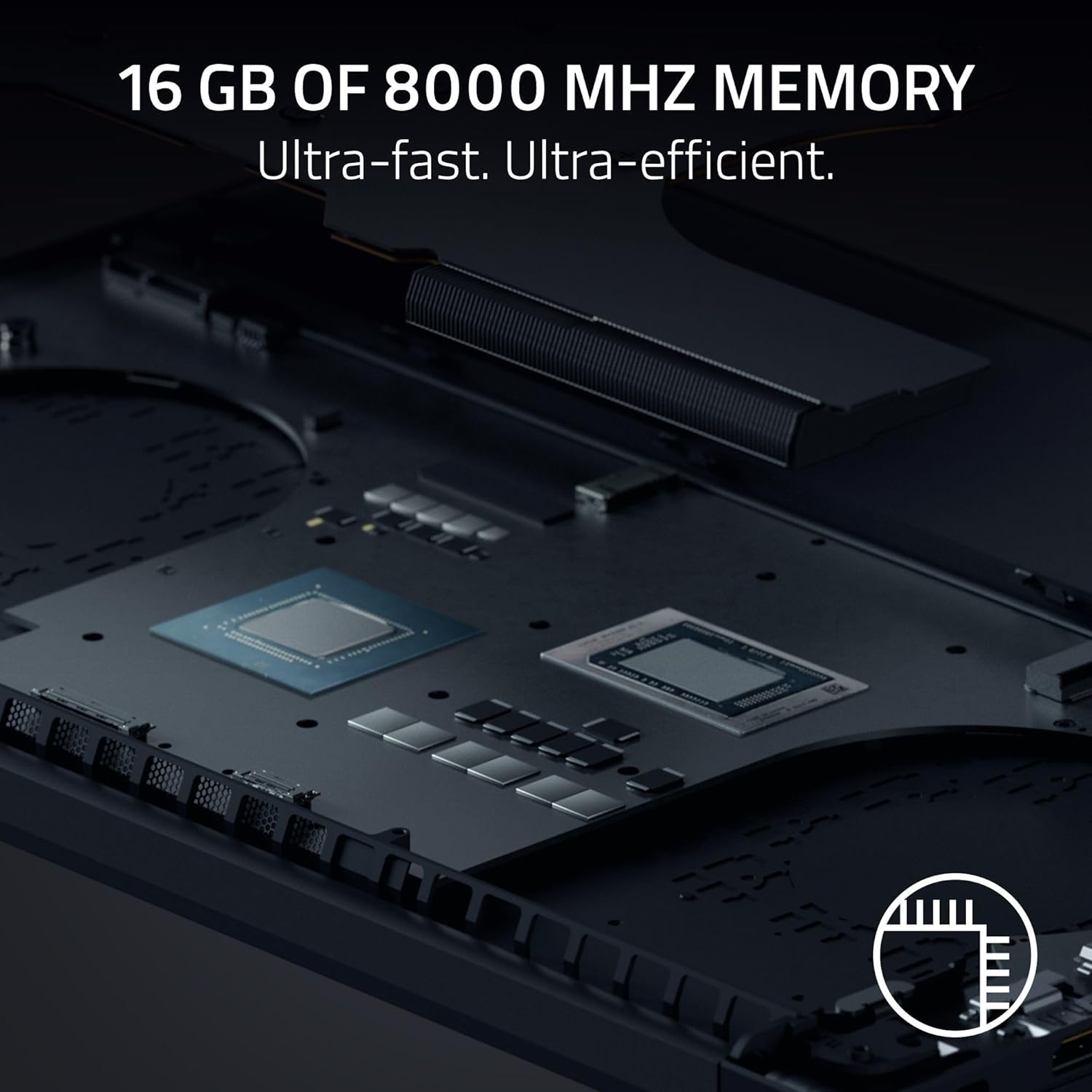
Figura 4: E brendshme view of the Razer Blade 14, showing the high-performance CPU and RAM modules.
4.3 Audio and Keyboard
Experience rich, immersive sound with the new six-speaker array featuring THX Spatial Audio. The keyboard includes Razer Chroma RGB lighting, which can be customized through Razer Synapse software.

Figura 5: Nga lart-poshtë view of the Razer Blade 14 keyboard, showcasing the customizable Chroma RGB lighting.
4.4 Jetëgjatësia dhe Ngarkimi i Baterisë
The laptop offers up to 11 hours of battery life. For quick charging, the compact 200W adapter can charge the battery up to 50% in just 30 minutes.

Figure 6: A user operating the Razer Blade 14 on a laptop stand, illustrating its portability and extended battery life.
5. Mirëmbajtja
5.1 Kujdesi i Përgjithshëm
- Keep the laptop clean using the provided micro-fiber cloth. Avoid abrasive cleaners.
- Handle the laptop with care to prevent physical damage to the aluminum unibody.
- Avoid placing heavy objects on the laptop or exposing it to extreme temperatures.
5.2 Përditësimet e softuerit
Regularly update your Windows 11 Home operating system and NVIDIA graphics drivers to ensure optimal performance and security. Utilize Razer Synapse for managing Chroma RGB lighting and accessing performance profiles, including overclocking options.
5.3 Sistemi i ftohjes
The Razer Blade 14 features an advanced cooling design with a vapor chamber and thermal hood. To maintain optimal cooling performance, ensure that the air vents are not obstructed during use.
Video 2: Official Razer Blade 14 Accolade Trailer. This video highlights key features and design aspects of the laptop, including its cooling system.
6. Troubleshooting
6.1 Çështjet dhe zgjidhjet e përbashkëta
- System Unresponsiveness: If the system becomes unresponsive, perform a hard reset by holding down the power button until the laptop shuts off, then restart.
- Problemet e shfaqjes: Ensure graphics drivers are up to date. If using an external monitor, check cable connections.
- Bateria nuk ngarkohet: Verify the power adapter is securely connected to both the laptop and the power outlet. Try a different outlet if necessary.
- Degradimi i performancës: Check for background applications consuming resources. Ensure the cooling vents are clear and the laptop is on a hard, flat surface. Update drivers and operating system.
6.2 Kontaktimi i mbështetjes
If you encounter persistent issues that cannot be resolved with the above steps, please refer to the Important Product Information Guide included in your box or visit the official Razer support webfaqe për ndihmë të mëtejshme.
7. Specifikimet
| Veçori | Specifikimi |
|---|---|
| Emri i modelit | Tehu 14 |
| Numri i modelit të artikullit | RZ09-05305ES3-R3U1 |
| Madhësia e ekranit | 14 inç |
| Rezolucioni i ekranit | 2880 x 1800 piksele (3K) |
| Rezolucioni maksimal i ekranit | 2880x1800 pikselë |
| Shpejtësia e rifreskimit | 120 Hz |
| Përpunues | AMD Ryzen AI 9 365 (2 GHz ryzen_ai) |
| RAM | 16 GB LPDDR5X (8000 MHz) |
| Hard Drive | 1 TB SSD |
| Karta Grafike | NVIDIA GeForce RTX 5060 (8 GB GDDR7) |
| Sistemi Operativ | Windows 11 Home |
| Lloji me valë | 802.11a/g/n/ac (Wi-Fi 7 capable) |
| Portet USB | 2x USB 3.0, Dual USB4 Type-C |
| Jetëgjatësia mesatare e baterisë | 11 orë |
| Pesha e artikullit | 7.79 paund (rreth 3.53 kg) |
| Dimensionet e produktit | 12.24 x 0.64 x 8.83 inç |
| Karakteristika të veçanta | AI-driven productivity tools, Advanced cooling system, Calman Verified display, THX Spatial Audio |
8. Garancia dhe Mbështetja
Your Razer Blade 14 (2025) Gaming Laptop comes with a manufacturer's warranty. Please refer to the 'Important Product Information Guide' included in your product packaging for detailed warranty terms and conditions.
For technical support, driver downloads, and FAQs, visit the official Razer Support webfaqe: www.razer.com/support. You can also find additional resources and community forums there.