1. Hyrje
The Amzfast AMZG27F5Q is a 27-inch WQHD (2560 x 1440p) gaming monitor designed for an immersive visual experience. Featuring a Fast IPS panel, it delivers a high 200Hz refresh rate and a rapid 1ms response time, ensuring smooth and fluid gameplay. This monitor is compatible with both FreeSync and G-SYNC technologies to reduce screen tearing and stuttering. It supports HDR400, offers 132% sRGB and 96% DCI-P3 color gamut, and includes eye care features such as low blue light, anti-flicker, and anti-glare to protect your vision during extended use. Built-in speakers and a retractable headphone holder enhance convenience.
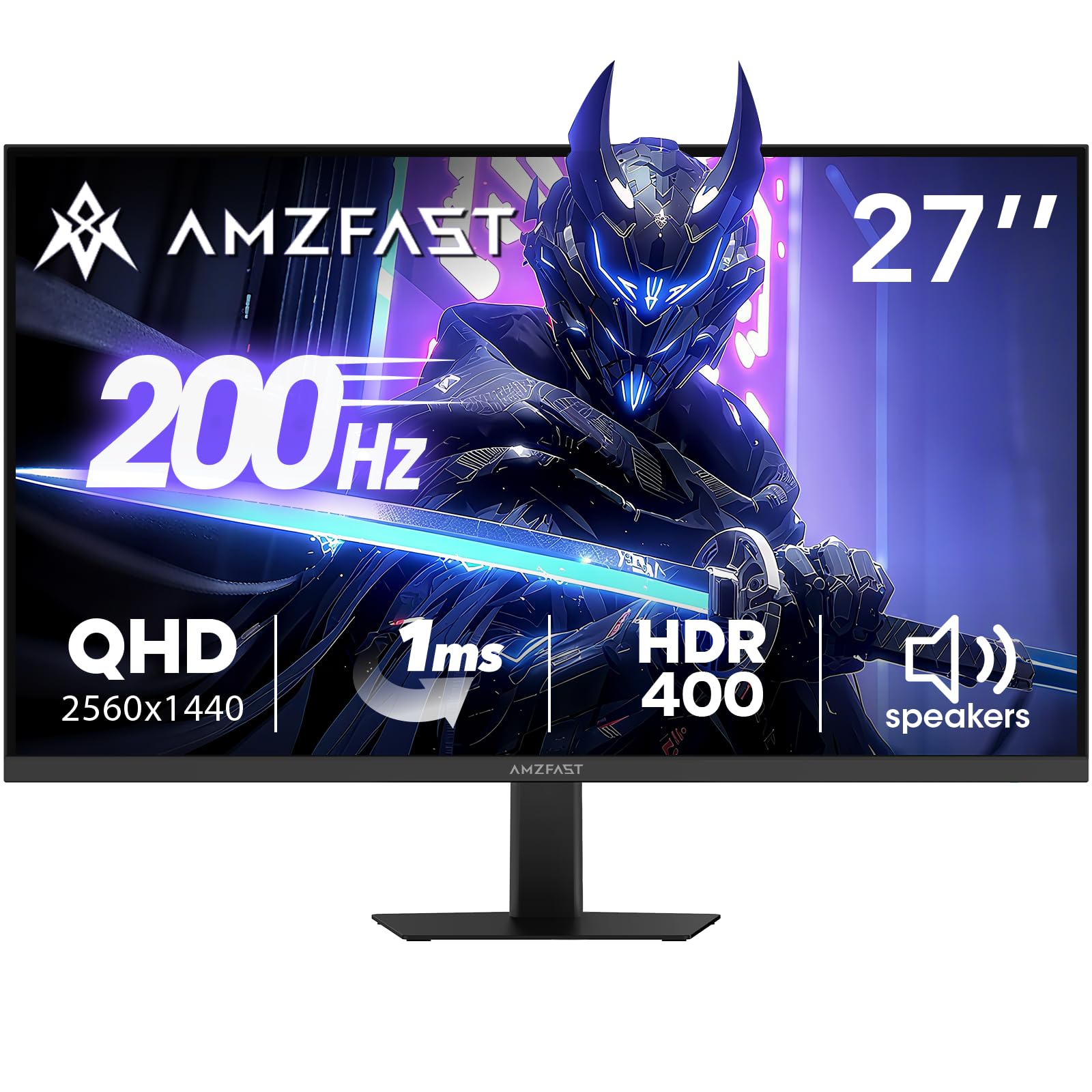
Image: Amzfast 27-inch gaming monitor displaying a vibrant game scene.
2. Çfarë ka në kuti
Ju lutemi kontrolloni përmbajtjen e paketimit pasi ta hapni kutinë për t'u siguruar që të gjitha artikujt janë të pranishëm:
- Amzfast AMZG27F5Q 27-Inch Gaming Monitor
- Përshtatës x 1
- DP Cable (1.5m) x 1
- Manuali i Përdoruesit
- Udhëzues për fillimin e shpejtë
3. Konfigurimi
3.1 Montimi i stendës
Carefully remove the monitor and stand components from the packaging. Attach the stand base to the stand neck, then secure the assembled stand to the back of the monitor. Ensure all screws are tightened appropriately to prevent instability.
3.2 Lidhja e Monitorit
The monitor supports multiple input options. Connect your device (PC, game console, laptop) to the monitor using one of the following cables:
- DisplayPort (DP 1.4): For resolutions up to 2560x1440 at 200Hz.
- HDMI (HDMI 2.0): For resolutions up to 2560x1440 at 144Hz.
Lidhni adaptorin e energjisë me hyrjen DC të monitorit dhe pastaj me një prizë elektrike.

Imazh: Pjesa e pasme view diagram of the monitor showing port locations and dimensions.
3.3 Montimi VESA
The monitor is compatible with 100mm x 100mm VESA mounts. If using a VESA mount, remove the stand and attach the monitor to your VESA-compatible arm or wall mount using appropriate screws (not included).

Imazh: Pjesa e pasme view of the Amzfast 27-inch monitor, highlighting the VESA mounting points.
3.4 Përfundimi i konfigurimitview Video
Video: Një zyrtar mbiview of the Amzfast 27 Inch QHD 200Hz Gaming Monitor, demonstrating its features and setup.
4. Funksionimi i Monitorit
4.1 Ndez/Fik
Press the power button, usually located on the back or bottom of the monitor, to turn it on or off. The power indicator light will illuminate when the monitor is active.
4.2 Menuja e Shfaqjes në Ekran (OSD)
The OSD menu allows you to adjust various monitor settings. Typically, a joystick or a set of buttons on the back or bottom of the monitor is used for navigation. Common settings include:
- Cilësimet e figurës: Shkëlqimi, Kontrasti, Mprehtësia, Gama, Temperatura e Ngjyrës.
- Cilësimet e ngjyrave: sRGB, DCI-P3, HDR modes.
- Cilësimet e Lojërave: Overdrive (response time), Adaptive Sync (FreeSync/G-SYNC compatible), AI Crosshair, Night Vision.
- Burimi i hyrjes: Select between DP and HDMI inputs.
- Audio: Volume control for built-in speakers and headphone output.
4.3 Karakteristikat kryesore
- Shpejtësia e Rifreskimit 200Hz dhe Koha e Përgjigjes 1ms: Experience ultra-smooth visuals and reduced motion blur, crucial for fast-paced gaming.
- Sinkronizimi adaptiv: Synchronizes the monitor's refresh rate with your GPU's frame rate to eliminate screen tearing and stuttering. Ensure this feature is enabled in both the monitor's OSD and your graphics card settings.
- HDR400 Display: Provides enhanced contrast and color accuracy for a more vibrant and realistic viewpërvojë.
- Game Assist Modes: Utilize features like AI Crosshair for improved aiming and Night Vision for enhanced visibility in dark game scenes.
- Built-in Speakers & Headphone Holder: Convenient integrated 2W speakers for audio output and a retractable holder to keep your headphones organized.
- Teknologjia e kujdesit për sytë: Features Low Blue Light, Anti-glare, and Anti-flicker technologies to reduce eye strain during prolonged use.

Image: Visual representation of 200Hz refresh rate in a racing game.

Image: Illustration of 1ms response time and Adaptive Sync technology.

Image: Display showcasing HDR400 and 10-bit color depth capabilities.

Image: Demonstration of AI Crosshair and Night Vision features in gaming scenarios.

Imazh: Pjesa e pasme view of the monitor highlighting the built-in speakers and retractable headphone holder.

Image: User interacting with the monitor, emphasizing eye care features.
5. Mirëmbajtja
5.1 Pastrimi i ekranit
Për të pastruar ekranin e monitorit, fshijeni butësisht me një leckë të butë pa push. Për shenja kokëforta, fshijeni lehtë.ampLani leckën me ujë ose me një pastrues të butë dhe jo-gërryes për ekranin. Shmangni përdorimin e kimikateve të ashpra, alkoolit ose pastruesve me bazë amoniaku, pasi këto mund të dëmtojnë sipërfaqen e ekranit.
5.2 Pastrimi i C-sëasing
Përdorni një leckë të butë dhe të thatë për të fshirë monitorin casing. If necessary, a slightly damp cloth can be used, followed by a dry cloth to remove any moisture. Do not allow liquids to enter the monitor's vents or ports.
6. Troubleshooting
If you encounter issues with your Amzfast AMZG27F5Q monitor, refer to the following common solutions:
| Problem | Shkaku i mundshëm | Zgjidhje |
|---|---|---|
| Asnjë imazh në ekran | Kablloja e energjisë është shkëputur, burimi i hyrjes është i gabuar, kablloja e videos është e lirshme. | Ensure power cable is securely connected. Select the correct input source via the OSD menu. Check video cable connections (DP/HDMI) at both the monitor and your device. |
| Imazh i dridhur ose i shtrembëruar | Faulty video cable, incorrect refresh rate, Adaptive Sync issue. | Try a different video cable. Adjust the refresh rate in your device's display settings. Disable/enable Adaptive Sync in the OSD menu and graphics card settings. |
| Nuk ka zë nga altoparlantët/kufjet | Volume too low, audio output not selected, faulty cable. | Increase volume via OSD menu or your device. Ensure the monitor is selected as the audio output device on your computer. Check headphone connection. |
| Monitori nuk ndizet | Power adapter issue, power button malfunction. | Verify the power adapter is working and connected correctly. Try a different power outlet. |
7. Specifikimet
| Veçori | Detaj |
|---|---|
| Dimensionet e produktit | 7.28 x 24.13 x 17.68 inç |
| Pesha e artikullit | 12.97 paund |
| Numri i modelit | AMZG27F5Q |
| Madhësia e ekranit | 27 inç |
| Rezolucioni | 2560 x 1440 piksel (WQHD) |
| Raporti i pamjes | 16:9 |
| Shpejtësia e rifreskimit | 200 Hz |
| Koha e përgjigjes | 1 ms |
| Lloji i panelit | Pothuajse IPS |
| Shkëlqimi | 450 Candela per Square Meter (cd/m²) |
| Raporti i kontrastit | 1000:1 (statike) |
| Gama e ngjyrave | 132% sRGB, 96% DCI-P3 |
| Thellësia e ngjyrave | 10-bit (8bit+FRC) |
| Mbështetje HDR | HDR400 |
| Sinkronizimi adaptiv | FreeSync & G-SYNC Compatible |
| Lidhshmëria | DP 1.4 x 2, HDMI 2.0 x 2, Earphone Jack, DC Input |
| Mali VESA | 100 mm x 100 mm |
| Altoparlantët e integruar | Po (2W x 2) |
| Karakteristikat e Kujdesit për Sytë | Low Blue Light, Anti-glare, Anti-flicker |
| Prodhuesi | EXPRESS LUCK INDUSTRIAL(ZHONGSHAN)LIMITED |
8. Garanci dhe Mbështetje
The Amzfast AMZG27F5Q monitor comes with a 1-year warranty. Additionally, a 30-day free return/replacement policy is offered. For further assistance, technical support, or warranty claims, please visit the official Amzfast store or contact customer service.
Official Amzfast Store: Amzfast Store