Hyrje
Thank you for choosing the ProtoArc KM310 Wireless Mechanical Keyboard and Mouse. This combo offers a responsive typing experience with low-profile linear red switches and versatile multi-device connectivity. The ergonomic mouse is designed for comfort and precision. This manual provides detailed instructions for setup, operation, maintenance, and troubleshooting to ensure optimal performance.
Çfarë ka në Kuti

Image: Contents of the ProtoArc KM310 package, including the keyboard, mouse, charging cable, and user manual.
- ProtoArc KM310 Wireless Mechanical Keyboard
- ProtoArc Wireless Mouse
- Kabllo karikimi USB-C
- Manuali i Përdoruesit
Produkti Mbiview
Karakteristikat e tastierës

Imazh: Një pamje nga afër view of the ProtoArc KM310 keyboard, highlighting its low-profile keys and linear red switches.
- Low-Profile Çelësat mekanikë: Equipped with linear red switches for a smooth, quiet, and responsive typing experience.
- Aluminum Top Case: Provides durability and a sleek, modern aesthetic.
- Këmbë të rregullueshme për pjerrësi: Ergonomically designed with 2-stage foot mats offering 6° and 9° tilt options for comfortable typing.
- Paraqitja në madhësi të plotë: A 108-key layout suitable for office and business use.
Karakteristikat e miut

Image: The ProtoArc KM310 mouse being held, showcasing its ergonomic design for a natural grip.
- 63G Ultra-Lightweight: Reduces hand fatigue during extended use and enhances portability.
- Dizajni ergonomik: Contoured shape for a comfortable and natural grip.
- DPI e rregullueshme: Three DPI levels (1000/1600/2400) for tailored control and precision.
- Kliko në heshtje: I projektuar për funksionim të qetë.
- Butonat Përpara/Prapa: Integrated for seamless browsing.
Lidhshmëria dhe fuqia
- Lidhja me shumë pajisje: Connects up to 3 devices via 2.4G USB receiver or Dual Bluetooth (BT1, BT2).
- E rikarikueshme: Both keyboard and mouse feature Type-C charging. The mouse's USB receiver is stored on its bottom.
- Jetë e gjatë e baterisë: Up to 150-200 days standby time; 2-3 hours for a full charge.
Udhëzimet e konfigurimit
1. Ngarkimi i pajisjeve

Image: The keyboard and mouse are shown connected to power sources via USB-C cables for charging.
- Connect the provided USB-C charging cable to the charging port on the keyboard (located on the top edge) and the mouse (located on the front edge).
- Lidhni anën tjetër të kabllit në një burim energjie USB (p.sh., porta USB e kompjuterit, adaptori USB i murit).
- The indicator lights will show charging status. Allow 2-3 hours for a full charge.
2. Lidhja me Pajisjet

Image: A desk setup showing the ProtoArc KM310 keyboard and mouse connected to a laptop, monitor, and tablet, illustrating multi-device capability.
The KM310 combo supports three connection modes: 2.4G wireless via USB receiver, Bluetooth 1 (BT1), and Bluetooth 2 (BT2).
2.1. Lidhja me valë 2.4G
- Locate the USB receiver stored in the compartment on the bottom of the mouse.
- Lidheni marrësin USB në një portë USB të disponueshme në kompjuterin tuaj.
- Ndizni tastierën dhe mausin duke përdorur çelësat përkatës të energjisë.
- The devices should connect automatically.
2.2. Lidhja Bluetooth (BT1 / BT2)
- Ndizni tastierën dhe miun.
- Në tastierë, shtypni BT1 or BT2 key (usually located on the number pad, indicated by orange keycaps) to select the desired Bluetooth channel. The indicator light will flash.
- On your device (computer, tablet, etc.), go to Bluetooth settings and search for "ProtoArc KM310 Keyboard" and "ProtoArc KM310 Mouse".
- Select the devices to pair. The indicator light will stop flashing once connected.
- Përsëriteni për një pajisje të dytë Bluetooth duke përdorur kanalin tjetër BT.
2.3. Ndërrimi midis pajisjeve
To switch between connected devices, simply press the corresponding connection key on the keyboard (2.4G, BT1, or BT2) and the channel switch button on the bottom of the mouse.
Udhëzimet e funksionimit
Përdorimi i tastierës
- Shkrimi: Pro të ulëtfile linear red switches provide a responsive and quiet typing experience.
- Pajtueshmëria e sistemit operativ: The keyboard is compatible with Windows and Mac OS. Keys like 'Win' and 'Alt' also show 'Option' and 'Cmd' for Mac users.
- Rregullimi i animit: Use the adjustable tilt legs on the underside of the keyboard to set your preferred typing angle (6° or 9°).
Përdorimi i miut
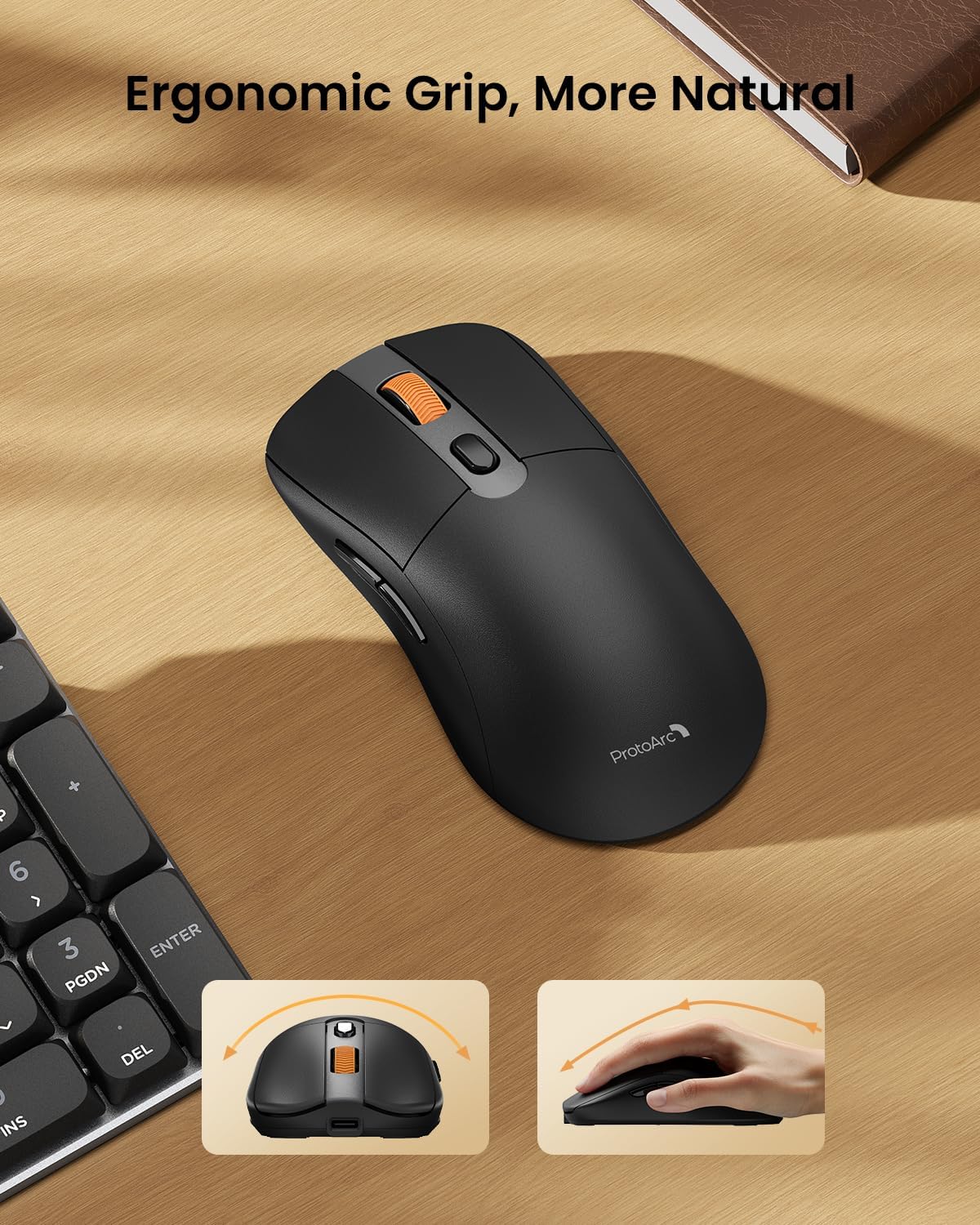
Image: A close-up of the ProtoArc KM310 mouse, illustrating the three adjustable DPI settings (1000, 1600, 2400).
- Rregullimi i DPI: Press the DPI switch button (usually located near the scroll wheel) to cycle through the 3 DPI levels (1000/1600/2400) to match your preference for cursor speed and precision.
- Butonat e navigimit: Përdorni butonat përpara dhe prapa në anë të miut për navigim të shpejtë në web shfletuesit ose file eksplorues.
- Klikime të heshtura: The mouse features silent click buttons for a quiet working environment.
Mirëmbajtja
- Pastrimi: Use a soft, dry cloth to wipe down the keyboard and mouse. For stubborn dirt, a slightly damp Mund të përdoret një leckë me sapun të butë, duke u siguruar që të mos hyjë lëng në pajisje.
- Kujdesi për baterinë: Recharge the devices when the battery indicator is low. Avoid prolonged exposure to extreme temperatures.
- Magazinimi: When not in use for extended periods, turn off the devices to conserve battery life. Store the USB receiver inside the mouse to prevent loss.
Zgjidhja e problemeve
Keyboard/Mouse Not Turning On or Stopping Working
- Kontrollo baterinë: Ensure both the keyboard and mouse are sufficiently charged. Connect them to a power source using the USB-C cable.
- Riçiftimi i pajisjeve:
- For 2.4G connection, ensure the USB receiver is securely plugged in and the devices are set to 2.4G mode.
- For Bluetooth connection, ensure the devices are set to the correct BT channel (BT1 or BT2) and re-pair them through your device's Bluetooth settings.
- Provoni një kabllo të ndryshme: If charging issues persist, try using a different USB-C cable to rule out a faulty cable.
- Ndërhyrja: Move the devices closer to your computer or away from other wireless devices that might cause interference.
- Kontaktoni me mbështetjen: If the issue persists, please contact ProtoArc customer support for further assistance.
Specifikimet
| Numri i modelit | KM310 |
| Markë | ProtoArc |
| Ngjyra | Hapësirë Gri |
| Teknologjia e lidhjes | Bluetooth, USB (2.4G Wireless) |
| Karakteristika të veçanta | I ulët Profile Keys, Linear Red Switches, Ergonomic Design, Ultra-Light Mouse, Ergonomic Mouse |
| Pajisjet e përputhshme | Laptop, Personal Computer, Tablet (Windows 7/8/10, Mac OS X 10.12, Android 4.3 or higher) |
| Pesha e artikullit | 2.31 paund |
| Dimensionet e paketës | 17.68 x 8.07 x 2.05 inç |
Garancia dhe Mbështetja
The ProtoArc KM310 Mechanical Keyboard and Mouse combo comes with a Garanci 2-vjeçare.
For any questions, technical support, or warranty claims, please contact ProtoArc customer service:
- Email: support@protoarc.com
- Telefoni: +1 866-287-8188
Video zyrtare e produktit
Video: Prezantimi zyrtar i videos së produktitasing the features and design of the ProtoArc KM310 Aluminum Mechanical Keyboard and Mouse.


